272 MI-42-0001 Rev. 19
DETACHABLE PENDANT: Maintenance with Detachable Pendants
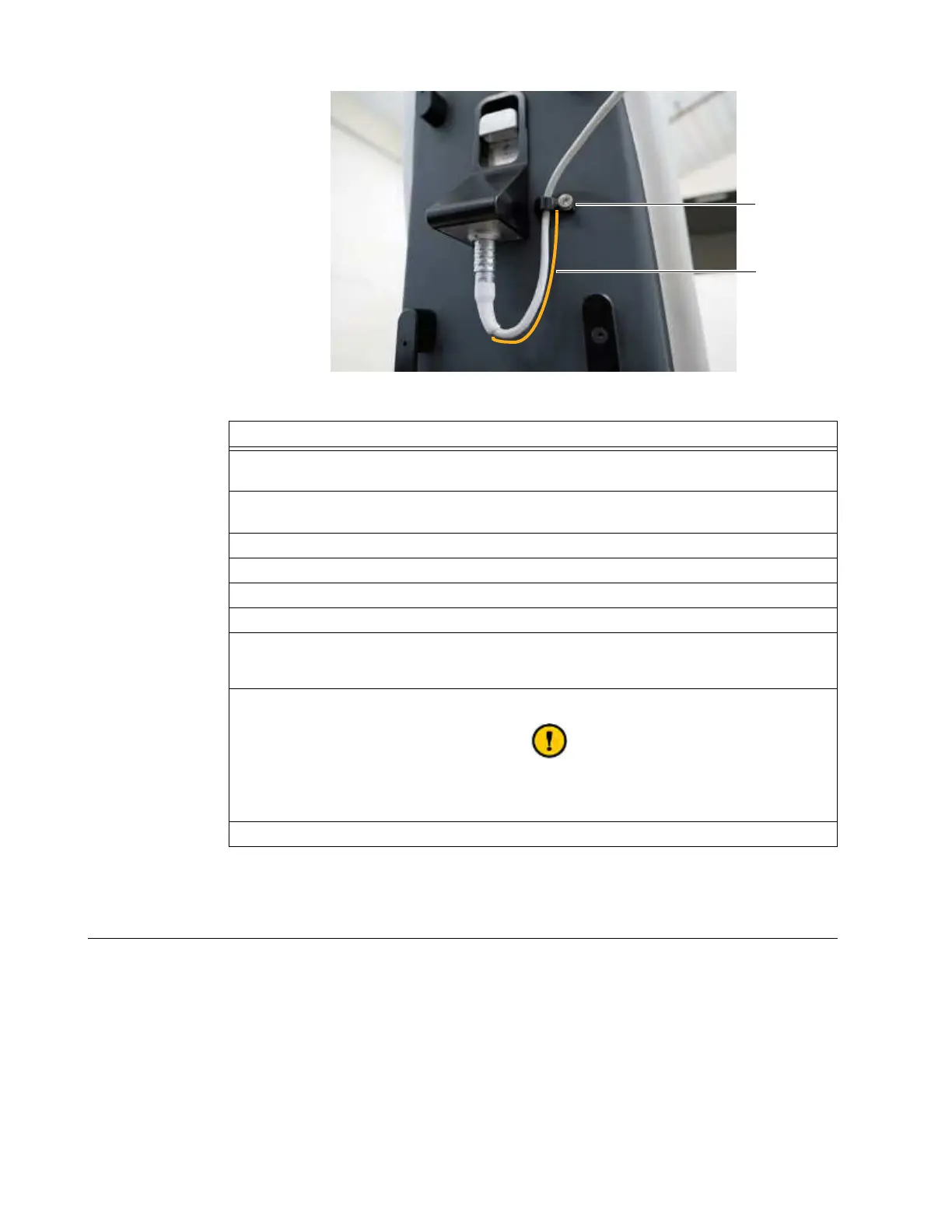
Figure 183
13.3.2 Disconnecting Detachable Pendants
How to Disconnect
Detachable
Pendants
NOTE: The following procedure applies only to AIRO systems that feature Detachable Pendants.
No similar functionality is available for systems with hardwired Pendants.
If the system features a Detachable Pendant, it uses a barrel-ring connector for connecting and
disconnecting the pendant cable to the system at the connector below the Ring latch.See Figure 25.
Steps
1. Ensure that the system is powered down, with the Detachable Pendant cable disconnected
and cable strain relief released.
2. Locate the barrel-ring connector at the end of the Detachable Pendant cable. See Figure
181.
3. Note the position of the alignment mark
a.
4. Locate the connector housing below the Ring’s latch. See Figure 25.
5. Holding the connector below the barrel ring, line up the alignment marks
s.
6. Insert the connector into the socket until the barrel-ring clicks into place.
7. Loop the cable up along the latch housing with an approximately
15.24cm (6-in.)
of cable
from the end of the connector cover to the strain relief d.
8. Secure the cable with the strain-relief and tighten the thumb screw f finger-tight.
Make sure the cable passes through the channel of the strain relief bracket.
Pinching it with the bracket or the alignment pin can puncture the cable insulation
and require Pendant replacement.
9. Power on the system. See section 3.3.1 Turn On Power.



 To Next Page