MI-42-0001 Rev. 19 273
DETACHABLE PENDANT: Maintenance with Detachable Pendants
Always power down AIRO before connecting or disconnecting the Detachable
Pendant. Connecting or disconnecting the pendant during scan work flows or while
the system is powered on can result in:
- Unused patient dose
- Delay of therapy
- Nonfunctional system
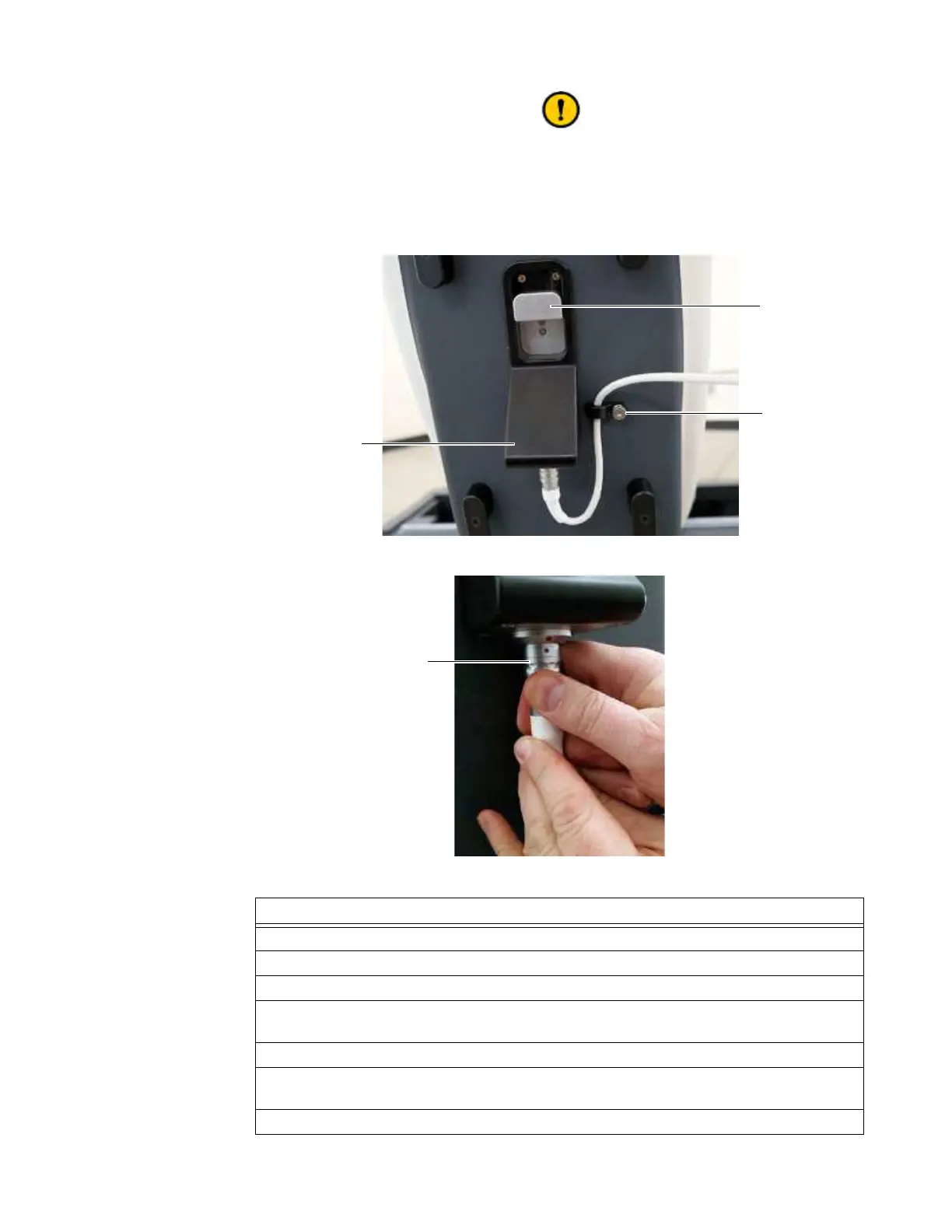
Figure 184
Figure 185
Steps
1. Power down the system. See section 3.4 Powering Down.
2. Locate the connector housing
a below the Ring’s latch s. See Figure 25.
3. Loosen the thumb-screw on the cable strain relief d and release the cable.
4. Grasp the barrel-ring of the connector f and pull it down to disengage the “fingers” that
secure it.
5. Remove the connector from the socket in the connector housing.
6. Secure the strain relief with the Pendant and cable removed by positioning it to fill the
alignment hole and re-tightening the thumb-screw.
7. Reconnect a Detachable Pendant before restarting the system. See section 13.3.1.



 To Next Page