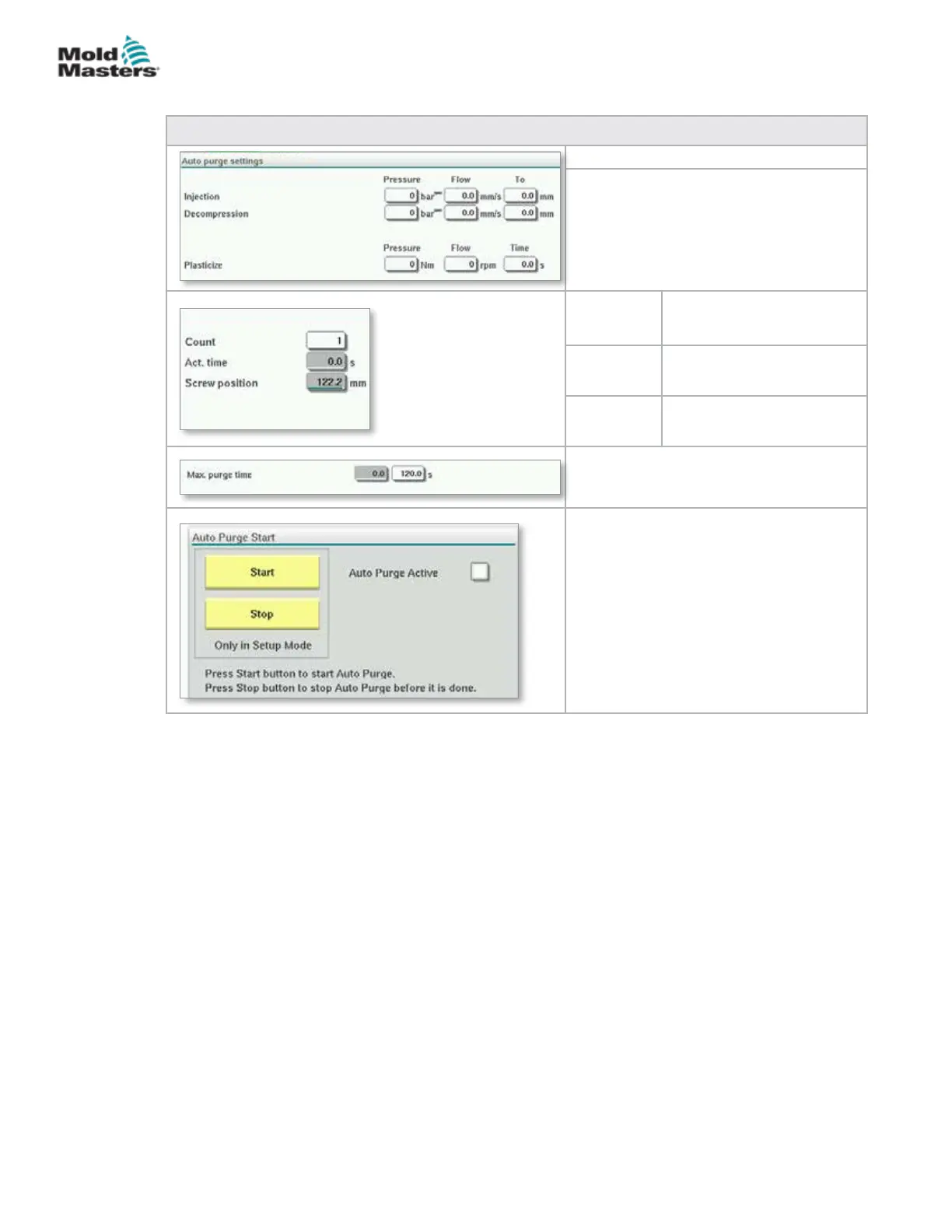
Table 7-40 Auto Purge Screen Elements
Auto Purge Settings
Pressure and Velocity Input Fields
These settings can be adjusted by
entering values directly into these elds.
These elds are used to set the purge
cycle parameters.
Count The number of times the
purge cycle will run.
Act. time Displays the duration of the
last purge cycle
Screw
position
Displays the current screw
position.
Max. purge time
If the purge time exceeds this value, the
cycle will stop and the machine will fault.
Auto Purge Start / Stop
Pressing the 'Start' button with activate
the Auto Purge program.
Pressing the 'Stop' button will deactivate
the Auto Purge process before it is
complete.
Auto Purge Screen - continued
7-67
© 2020 Mold-Masters (2007) Limited. All Rights Reserved.
E-MULTI CONTROLLER HMI INTERFACE
E-Multi Controller User Manual



 To Next Page