7.9 Barrel Temperature Settings - Legacy
Controllers*
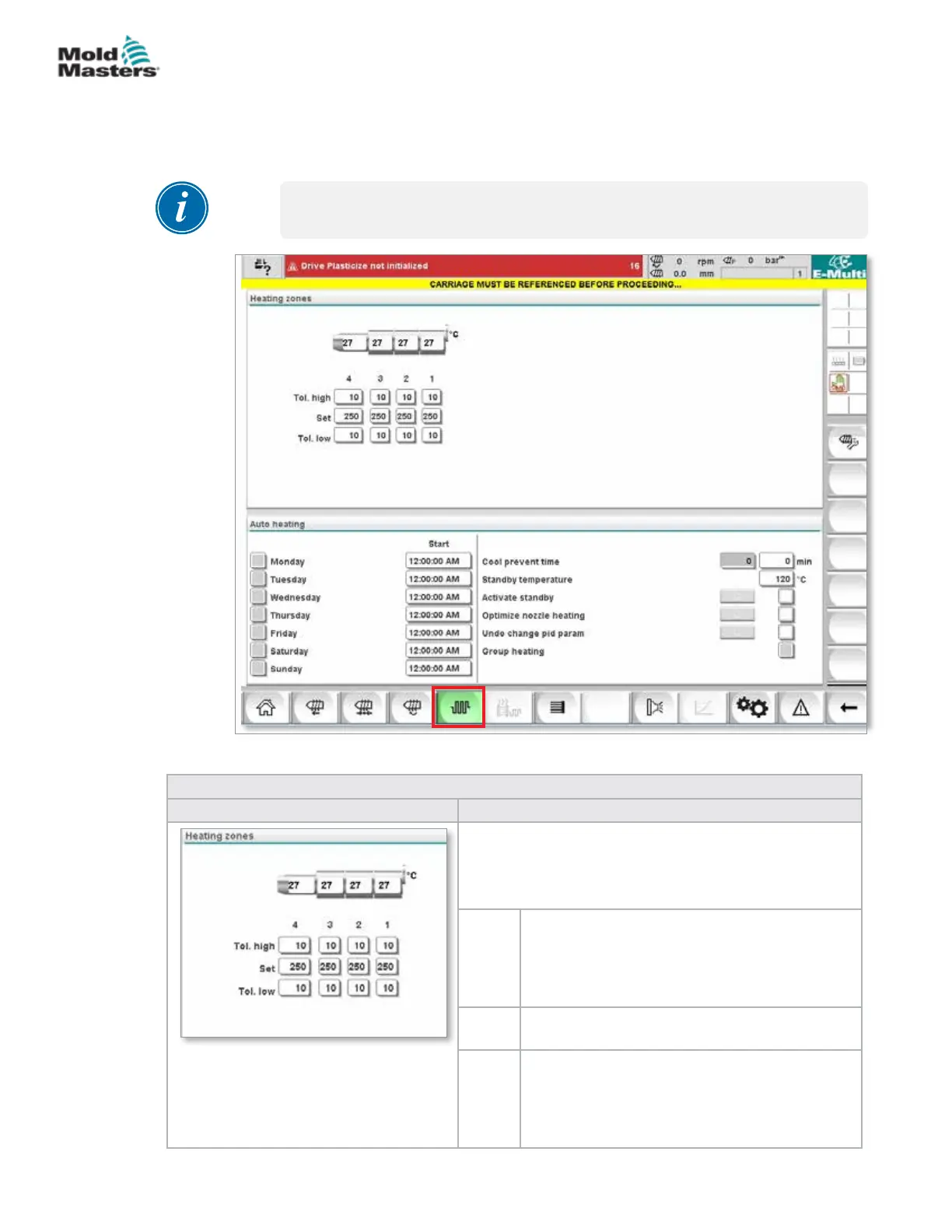
This screen is used to adjust temperature settings for the barrel heating
zones.
*NOTE
These screens were available only on certain systems prior to 2015.
Figure 7-7 Legacy style barrel temperature settings screen
Table 7-15 Legacy Style Barrel Temperature Setting Screen Components
Screen Component Description
Heating zones
The individual heating zones are graphically displayed
with the current temperature in the middle of each zone.
The display will depend on the number of heating zones.
Tol.
high
Species the high tolerance within which the
actual temperature of the heating zones must
sit. If this tolerance is exceeded an alarm will
be triggered. Only when all zones are within the
tolerance is movement of the screw possible.
Set Species the temperature set-point value of the
corresponding heating zone (in degrees).
Tol.
low
Species the low tolerance within which the
actual temperature of the heating zones must
sit. If this tolerance is exceeded an alarm will
be triggered. Only when all zones are within the
tolerance is movement of the screw possible.
7-21
© 2020 Mold-Masters (2007) Limited. All Rights Reserved.
E-MULTI CONTROLLER HMI INTERFACE
E-Multi Controller User Manual



 To Next Page