3. From the Drive: drop down menu, select USB0.
4. Tap the Save Machine Data button.
5. Tap the Back up Machine Data button.
6. Remove the USB drive. Using another computer, verify that the mold and
machine data les have been saved to the USB drive.
8.7.3 Install New Software
1. Power down the controller following the instructions in “6.3 Switch On” on
page 6-2.
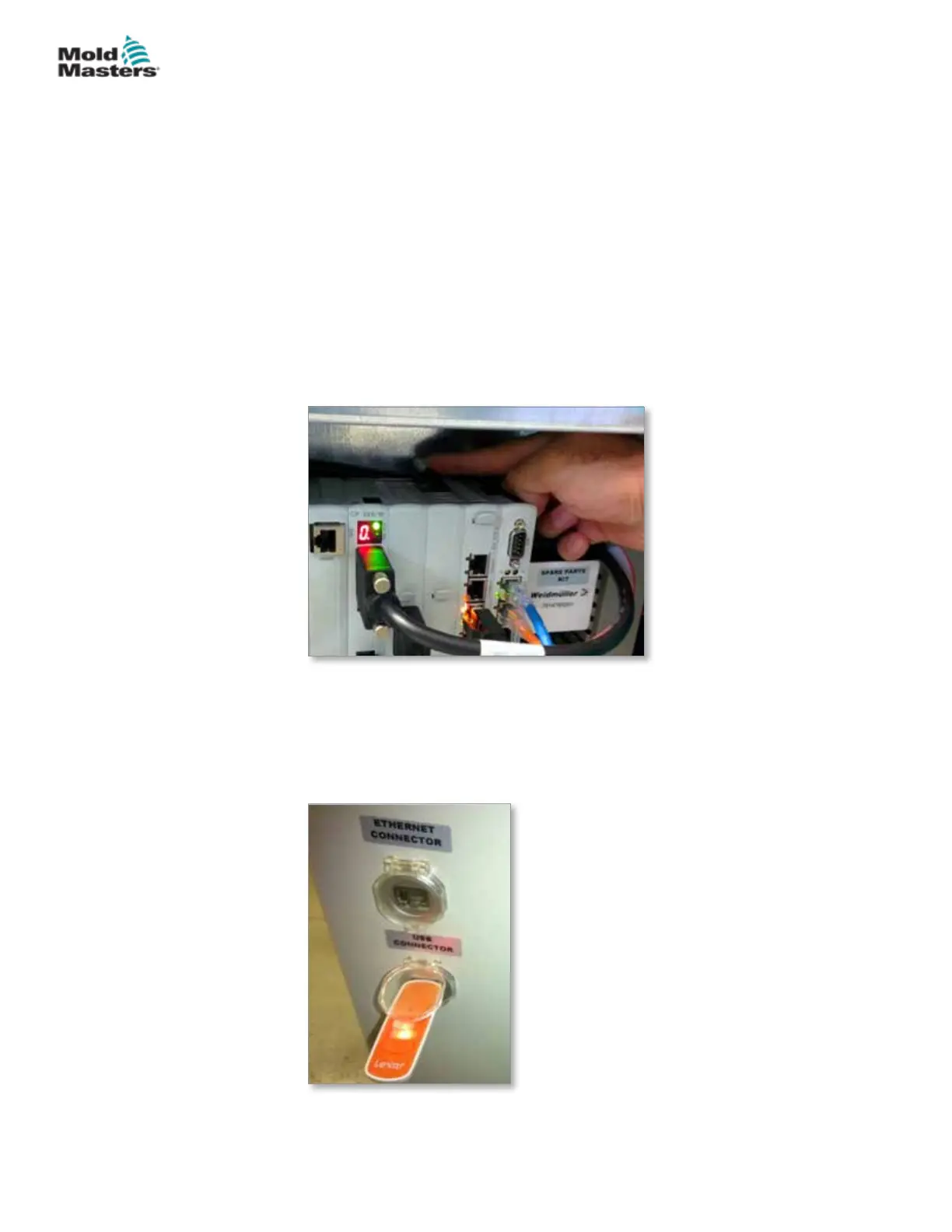
2. Remove the existing compact ash card.
The compact ash card is located on top of the PLC. There is a black tab
on top of the PLC next to the card slot. Press the back of the tab down to
eject the compact ash card from the holder.
3. Install the new compact ash card with the connector-side down.
The card and slot are keyed and the card should slide into the slot easily.
Do not force the card if it does not slide easily. The card is properly
installed when the top of the card is at the same level as the top of the
PLC.
4. Insert the USB key with the machine and mold data backup les.
Save Machine Data - continued
8-9
© 2020 Mold-Masters (2007) Limited. All Rights Reserved.
MAINTENANCE
E-Multi Controller User Manual



 To Next Page