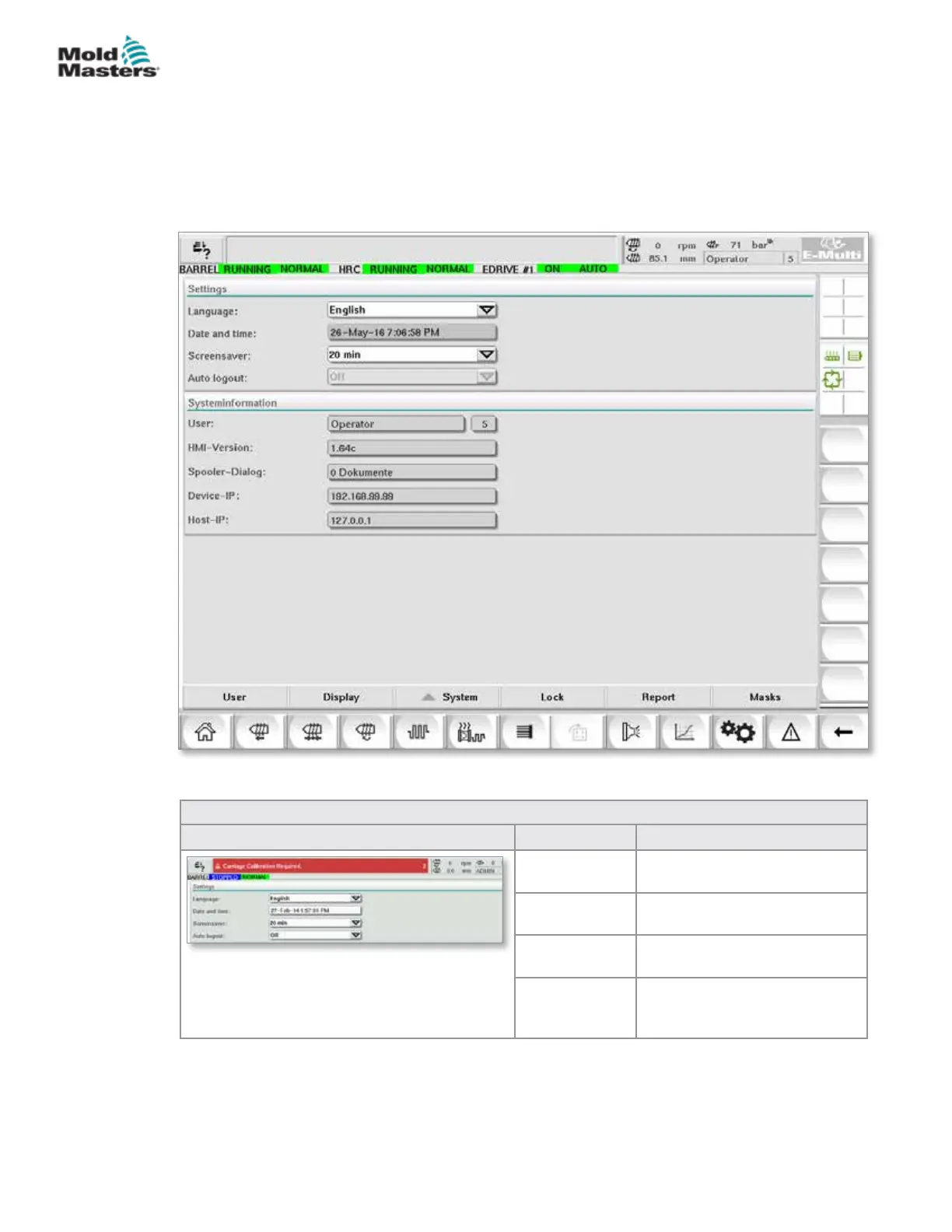
7.22 System Settings Screen
The System Settings screen is used to select global settings such as
display language and units of measure, local date and time. Other system
information is displayed, but not changed, on this screen. Additional menus
can be accessed through the menu buttons at the bottom of the Setup
screen, including User, Display, System, Report and Mask.
Figure 7-25 System settings screen
Table 7-36 Systems Settings Screen Components
Screen Component Field Description
Language Used to select the system
language for the HMI.
Date and time Used to set the system date
and time.
Screen saver Sets the time after which the
HMI screen will be turned o.
Auto Logout Sets the time after which a
logged-on user is automatically
logged o.
7-61
© 2020 Mold-Masters (2007) Limited. All Rights Reserved.
E-MULTI CONTROLLER HMI INTERFACE
E-Multi Controller User Manual



 To Next Page