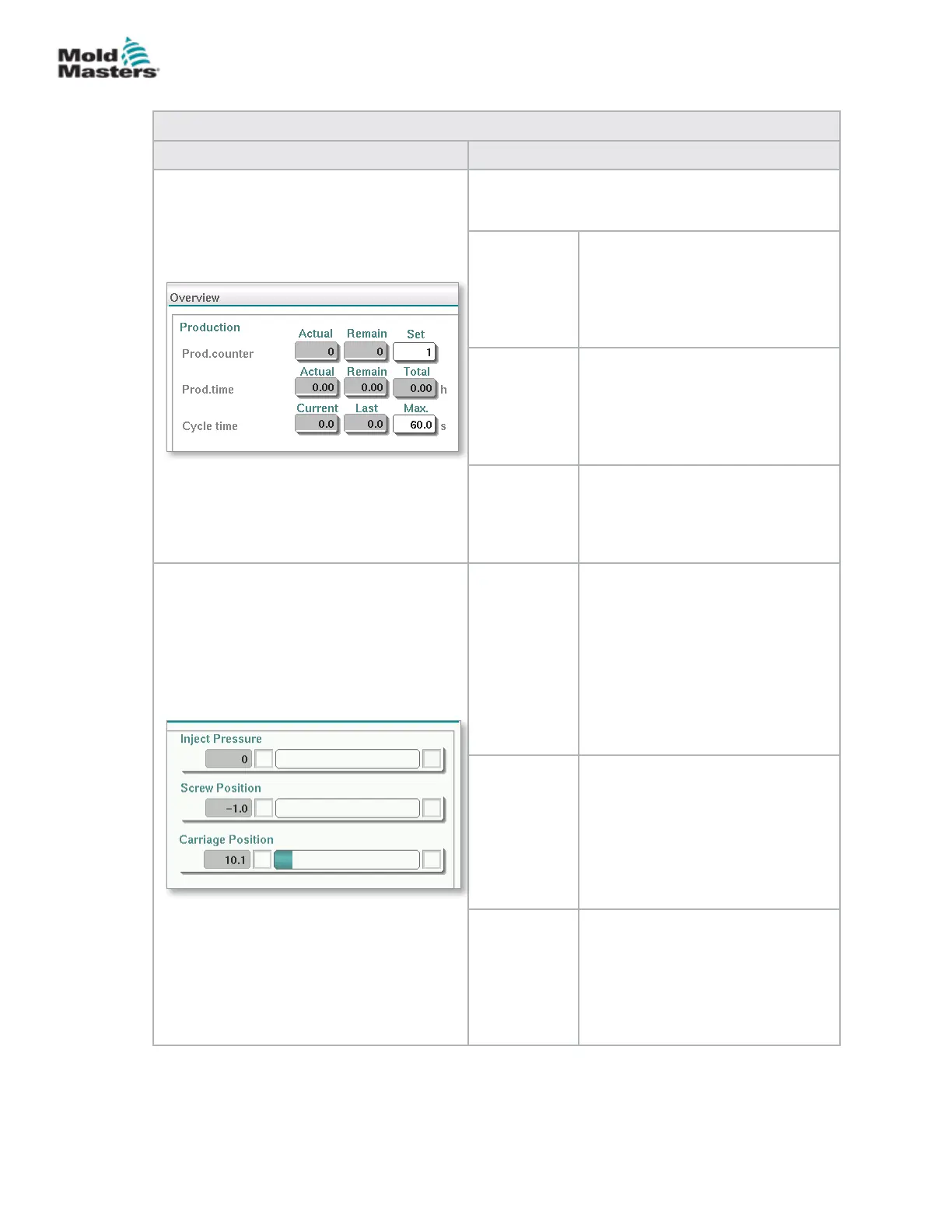
Table 7-7 Overview Screen Components
Screen Components Description
Live E-Multi Production Values at the top of the
screen provides the operating personnel with an
overview of production data:
Prod.
counter
The current number of shots (shot
counter) is shown in the Actual eld.
The remaining number of shots is
shown in the Remain eld. The total
number of shots to be produced can
be specied in the Set eld.
Prod. time The current production time is
shown in the Actual eld. The
remaining production time is shown
in the Remain eld. The total
production time is shown in the
Total eld.
Cycle time The current cycle time is shown in
the left eld (grey). The last cycle
time is shown in the middle eld
(grey). The maximum cycle time is
shown in the right eld (white).
Injection
Pressure
When machine is idle, this shows
the system preload pressure.
When an injection cycle is active,
this shows the plastic pressure
generated by the injection unit.
An analog bar shows the current
position graphically. Markers to
the left and right of the analog bar
indicate when the end position is
reached.
Screw
Position
Current position of the E-Multi
screw, relative to the fully forward
reference position.
An analog bar shows the current
position graphically. Markers to
the left and right of the analog bar
indicate when the end position is
reached.
Carriage
Position
The position of the carriage relative
to the nozzle touch point (fully
forward). An analog bar shows the
current position graphically. Markers
to the left and right of the analog
bar indicate when the end position
is reached.
Overview Screen - continued
7-10
© 2020 Mold-Masters (2007) Limited. All Rights Reserved.
E-MULTI CONTROLLER HMI INTERFACE
E-Multi Controller User Manual



 To Next Page