7.3.5 Print Functionality
Before moving into the screen descriptions it is useful to know how to capture
or print screens. This is often used by production personnel to obtain a
printed record of production information and settings or for communicating
with service people.
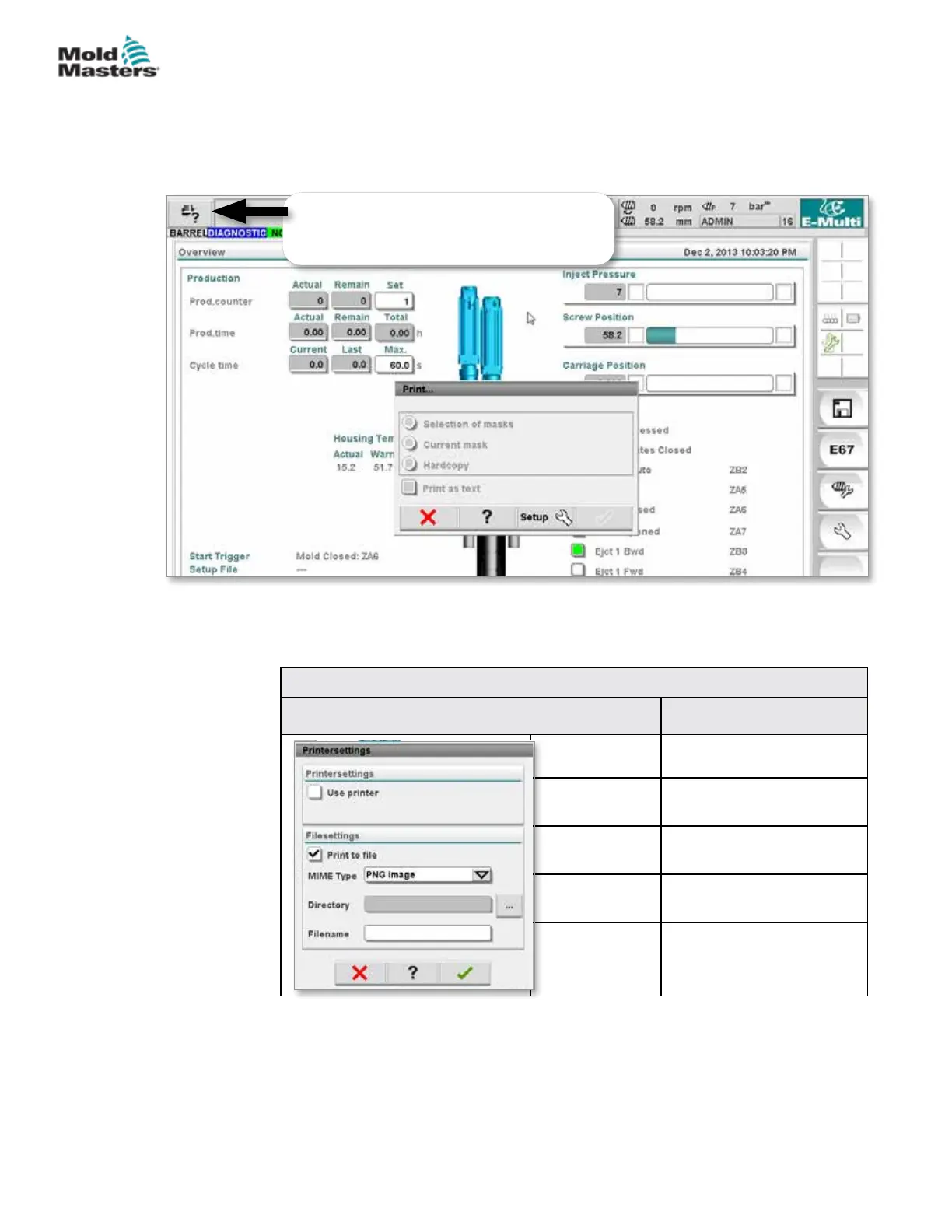
When the Print Setup button is tapped, the printer setup dialog will appear.
The printer settings are described below.
Table 7-6 Printer Settings
Screen Element Description
Use Printer Output to a USB printer.
Print to File Output to a le.
MIME Type Selection of a MIME-type
for the output le.
Directory Target directory for the
output le.
Filename File name of the output le.
To open the print dialog, tap the print button
on the top left of the screen.
Figure 7-2 Print functionality screen
7-7
© 2020 Mold-Masters (2007) Limited. All Rights Reserved.
E-MULTI CONTROLLER HMI INTERFACE
E-Multi Controller User Manual



 To Next Page