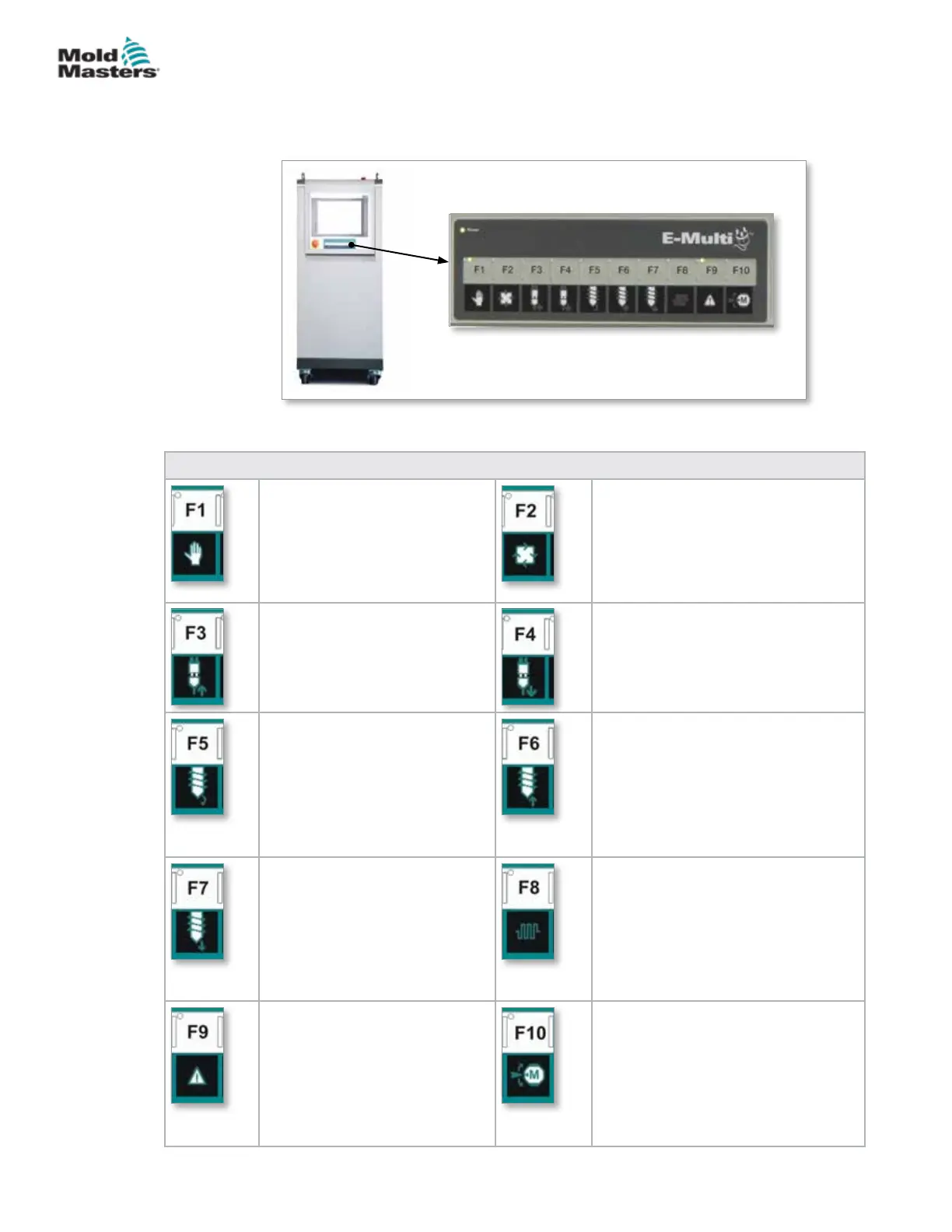
7.2 Cabinet Mounted Control Buttons
The cabinet mounted buttons are provided for quick access to commonly
used functions.
Table 7-1 Control Buttons
F1 Manual/Setup Mode
E-Multi will not be controlled
by the molding machine in this
mode. This mode is used for
setup functions and jogging
motors.
F2 Ready / Auto Mode
E-Multi will be triggered by the
molding machine depending on the
E-Multi triggering method selected.
F3 Carriage Move Retract
The carriage can be retracted
by placing the E-Multi in Manual
/ Setup mode and pressing this
button.
F4 Carriage Move Advance
The carriage can be advanced by
placing the E-Multi in Manual / Setup
mode and pressing this button.
F5 Screw Rotate
The screw can be rotated by
placing the E-Multi in Manual /
Setup mode and pressing this
button. The screw will rotate
until you press this button again
to turn it o.
F6 Screw Retract
The screw can be retracted by
placing the E-Multi in Manual / Setup
mode and pressing this button.
F7 Screw Advance
The screw can be advanced by
placing the E-Multi in Manual /
Setup mode and pressing this
button.
F8 Nozzle Heaters
The nozzle heaters can be turned
o / on at any time with this button.
Note: If the heater temperature is
outside the preset limits, the E-Multi
will not operate and an error will be
displayed.
F9 Acknowledge/Reset
current alarms
Any current alarms will be
acknowledged and a reset will
be attempted when this button is
pressed.
F10 Enable Servo Motors
The injection and screw servo axis
motor control is enabled by pressing
this button. The LED on the top left
corner of this button will light up when
the drives are enabled. No motion will
occur if this button is not lit up.
Figure 7-1 Cabinet mounted control buttons
7-2
© 2020 Mold-Masters (2007) Limited. All Rights Reserved.
E-MULTI CONTROLLER HMI INTERFACE
E-Multi Controller User Manual



 To Next Page