5.5 Connect a Handheld HMI (Optional)
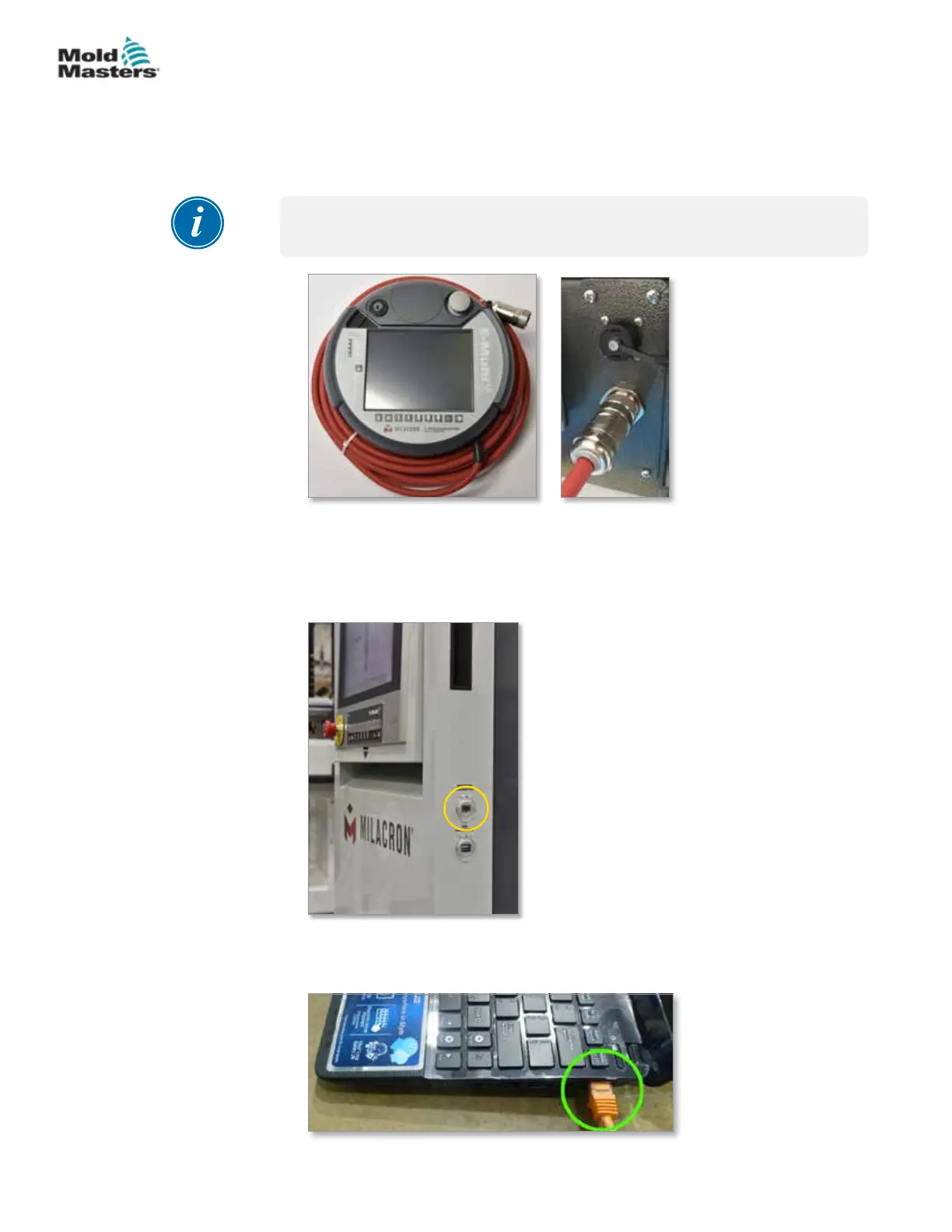
E-Multi units are available with optional handheld Human Machine Interface
(HMI) units to allow control of the E-Multi when access to the controller is
inconvenient. The handheld HMI connects to the HAND-HELD HMI connector
on the controller.
IMPORTANT
If a handheld HMI is not connected then a jumper plug is required.
Figure 5-4 Handheld HMI and connection
5.6 Connect Diagnostic Computer (Optional)
1. Connect one end of the crossover cable to Ethernet port on the controller.
The Ethernet cable can be connected with the power on.
2. Connect the other end of the crossover cable to the Ethernet port on the
diagnostic computer. Note that the diagnostic computer may dier from
the one shown.
5-4
© 2020 Mold-Masters (2007) Limited. All Rights Reserved.
INSTALLATION
E-Multi Controller User Manual



 To Next Page