7.11.2 Setup Screen (Supervisor Level)
The Setup screen is used to set heat zone parameters and congure some
global parameters.
NOTE
The Setup screen can only be accessed with supervisor or higher credentials.
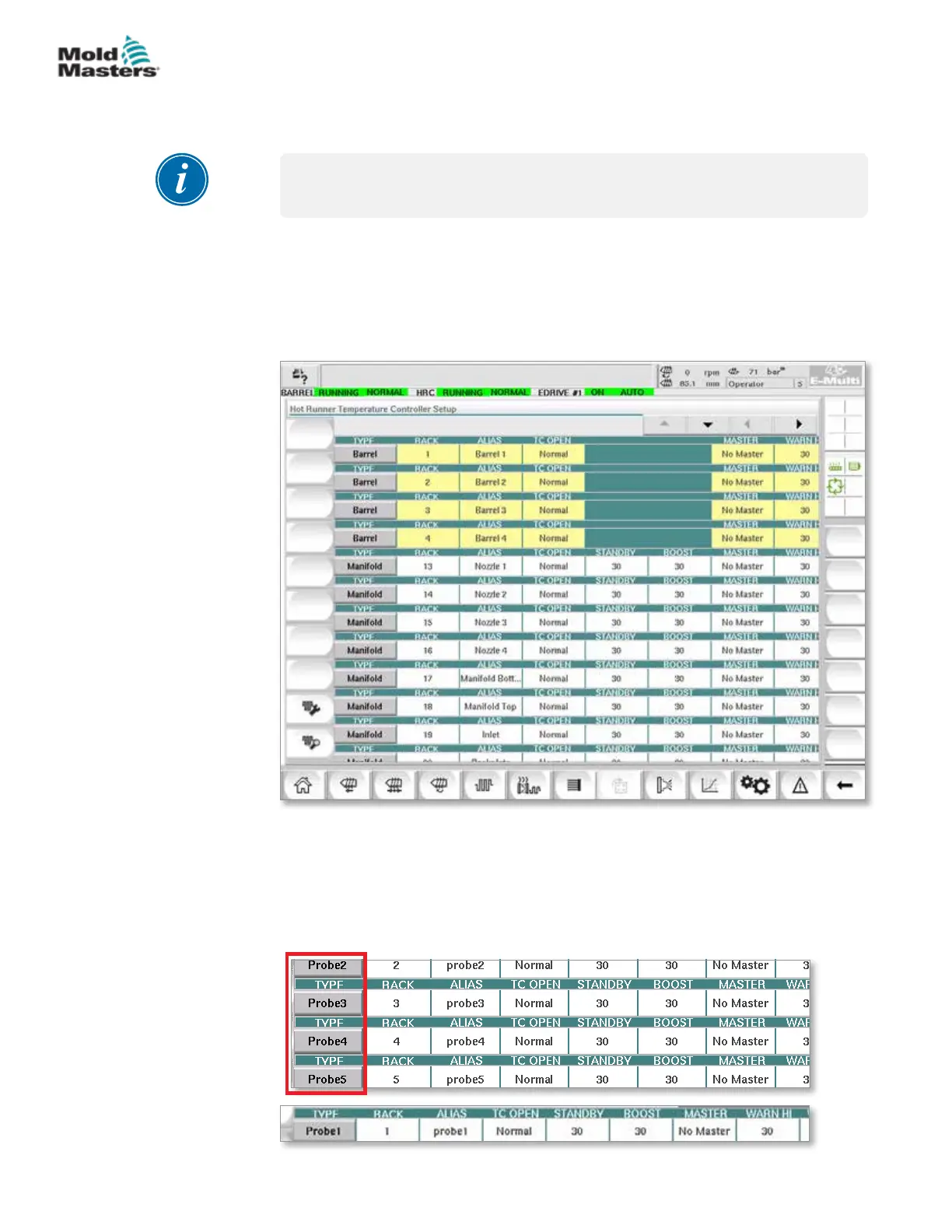
Use the scroll bars to see information for all the cards within the controller.
The same grid that displays this information is also used to set up the heat
zone parameters. Heat zone set points such as Set Temperature and Actual
Temperature are displayed here but cannot be changed from this screen.
They are changed from the Monitor Screen. See “Table 7-19 Monitor Screen
Control Buttons” on page 7-27 for the description of elements.
Figure 7-11 Setup screen (supervisor level)
Heat Zone Display
The rst column displays all the heat zones detected on the controller. This
column is used to select heat zones in order to change their parameters.
Zone parameters are identied by colored column headings.
7-31
© 2020 Mold-Masters (2007) Limited. All Rights Reserved.
E-MULTI CONTROLLER HMI INTERFACE
E-Multi Controller User Manual



 To Next Page