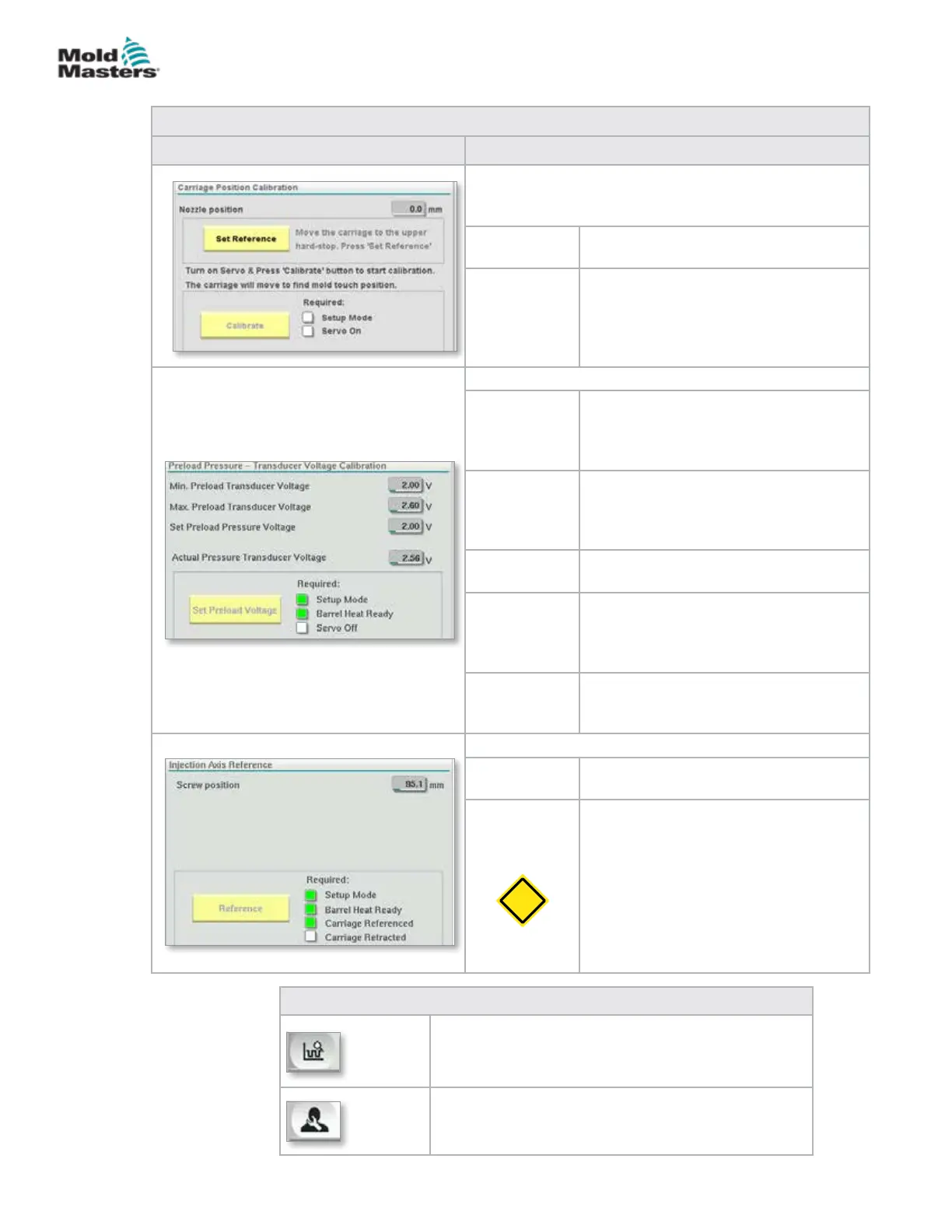
Table 7-50 Reference Settings Screen Elements
Screen Component Description
E-Multi Radial and Servo Carriage options
This frame replaces the Set Carriage Zero Reference
frame when an E-Multi Radial unit is installed.
Calibrate Begins the auto calibration routine for
the E-Multi Radial.
Set
Reference
The controller must be in Setup mode.
Use the F3 button to move the carriage
away from the mold until it stops
moving. Tap the Set Reference button to
set the nozzle back reference position.
Preload Pressure - transducer voltage calibration
Minimum
Preload
Transducer
Voltage
If the pressure transducer voltage
drops below this value, an alarm will be
generated.
Maximum
Preload
Transducer
Voltage
If the pressure transducer voltage at idle
rises above this limit, an alarm will be
generated.
Set Preload
Voltage
Pressure transducer voltage that
corresponds to 0 melt pressure.
Actual
Pressure
Transducer
Voltage
Real time pressure transducer voltage
reading.
Set Preload
Voltage
Button
Sets the transducer voltage that
corresponds to 0 melt pressure.
Injection Axis Reference
Screw
Position
Species the screw position at which
the system changes to hold pressure
Reference
Button
Tap this button to automatically move
the screw fully back and then fully
forward to verify the stroke and reset
the screw 0 position.
CAUTION: The injection unit will move
once this choice is conrmed.
Note: Referencing should be done with
no material in the feed block to prevent
material bridging.
Table 7-51 Reference Settings Screen Context Menu Buttons
Production Graph
Congurable view
Production Settings
7.32.1 Reference Settings Screen - continued
CAUTION
7-80
© 2020 Mold-Masters (2007) Limited. All Rights Reserved.
E-MULTI CONTROLLER HMI INTERFACE
E-Multi Controller User Manual



 To Next Page