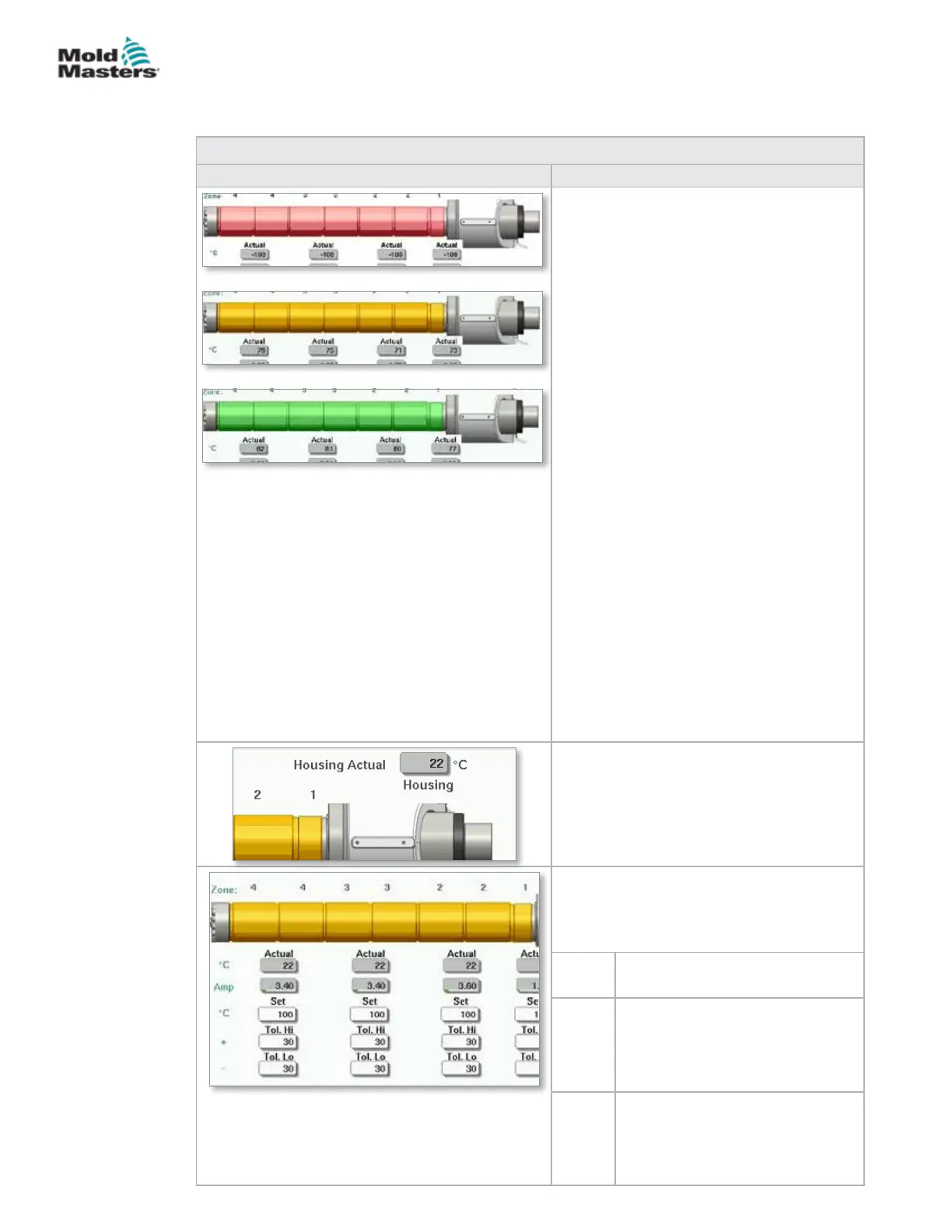
Table 7-17 Mold-Masters Barrel Temperature Screen Components
Screen Component Description
Zone Status - Visual Display
Referenced with the Top Bar Status Display
for information on the current condition.
The barrel temperature indicator zones will
change color depending on the temperature
of the corresponding barrel zone.
Green - Indicates barrel zone is at operating
temperature.
Yellow - Indicates barrel zone is close to
operating temperature but auto soak has not
completed.
Red - Indicates barrel is zone is outside of set
temperature window.
When AutoSoak is used, the system will wait
until the barrel temperature is just below the
setpoint and will attempt to turn the feed
screw using low torque. If the screw can turn,
the AutoSoak status will change to Pass and
the color will change to green.
When AutoSoak is not used, the system will
wait until the barrel temperature is just below
the setpoint and will start the soak timer. After
the soak timer completes, the soak status will
change to Pass and the color will change to
green.
Housing Actual
Actual temperature of barrel housing.
Heating Zones
The individual heating zones are graphically
displayed with real time temperature and
current feedback displayed below each zone.
Set Species the temperature set-point
value of the heating zone.
Tol Hi Species the temperature above
which the zone will be out of
tolerance. If the temperature
exceeds this value, an alarm is
triggered.
Tol Lo Species the temperature below
which the zone will be out of
tolerance. If the temperature
drops below this value, an alarm is
triggered.
Barrel Temperature Settings - Mold-Masters Screen -
continued
7-24
© 2020 Mold-Masters (2007) Limited. All Rights Reserved.
E-MULTI CONTROLLER HMI INTERFACE
E-Multi Controller User Manual



 To Next Page