6.3 Switch On
When the main power switch is turned to on, the servo motors will not be
enabled.
Once the software has nished loading and the display shows the Overview
page, the system is in Manual mode and is ready to have the heaters
switched on to bring the barrel heaters to temperature.
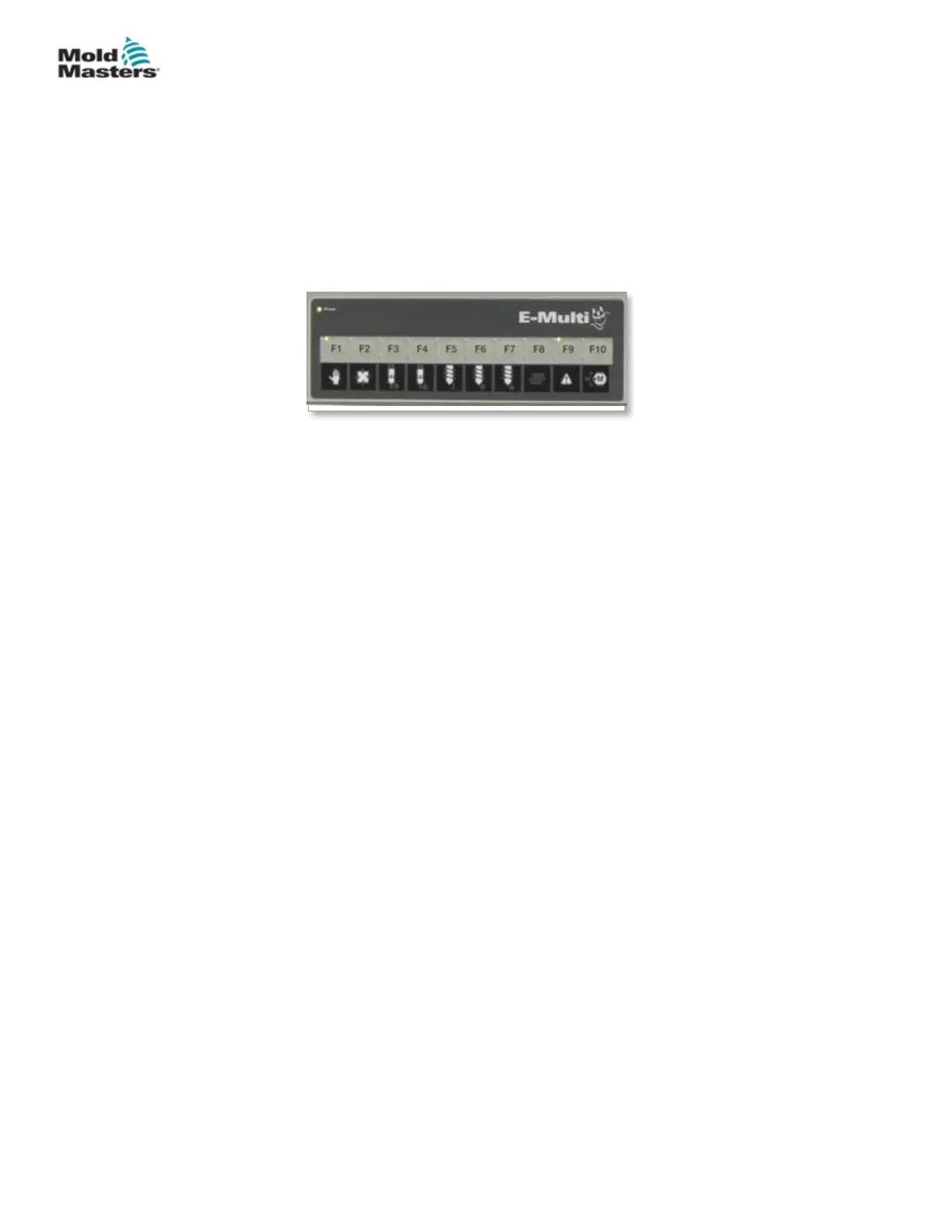
Servo motors may be enabled by pressing the [F10] button on the button strip
located below the display. Once the servo motors are enabled, the LED at the
top left of the button will turn on.
The E-Multi controller can be used in Manual, Setup and Auto/Ready mode.
6.4 Switch Off (Shutdown)
Mold-Masters recommends that you use the console to shutdown the heating
load, and only use the main current breaker switch to turn o the dormant
controller.
6.4.1 Shutdown the Heating
Press the [F8] button located on the button strip located below the display.
The LED at the top left of the [F8] button indicates heating status.
• If the LED is lit, heating is active.
• If the LED is not lit, heating is o.
6.4.2 Shutdown the Controller
Once heating has been turned o, the system may be turned o using the
main switch on the back of the controller.
Figure 6-2 Button strip below controller display (HMI)
6-2
© 2020 Mold-Masters (2007) Limited. All Rights Reserved.
OPERATION
E-Multi Controller User Manual



 To Next Page