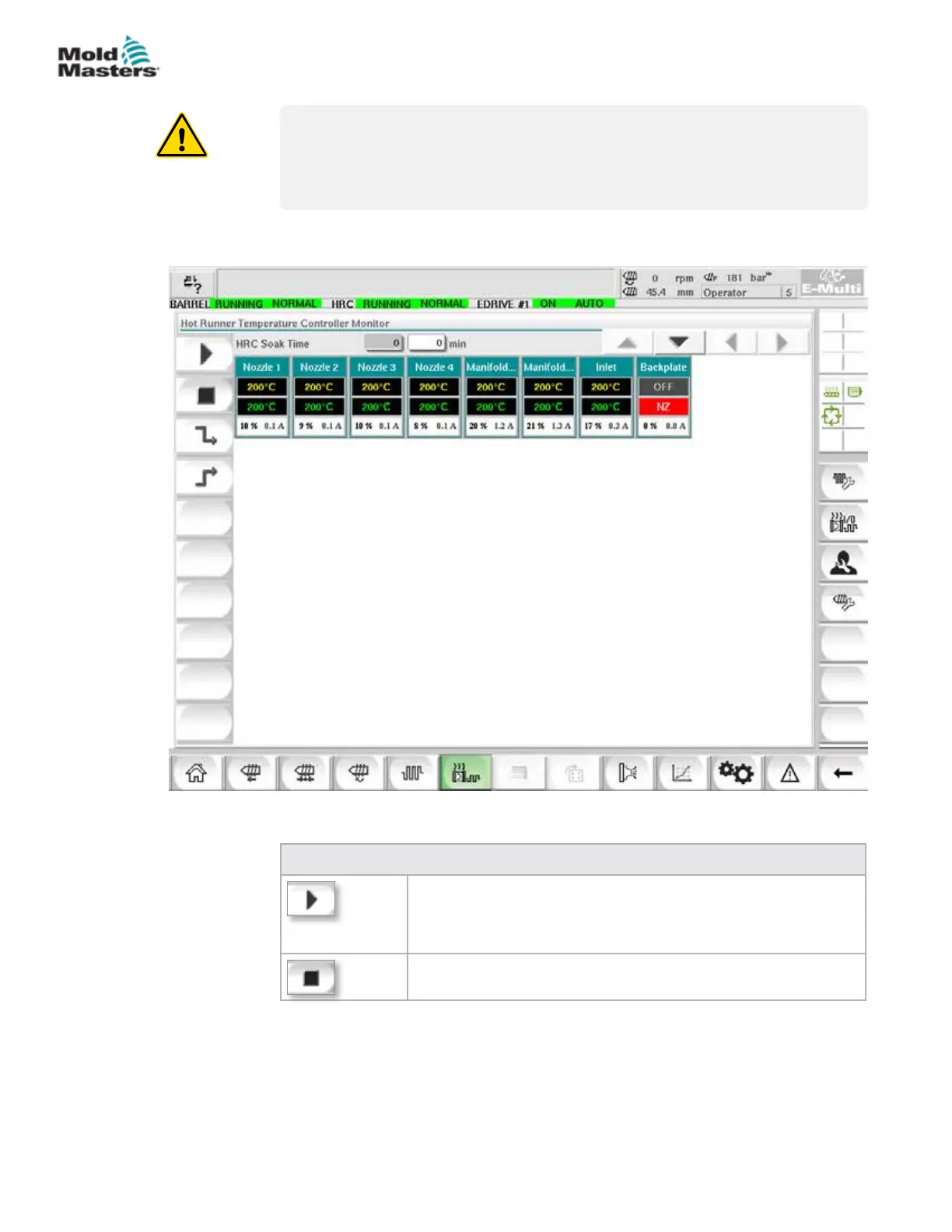
7.11.1 Monitor Screen
WARNING
Selecting [Stop] does not remove voltage from the heaters. Selecting
[Stop] sets all the target temperatures to zero. DO NOT try to change fuses
or disconnect units while in this mode.
This screen is the main screen for the integrated hot runner temperature
control and provides an overview of operational data.
Table 7-19 Monitor Screen Control Buttons
[Run] switches on all heat zones, so that they independently rise
up to their set point temperatures.
[Stop] switches o all heat zones.
Figure 7-10 Hot runner controller monitor screen
7-27
© 2020 Mold-Masters (2007) Limited. All Rights Reserved.
E-MULTI CONTROLLER HMI INTERFACE
E-Multi Controller User Manual



 To Next Page