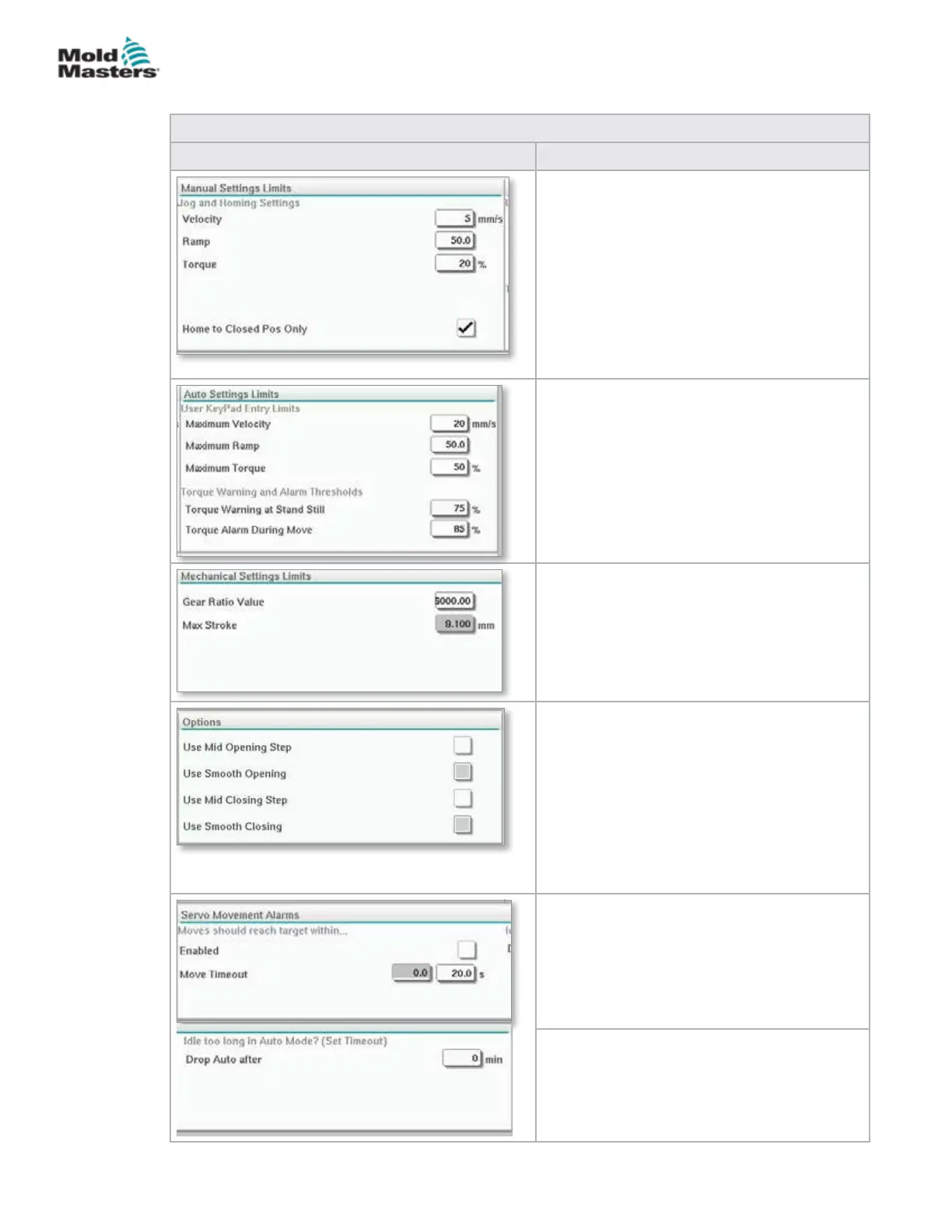
Table 7-25 E-Drive Settings Screen Elements
Screen Elements Description
Manual Settings Limits
Sets the maximum limits available for
adjustment when in manual mode.
Home to Closed Position Only
The plate moves to home position, nds the
hard stop and does not check the stroke by
going to the other hard stop.
Auto Settings Limits
Sets the maximum limits available for
adjustment by the operator on the overview
screen.
Torque Warning and Alarm Thresholds
Sets the threshold (%) at which warnings and
alarms would be generated.
Mechanical Settings Limits
Gear Ratio Value: This is the overall rotational
motor degrees per each linear mm of stroke.
Maximum Stroke: This the maximum stroke
set for the E-Drive plate. This is set at the
factory.
Options
A mid opening or closing step may be
activated here.
If activated, elds for setting position and delay
will be available on the Overview screen.
Smooth opening/closing
E-Drive plate transitions from one step to
another step without stopping.
Servo Movement Alarms
Moves should reach target within the specied
time. If the position is not reached, the system
will fault.
Enabled - check to enable
Time setting after which it times out.
Idle too long in Auto Mode? (set timeout)
Exit from Auto mode after the specied period
of inactivity.
Settings Screen (Supervisor Level) - continued
7-42
© 2020 Mold-Masters (2007) Limited. All Rights Reserved.
E-MULTI CONTROLLER HMI INTERFACE
E-Multi Controller User Manual



 To Next Page