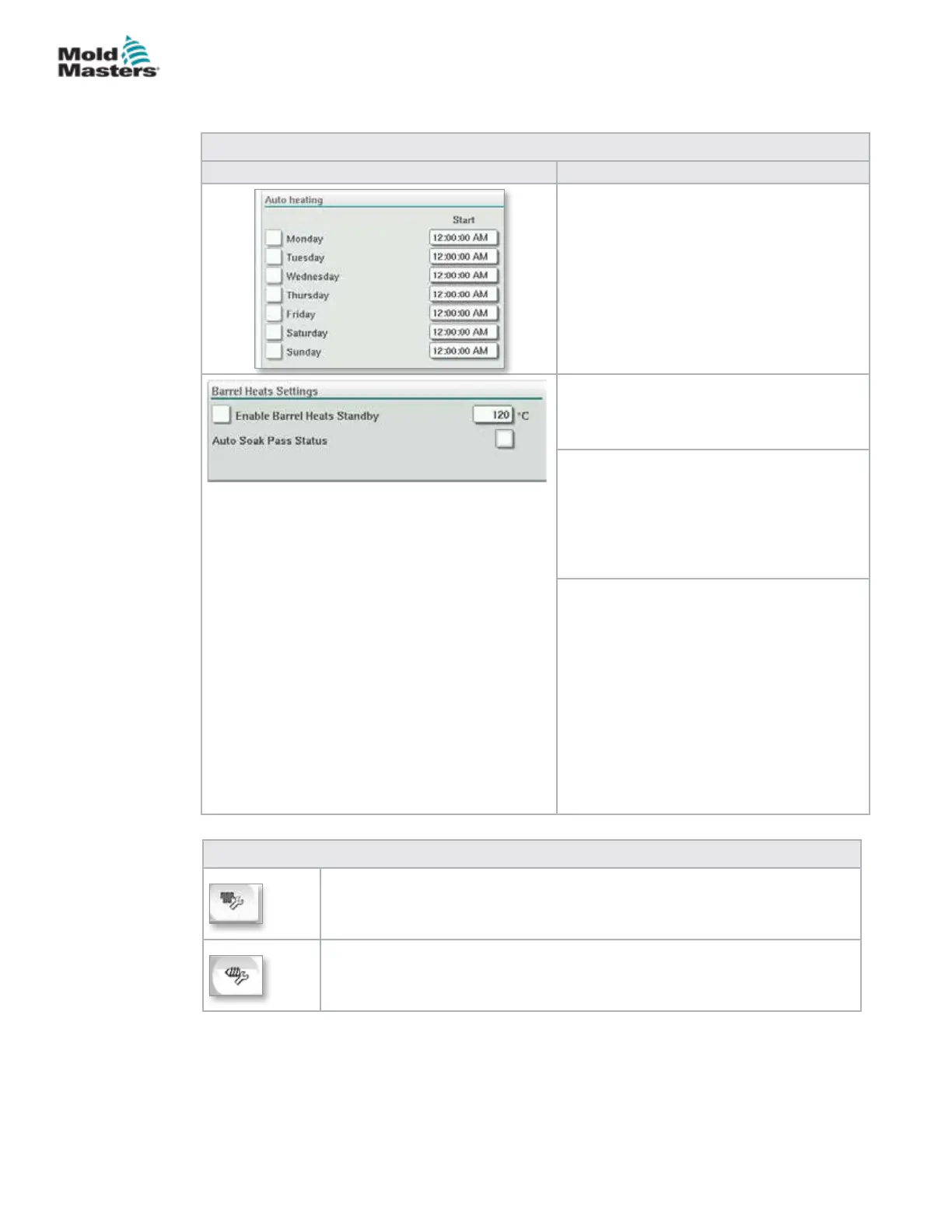
Table 7-17 Mold-Masters Barrel Temperature Screen Components
Screen Component Description
Auto Heating
Barrel heats may be switched on
automatically using this feature. Check the
box next to the day to enable auto heat for
that day.
Barrel heats will turn on at the specied time.
Note: Heaters will stay on until manually
turned o.
AutoSoak Pass Status
This indicator shows whether the AutoSoak
has been successfully completed or not after
all the barrel heats are up to temperature.
Standby Temperature
When Standby is activated, all barrel zone
temperatures will be decreased by this
amount.
For example, if the barrel temperature
setpoint is 200C and the Standby setpoint is
120C, the barrel heat will be reduced to 80C.
Activate Standby: Standby mode holds the
heating zones at a preset temperature during
a stop in production. Standby temperature is
usually lower than processing temperature
but higher than ambient temperature.
On: temperature is set to the Standby
temperature. No screw movement is
possible.
O: temperature is reset to the production
operating temperatures. Screw movement is
possible.
Table 7-18 Mold-Masters Temperature Settings Screen Context Menu Buttons
Hot Runner Control Setup Screen
Navigates to the Integrated Hot Runner Control Setup screen where
integrated hot runner control settings can be adjusted.
Reference Settings
Barrel Temperature Settings - Mold-Masters Screen -
continued
7-25
© 2020 Mold-Masters (2007) Limited. All Rights Reserved.
E-MULTI CONTROLLER HMI INTERFACE
E-Multi Controller User Manual



 To Next Page