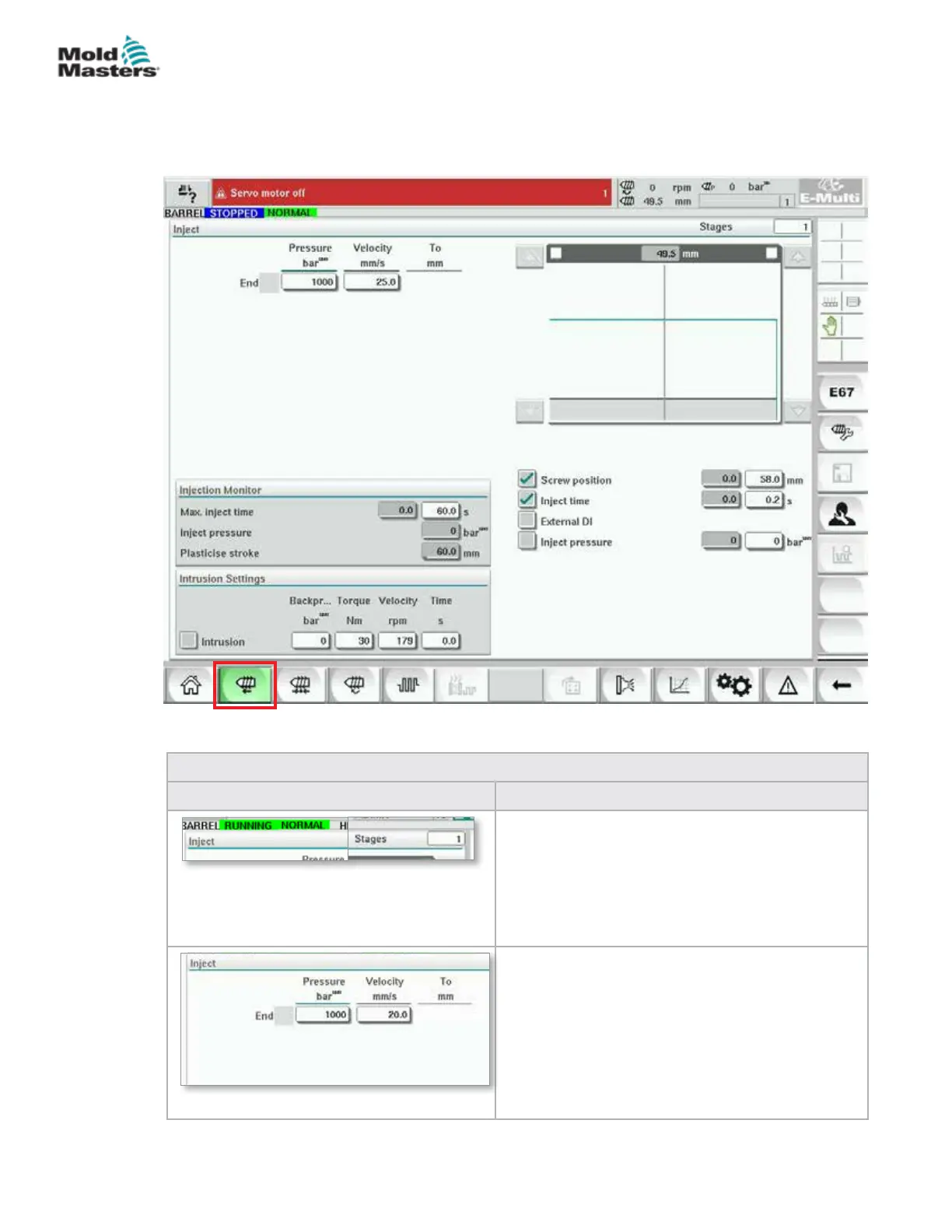
7.6 Injection Settings Screen
This screen is used to adjust screw movement settings during injection. It is
also used to adjust the transition point, at which the system changes from
injection to hold pressure.
Figure 7-4 Injection settings screen
Table 7-9 Injection Settings Screen Components
Screen Components Description
Inject
This section displays the current injection prole.
The prole is displayed numerically in the elds on
the left and graphically on the right.
The number of injection steps may be adjusted
using the stages eld at the top left. A maximum of
10 steps may be selected.
Pressure and Velocity Input Fields
These settings can be adjusted by entering values
directly into these elds.
These elds are used for setting the Pressure and
Velocity between the end position of the previous
stage (in case of stage 1, the end position of the
previous part movement) and the position specied
under the 'To' column. The last step will complete
when one of the transition conditions is met.
7-13
© 2020 Mold-Masters (2007) Limited. All Rights Reserved.
E-MULTI CONTROLLER HMI INTERFACE
E-Multi Controller User Manual



 To Next Page