Table 7-7 Overview Screen Components
Screen Components Description
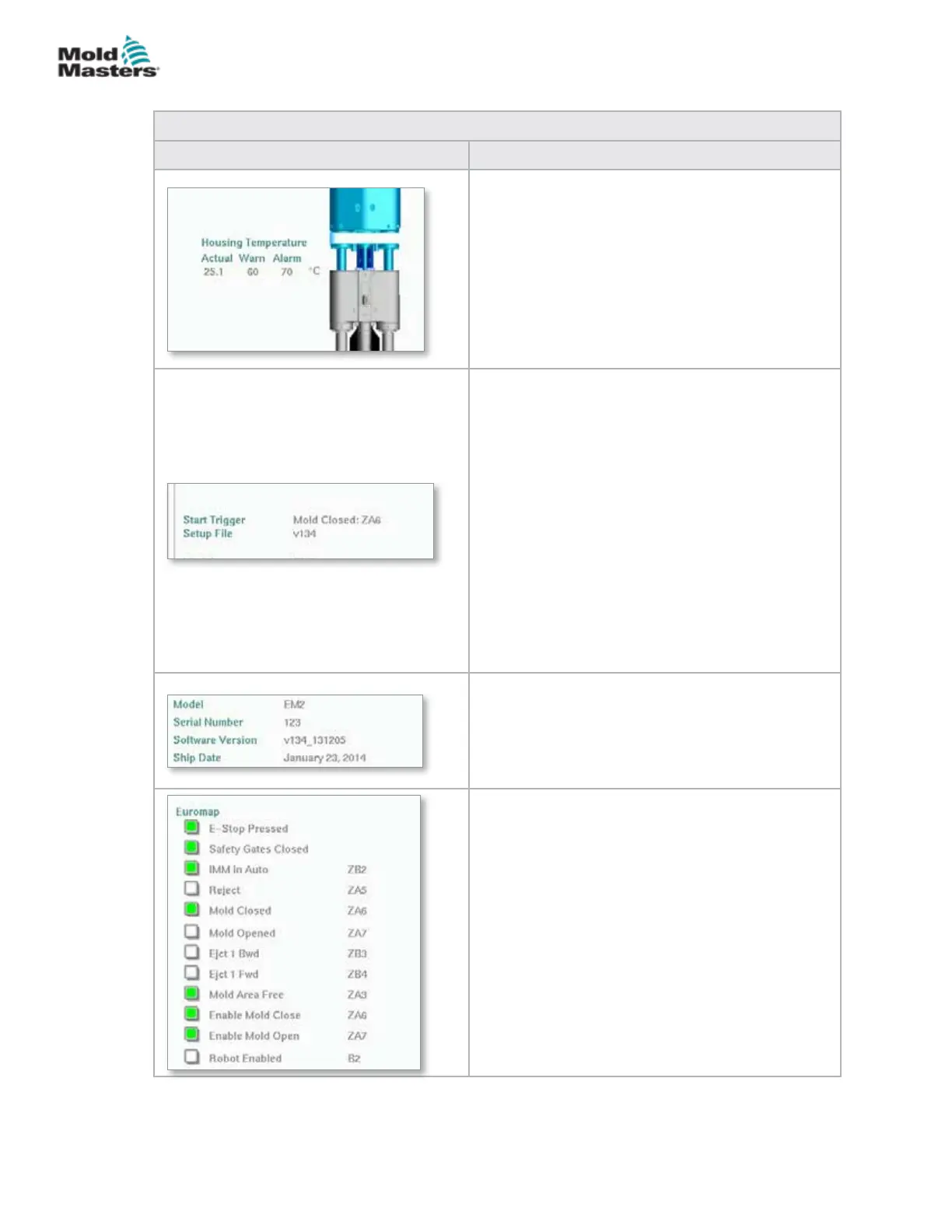
Live E-Multi Barrel Housing Temperature
This section displays the actual and set point values
for the Housing Temperature. The housing color
will change to orange if the warning temperature
is exceeded and red if the alarm temperature is
exceeded.
Sequence Start / Trigger
This section displays the current start trigger
settings. The settings may be changed on the
Euromap 67 screen.
Trigger: This is the Euromap I/O signal from the
molding machine that starts the E-Multi process.
Start Delay Time: When the Euromap signal
is detected, this time delay is added before the
E-Multi process starts. Set to zero to disable.
Start Delay Count: At the start of the mold run
only, the chosen number of injection molding
machine cycles will automatically run before the
E-Multi injection process starts.
Setup File
Shows the current software version.
System Information
This section displays information specic to the
E-Multi system. When requesting service, provide
this information to the Mold-Masters representative.
Euromap
This screen area provides a quick overview of the
live status of the Euromap signals. The box is either
green if the input or output is on, or white (empty) if
the input or output is o.
Green - signal is logical true
Empty - signal is logical false
Overview Screen - continued
7-11
© 2020 Mold-Masters (2007) Limited. All Rights Reserved.
E-MULTI CONTROLLER HMI INTERFACE
E-Multi Controller User Manual



 To Next Page