7 Safety Evaluation Mode
Narda SRM-3006 99
7.2.7 Measuring in the gaps between defined services
(Others)
Safety Evaluation • Others
The field strengths of the services not selected in the service table can be
measured and their overall value shown by activating the Others function.
Note:
Only services that are not in the service table but within the frequency
range of the hardware (antenna / cable) are taken into account.
To activate and deactivate the function:
⇒ Press the Others key until the desired status (On, Off) is displayed.
ª The table view shows Others; the graphical view shows O.
Tip: The measurement can be speeded up by deactivating Others.
7.3 Using the Table view
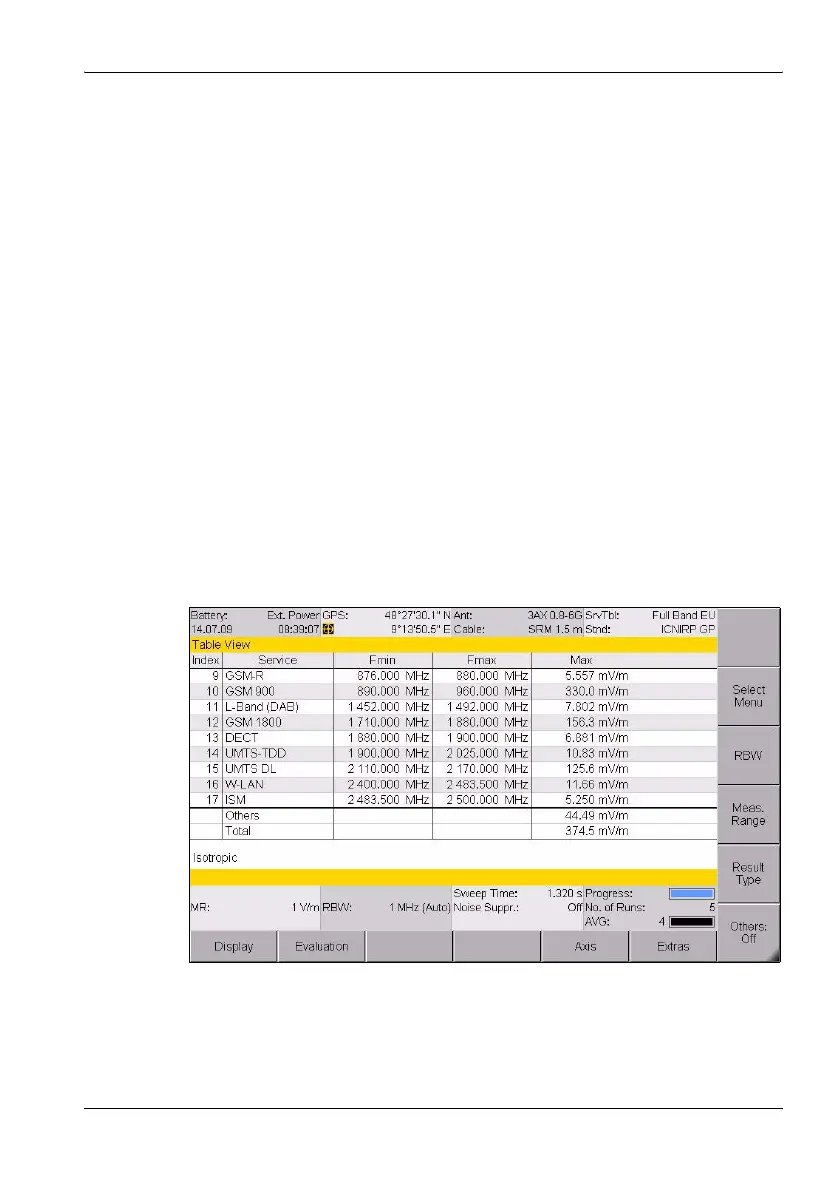
The services and measured values are displayed as a table in the Table
view. The values displayed depend on the table type (see page 100) and
from the selected result types (see page 75).
Figure 20: Table view in Safety Evaluation mode
Note: Information about the status bars is found under The upper status
bar on page 43 and The lower status bar on page 44.



 To Next Page