13 Measurement Data Memory
Narda SRM-3006 161
13.4 Saving measured values automatically
You can also save results automatically in the data memory instead of
pressing the SAVE key each time you want to save a result. There are two
memory functions for this purpose:
• Conditional storing
As soon as a value exceeds a predefined threshold, the instrument begins
saving results.
• Timer-controlled storing
Storing of data is controlled by a start time and a duration.
Note: The internal memory of the SRM-3006 has the capacity to store
large quantities of data. A large number of data sets can take a long
time to upload to a PC, so it is a good idea not to let the data memory
fill up too much and to update and manage the data regularly.
13.4.1 Conditional Storing of measured values
Main Menu • Memory Menu • Conditional Storing
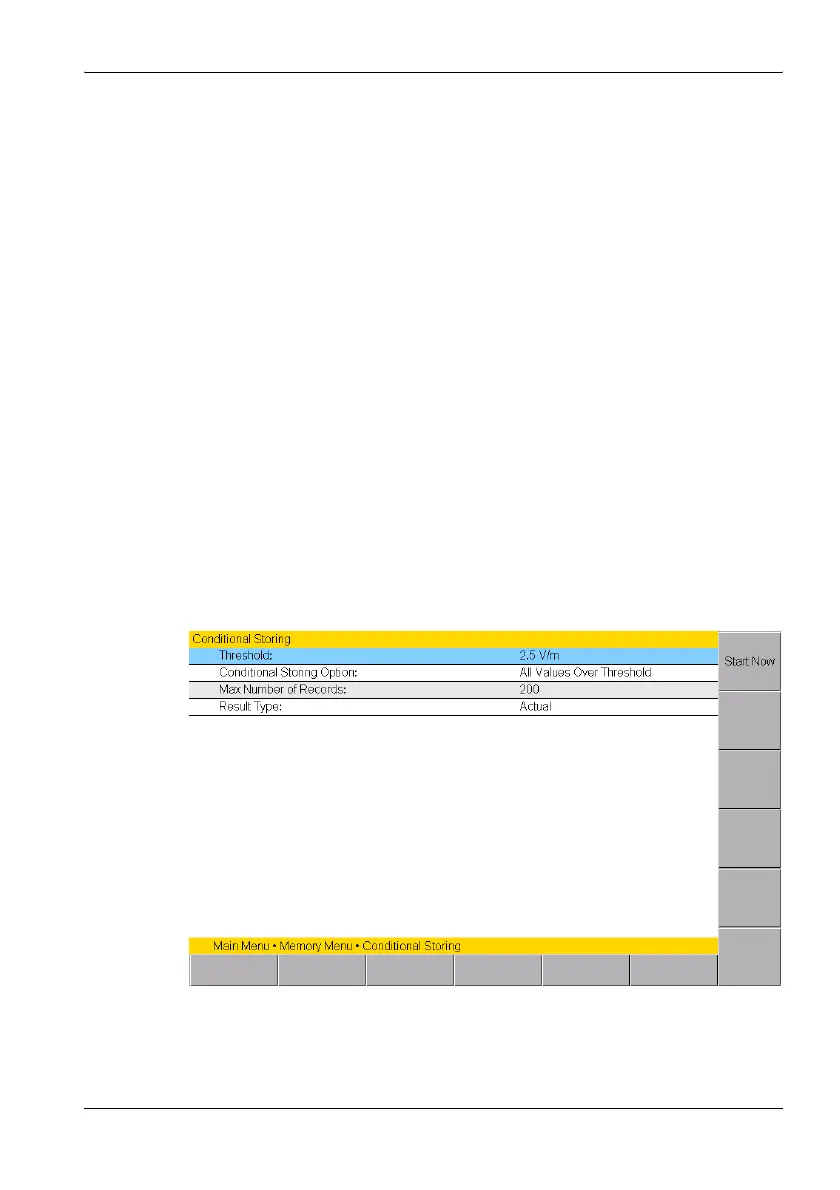
In conditional storing mode, the instrument starts storing results as soon as
a measured value exceeds a predefined threshold value. The threshold
along with other parameters can be set in the Conditional Storing menu.
Figure 37: Conditional storing



 To Next Page