7 Safety Evaluation Mode
100 SRM-3006 Narda
7.3.1 Changing the table displayed
You can make changes to the following table settings:
•Table type
•Units
• Sort order
Changing the table type
Safety Evaluation • Display • Table
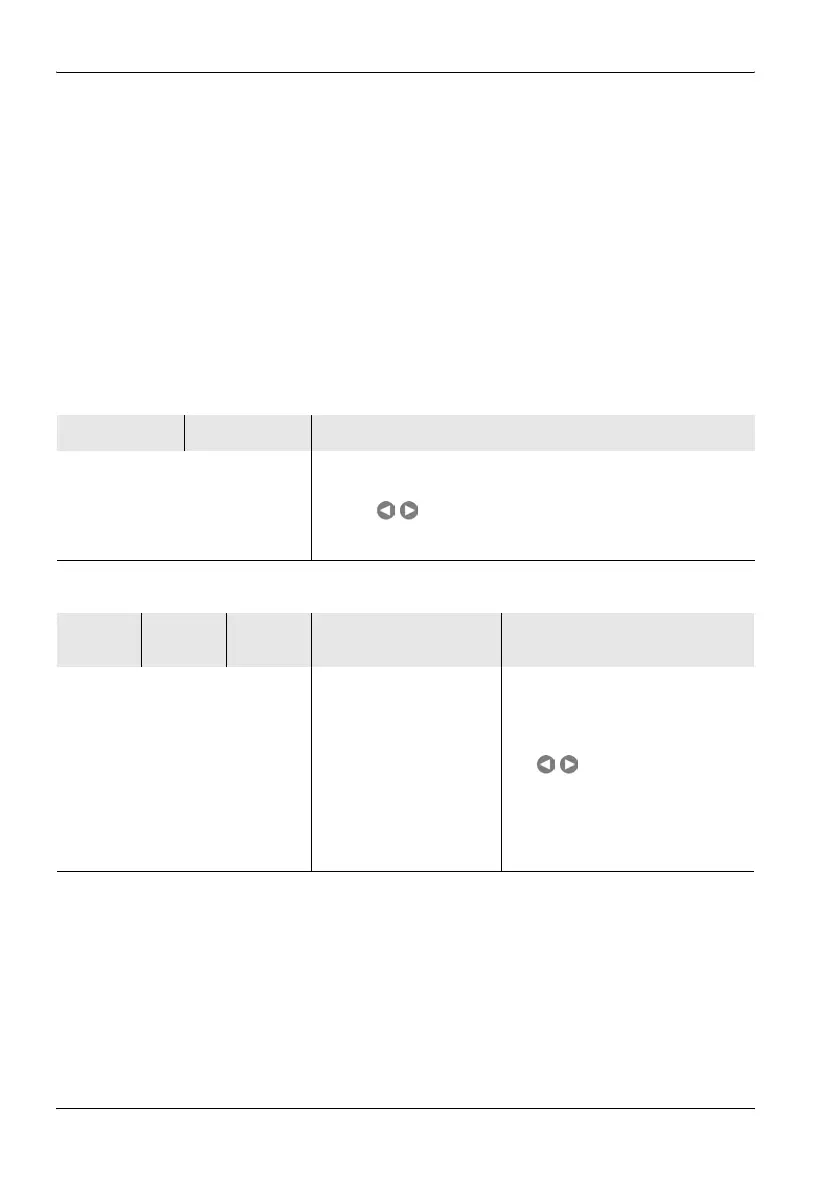
The table below shows the measured values that are displayed depending
on the table type and the selected result types.
To change the table type:
1. Press the Display softkey.
2. Press the Table softkey until the desired table type is shown (toggle
function).
3. Press the ESC key to return to the measurement menu.
Table 27: Table type Standard
Index Service Result types, e.g. Max
These columns are displayed
continuously.
A maximum of three result types can be displayed.
If more than three result types have been selected, you can
use the keys to scroll through all of the result types.
Arrow symbols in the navigation bar indicate that further result
types are available and the possible scrolling direction.
Table 28: Table type Detailed
Index Service Fmin,
Fmax
RBW Result types, e.g. Max
These columns are displayed
continuously.
RBW is only displayed if
he resolution bandwidth
is selected individually
using the PC software. If
this is not done, the RBW
is shown only in the lower
status bar.
A maximum of three result types
can be displayed.
If more than three result types
have been selected, you can use
the keys to scroll through
all of the result types. Arrow
symbols in the navigation bar
indicate that further result types
are available and the possible
scrolling direction.



 To Next Page