12 Spatial Averaging
Narda SRM-3006 153
12.5 Spatial Averaging – Discrete Axis
Safety Evaluation • Result Type • Spatial AVG
Spectrum Analysis • Result Type • Spatial AVG
Level Recorder • Result Type • Spatial AVG
✓ The antenna is fitted on a tripod by means of the antenna holder.
See Fitting a Narda antenna on a tripod on page 33.
✓ You have selected the desired operating mode and made all the settings
you want.
1. Press the Result Type softkey.
ª The Result Type selection box opens.
Note: The selection of a Result Type has no relevance here, as the
SRM-3006 always uses the actual value (Act or Peak) for Spatial
Averaging regardless of the result type selected.
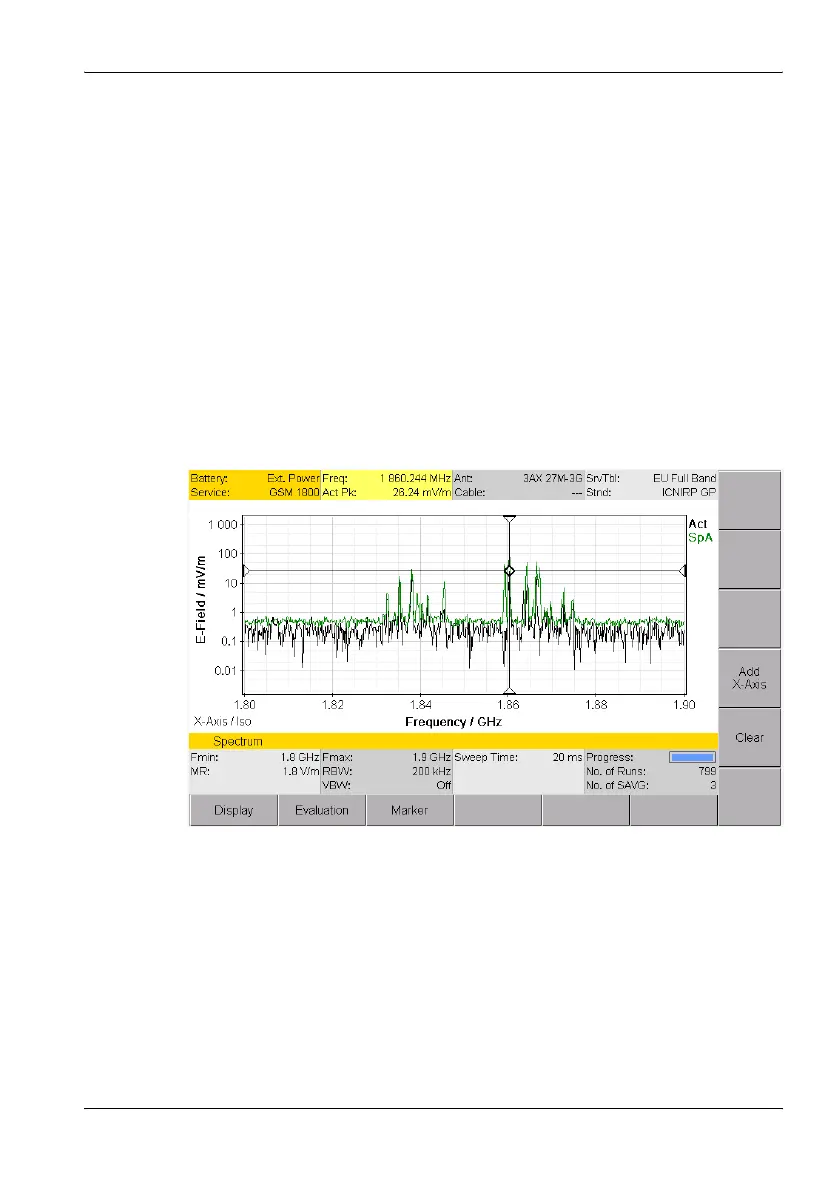
Figure 35: Example: Spectrum • Result Type • Spatial AVG (Discrete Axis)
2. Press the Spatial AVG Type softkey, select Discrete Axis using the
rotary control, and press the OK key.
3. Move the antenna to the first position in the room to be measured, orient
the antenna in the direction of the X axis, and press the Spatial AVG
softkeys to switch the instrument so it is ready to measure.



 To Next Page