4 Operation and Basic Settings
46 SRM-3006 Narda
4.4 Fundamental operating steps
The operating steps described in this section are repeated in every menu
and function. They are therefore described only once here. In all
subsequent descriptions of operating modes, it is assumed that you are
familiar with these fundamental steps.
4.4.1 Navigating in the menus
The operating modes and functions of the SRM-3006 are arranged in
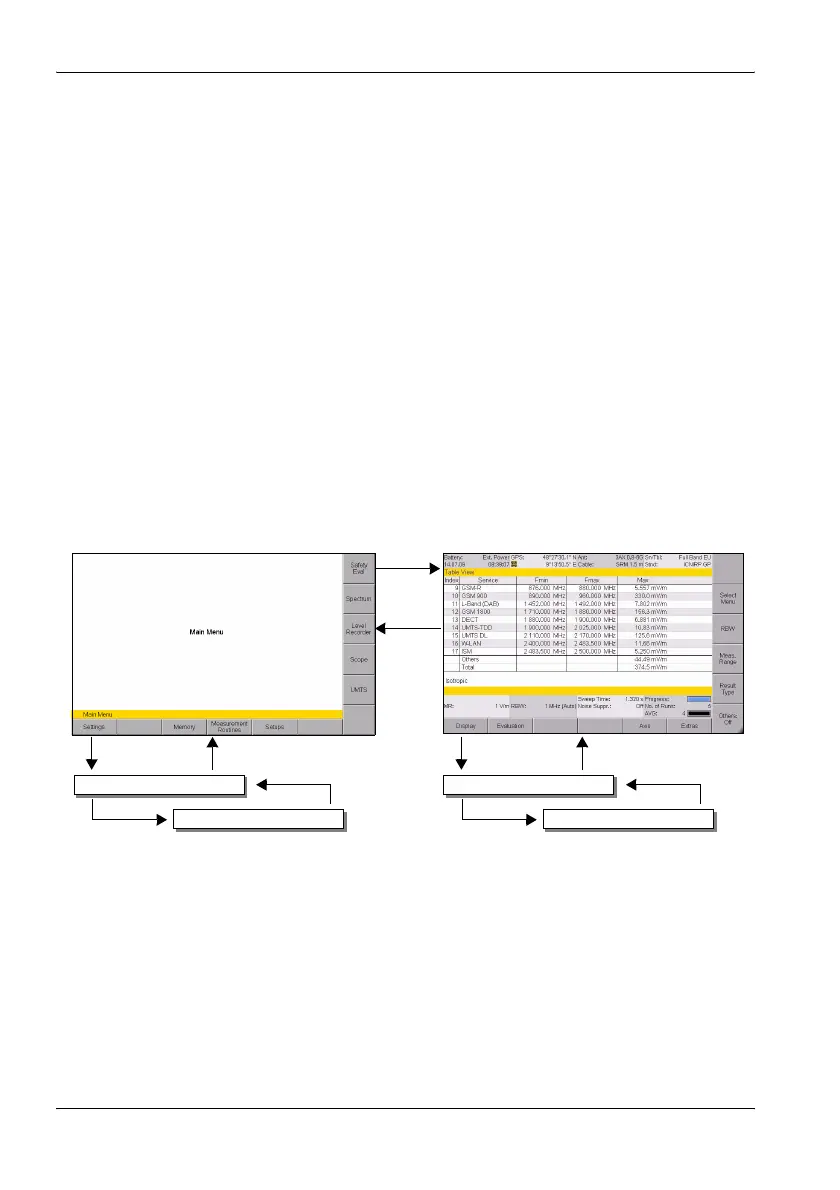
hierarchical menu levels. The diagram below (see Figure 10 on page 46)
shows this arrangement using the main menu and some of the functions in
Safety Eval (Safety Evaluation) mode as examples.
To navigate in the menus:
• To move down one level: Press the appropriate Softkey.
• To move up one level: Press the ESC key.
• To return to the measurement or the main menu: Press the MENU key.
Figure 10: Examples showing how the menus and functions are arranged.
Service Tables
Softkey
ESC
MenuSoftkey
Settings
Softkey
Menu
Distribution
Softkey
ESC
ESCSoftkey
Evaluation



 To Next Page