4 Operation and Basic Settings
40 SRM-3006 Narda
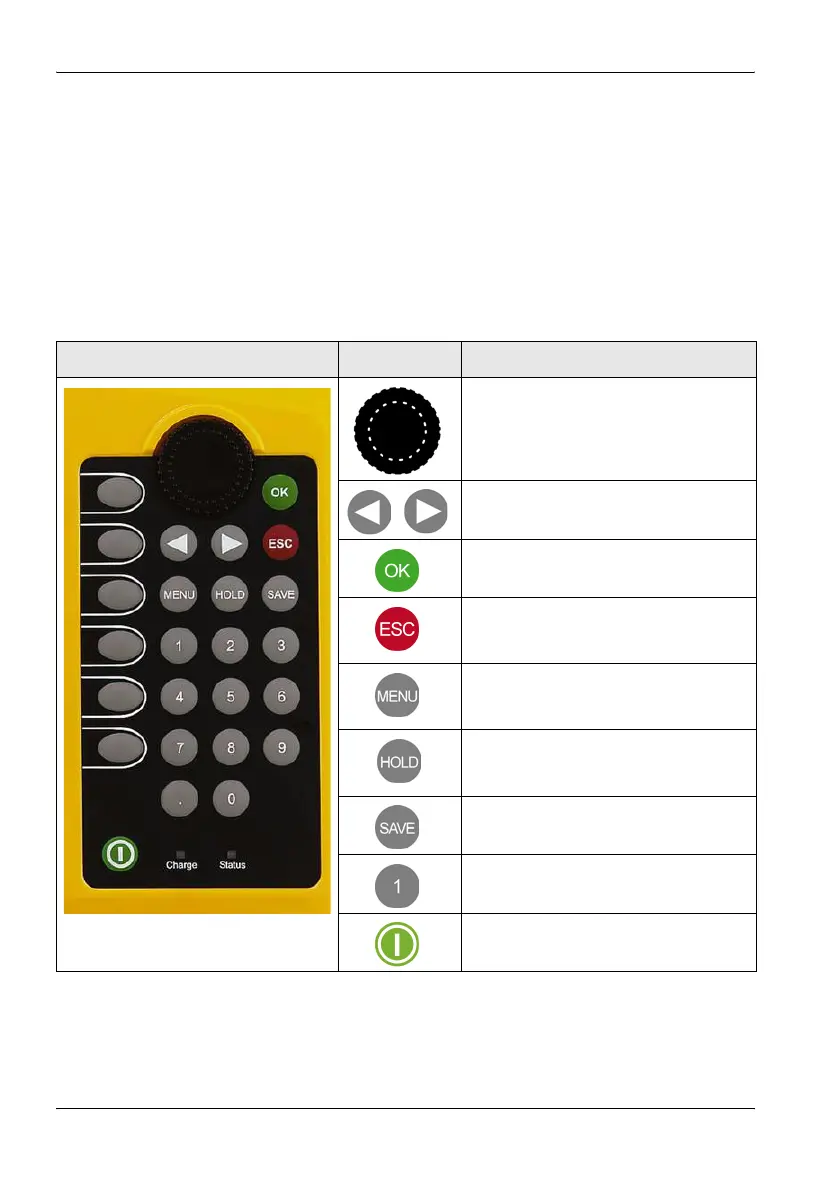
4.1 Controls
The following controls are provided for operating the SRM-3006:
• Rotary control
• Hardware keys (referred to as keys in this manual)
• Software keys (referred to as softkeys in this manual)
4.1.1 Rotary control and keys
Element Function / Description
Selects functions and values.
Moves to the left or right in entry boxes.
Confirms changes in settings.
• Cancels the current operating step;
changes in values are not made.
• Returns to the next higher menu level.
Opens the main menu for selecting
operating modes and changing system
and device settings.
Freezes the display; the measurement
continues. Press again to update the
display to show the actual values again.
Saves the data in the data logger.
For entering numbers and the decimal
point.
Switches the device on and off (hold
down key).



 To Next Page