15 PC Software
Narda SRM-3006 173
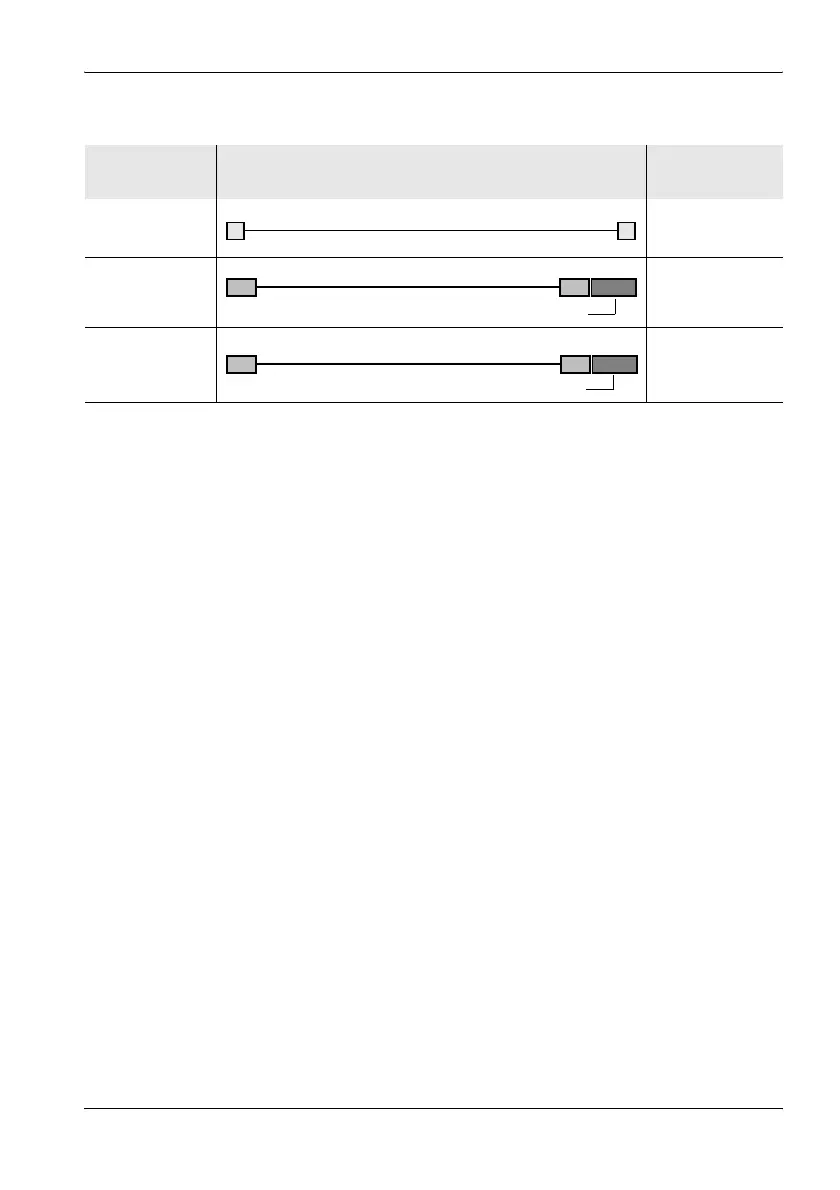
The following cables and adapters are needed for these connection types:
To make a connection:
1. Connect the SRM-3006 and PC together using one of the connection
types shown above.
2. Set the appropriate interface on the SRM-3006:
– Open the Settings menu (Main Menu • Settings), select the Remote
Interface command and press OK to confirm.
– Use the rotary control to select the interface being used on the
SRM-3006: Optical if you are using the optical cable, USB if you are
using a USB cable.
– Press OK to confirm the setting.
15.3 Working with the PC software
Detailed information on how to use the PC software is provided in the online
Help function in each version of the PC software.
SRM-3006
connector
Link PC connector
USB USB
Optical USB
Optical Serial
1 Included with the device
2 Available as an option
USB
1)
SRM Fiber Optic
2)
OE Converter RPO2 to USB
2)
OE Converter RPO2 to serial
2)
SRM Fiber Optic
2)



 To Next Page