10 Scope Mode
126 SRM-3006 Narda
RBW:
1. Press the RBW softkey.
2. Use the rotary control to select a value and press the OK key to set the
value.
Axis:
⇒ Press the Axis softkey and select the desired axis.
10.3.1 Limits of values that can be set
The values that can be entered for Fcent, Sweep Time, Time Resolution
and RBW are subject to certain more or less strict limits, which result from
interdependence between the parameters and from measurement
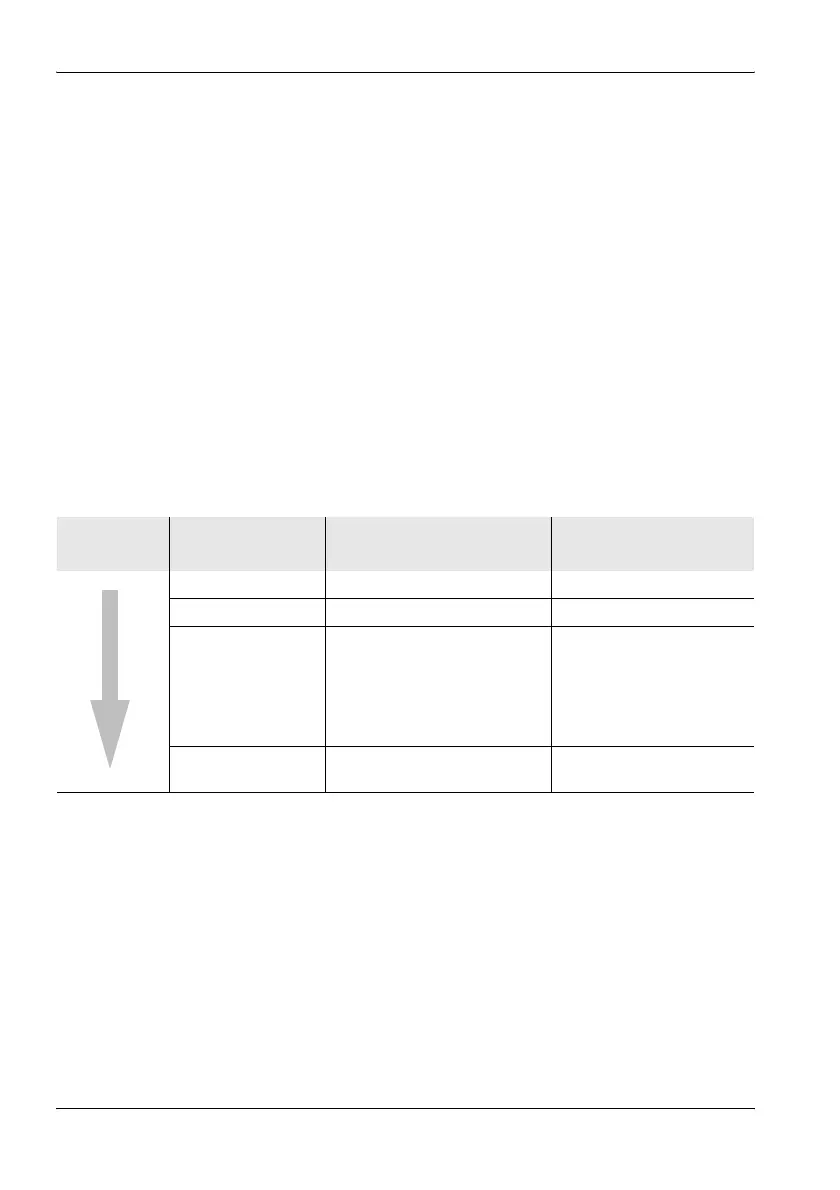
restrictions. The table below shows the relationships. The SRM-3006 will
therefore correct your entries to sensible or permissible values where
necessary.
Table 32: Measurement parameter limiting
Increase in
limiting
Parameter Limiting Reason for limiting
Fcent none –
RBW none –
Time Resolution
(31.25 ns – 90 min)
• > 1/RBW:
Result type Max, Avg, Min
compressed display
• = 1/RBW:
Result type Act
Display in real time
The observed time interval
must be greater than the
Sweep Time.
Sweep Time ≥ 16/RBW At least 16 measured
values per measurement



 To Next Page