5 The Main Menu
Narda SRM-3006 55
5.2 Display and editing device and
component settings
Main Menu • Settings
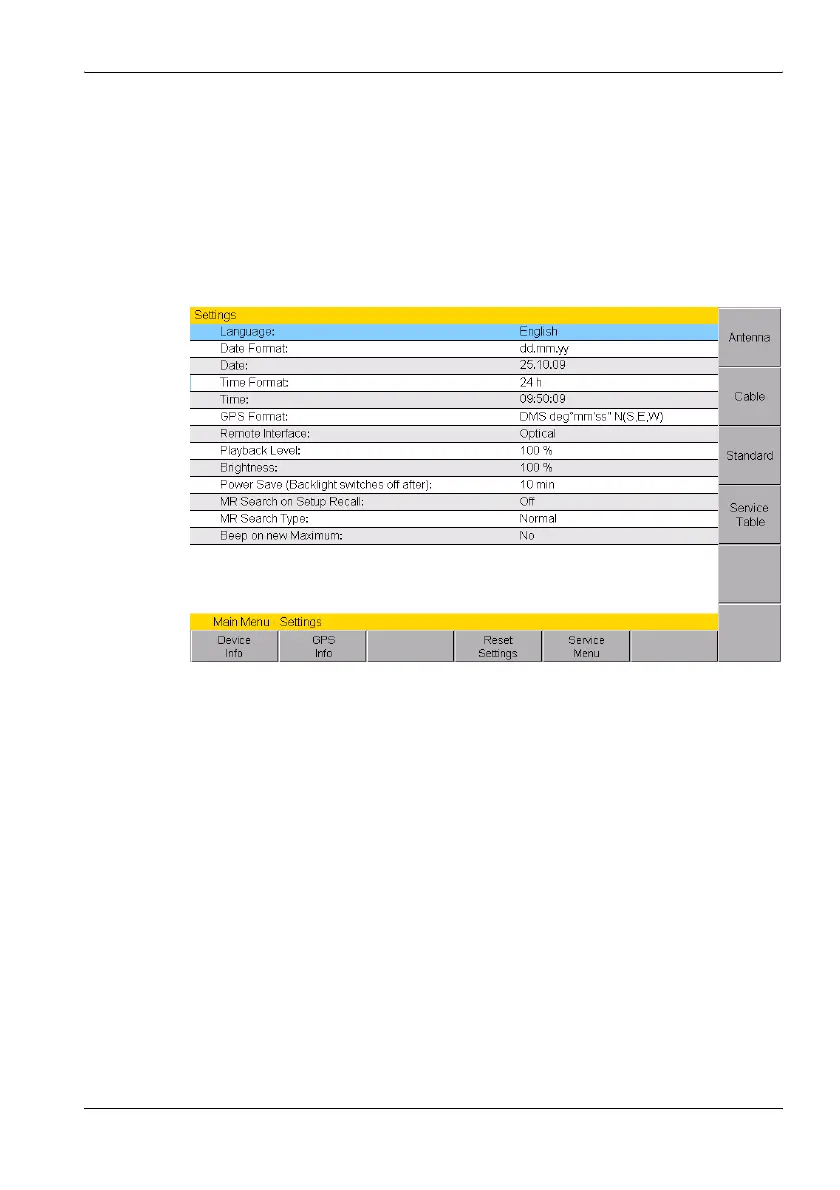
The Settings menu contains all the settings for the device, the connected
antenna and cable, the applied measurement standard and the selected
service table.
Figure 15: Settings menu
All device specific settings can be edited immediately by selecting an entry
from the list using the rotary control. All other settings (e.g. antennas,
cables, etc.) can be reached by means of the softkeys on the right side.
This menu allows you to perform the following actions:
• Changing the language, date, and time (page 56)
• Editing device-specific settings (page 57)
• Displaying device information (page 58)
• Displaying GPS information (page 59)
• Resetting all device settings (page 59)
• Performing device diagnosis (page 60)
• Displaying and selecting the available antennas (page 61)
• Displaying and selecting the available cables (page 61)
• Displaying and selecting the safety standards (page 62)
• Displaying and creating service tables (page 62)



 To Next Page