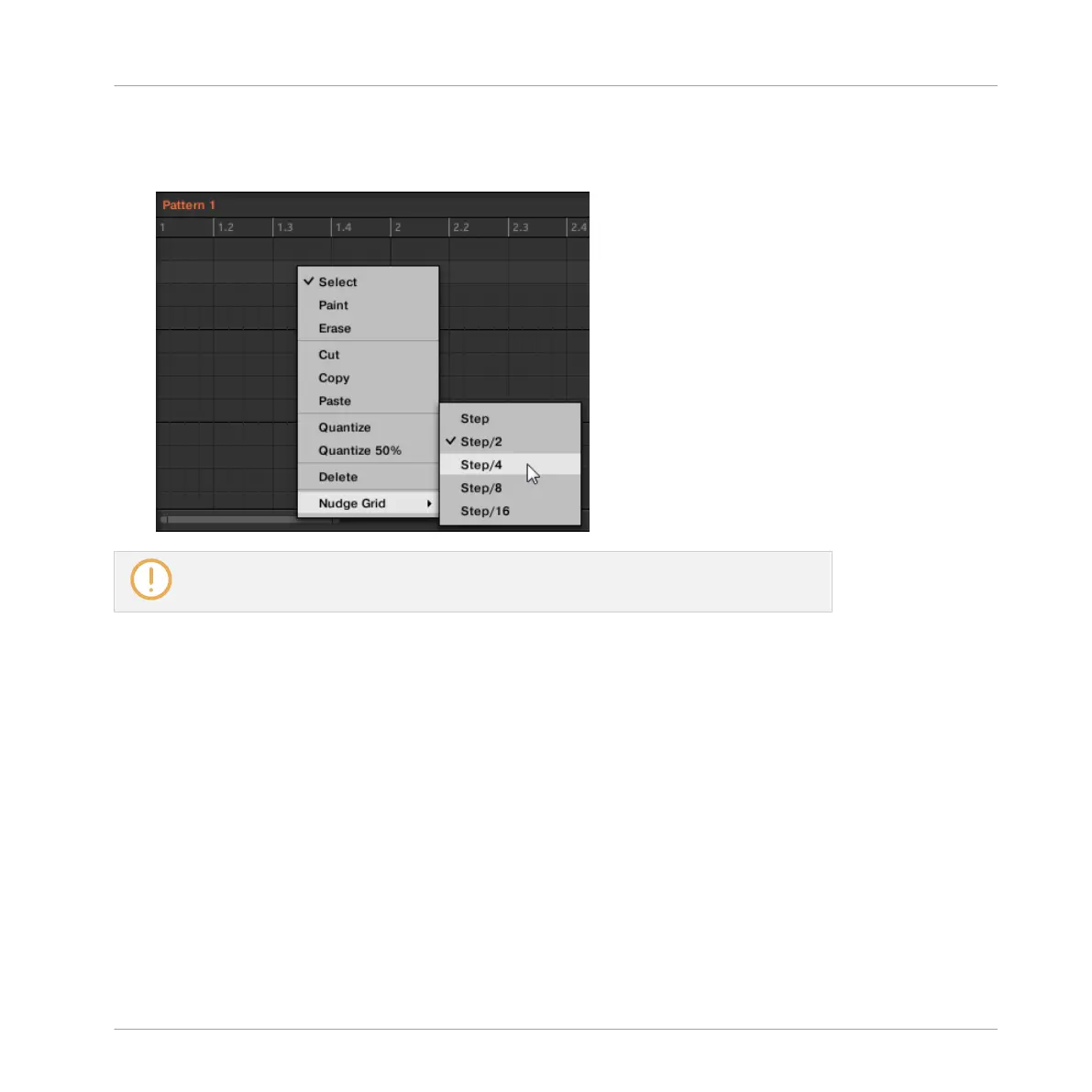
► To adjust the Nudge Grid, right-click ([Ctrl]-click on macOS) on the background of the
Event area, select Nudge Grid in the menu, and choose a resolution from the values avail-
able in the submenu: Step, Step/2, Step/4, Step/8, and Step/16:
The Nudge Grid is not indicated in the Event area of the Pattern Editor.
Adjusting the Step Grid and the Nudge Grid on Your Controller
You can enable/disable the Step Grid and adjust the Step Grid and Nudge Grid resolution from
your controller.
Enabling/Disabling and Adjusting the Step Grid
To change the Step Grid resolution:
1. Hold SHIFT + FOLLOW (Grid) to enter Grid mode.
Working with Patterns
Pattern Basics
MASCHINE - Manual - 445



 To Next Page