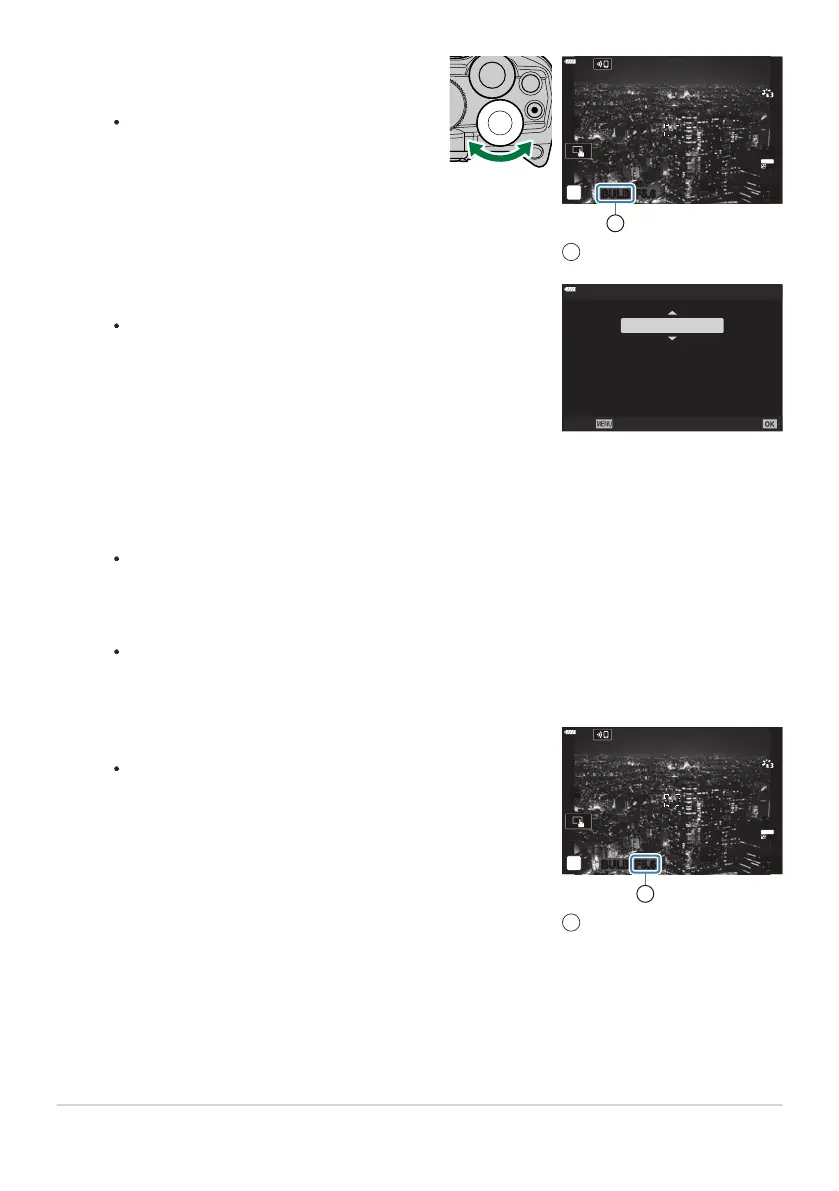
Select [BULB] (for bulb photography) or
[TIME]
(time photography).
At default settings, the selection is made
with the rear dial.
BULB F5.6
ISO
200
1023
1:02:03
Bulb or time photography
1
Press the MENU button.
Y
ou will be prompted to choose the interval at which the
preview is updated.
ISO L64 ~
ISO 400 ~
ISO 800 ~
ISO 1600 ~
SetBack
Live Bulb
1sec
Display Count
24
times
19 times
14 times
9 times
Adjust aperture.
At default settings, aper
ture can be adjusted using the front
dial.
BULB F5.6
ISO
200
1023
1:02:03
Aperture
1
Highlight an interval using FG.
Press the
OK button to select the highlighted option.
The menus will be displayed.
Press the MENU button repeatedly to exit the menu.
If an option other than [Off] is selected, [LIVE BULB] or [LIVE TIME] will appear in the
display.
59
Long Exposures (B: Bulb/Time)
2.
3.
4.
5.
6.
7.



 To Next Page