2 Tool changer calibration Chapter C: Calibration
52 Planmeca PlanMill 40 Technical manual
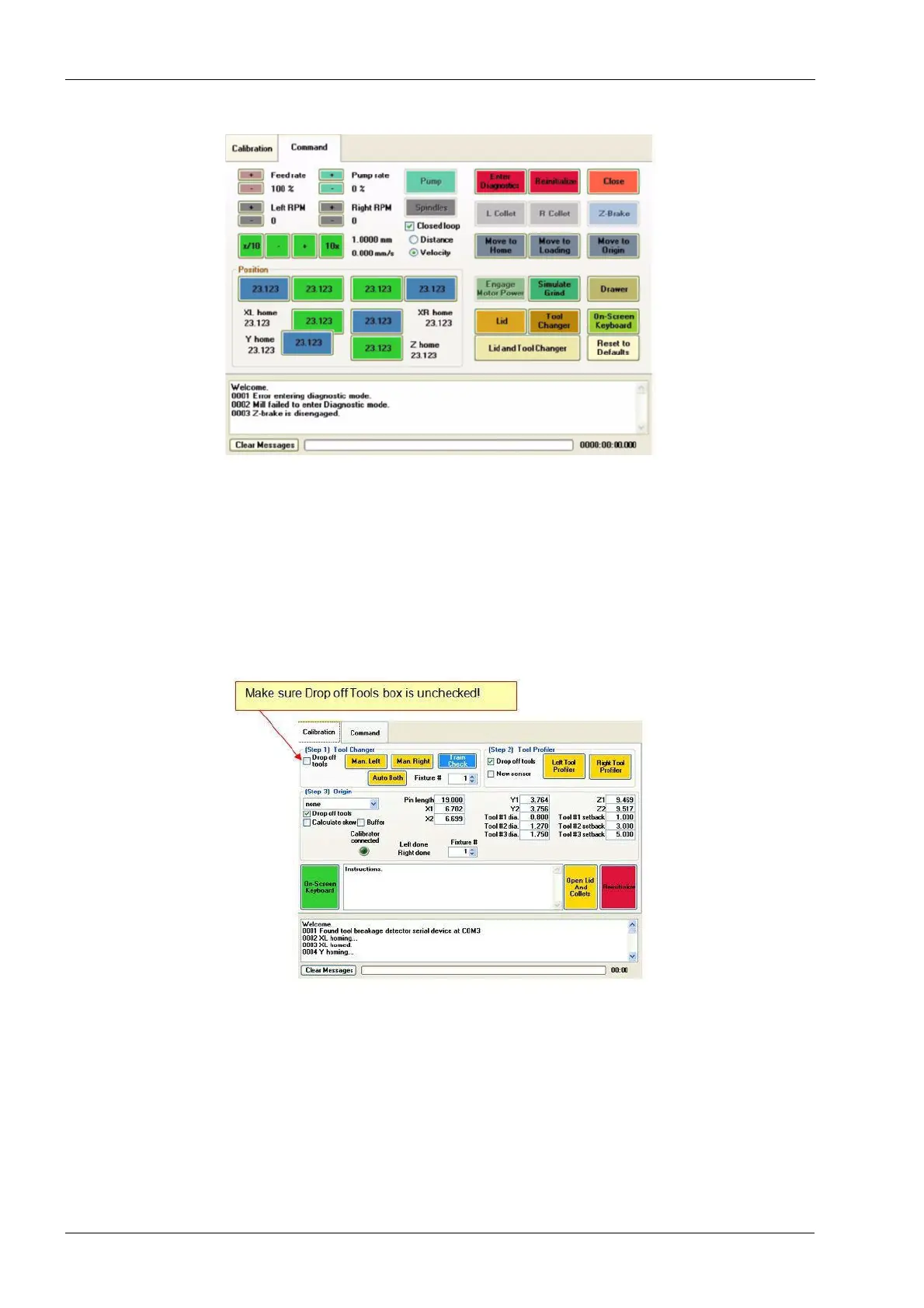
Figure 43: Command tab is displayed
7. Select the Calibration tab at the top of the window.
8. In the calibration screen, locate (Step 1) Tool Changer.
Since the tool changer is currently not calibrated, it cannot be used to drop off tools, so
make sure the ‘Drop off tools’ checkbox is unchecked.
9. In (Step 1) Tool Changer -box, touch and hold the Auto Both button until the button
turns green (approximately 6 seconds) then release.
Figure 44: Uncheck Drop off tools checkbox
10. Mill homing begins. Wait for homing to complete, the lid lights to turn red, then touch
the Auto Both button.














 To Next Page