2 Troubleshooting Chapter D: Troubleshooting
88 Planmeca PlanMill 40 Technical manual
Checking home and limit sensor status
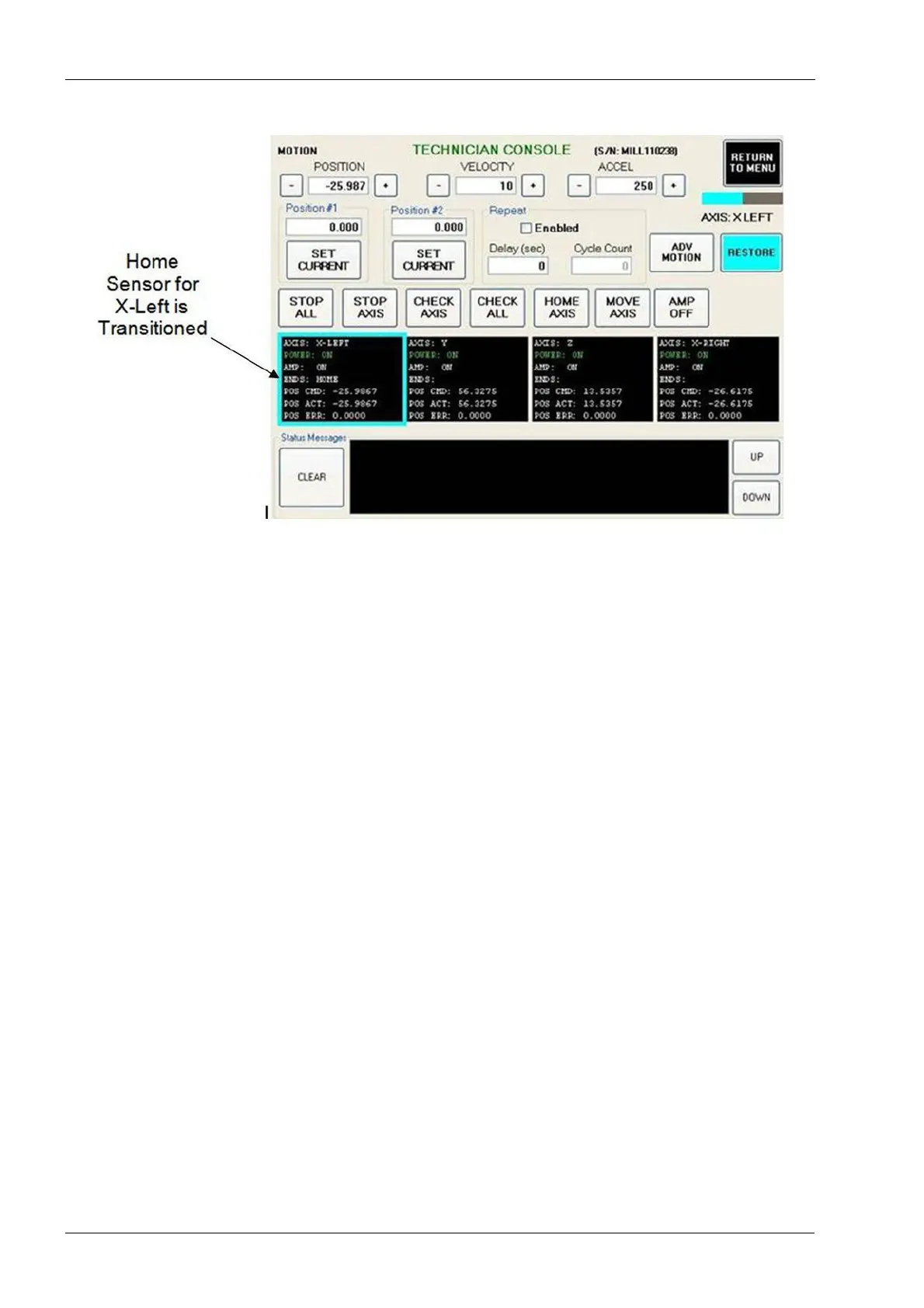
14. Check home and limit sensor response for each axis.
• Use a business card or similar object to transition each home and limit sensor for
each axis. The word “Home” or the word “LIMIT” depending on which sensor is
being checked should appear in the space next to “ENDS:” in the Axis for the
sensor being checked.
The response in the GUI may take a second or two to appear.
• If you find a Home sensor not transitioning in the GUI, then the sensor and/or its
cable may be defective. A home sensor must be functioning properly for the
motion system to initialize. Replacing the sensor and its cable together is
recommended to minimize the customer's down time.
Replacing a Home sensor requires full calibration of the mill.
• If you find an end-limit sensor not transitioning in the GUI, then the sensor and/or
its cable may be defective. An end-limit sensor isn't required for the motion
system to initialize. However, if it is stuck in the "Closed" state the initialization will
fail. A temporary solution would be to unplug the end-limit sensor and leave it
unplugged if the replacement sensor and/or its cable are not immediately
available.
15. With the lid open, check each axis manually for smooth movement throughout the full
stroke (home to end-limit and then back to home).
• If an axis is found that can’t be physically moved from home to end-limit and then
back to home, then check for obstructions that may prevent the movement (i.e.
Cables, loose hardware, damaged sliding wall, pre-Rev E hinge plate assembly
in the lid adapter assembly, etc.).














 To Next Page