2 Troubleshooting Chapter D: Troubleshooting
90 Planmeca PlanMill 40 Technical manual
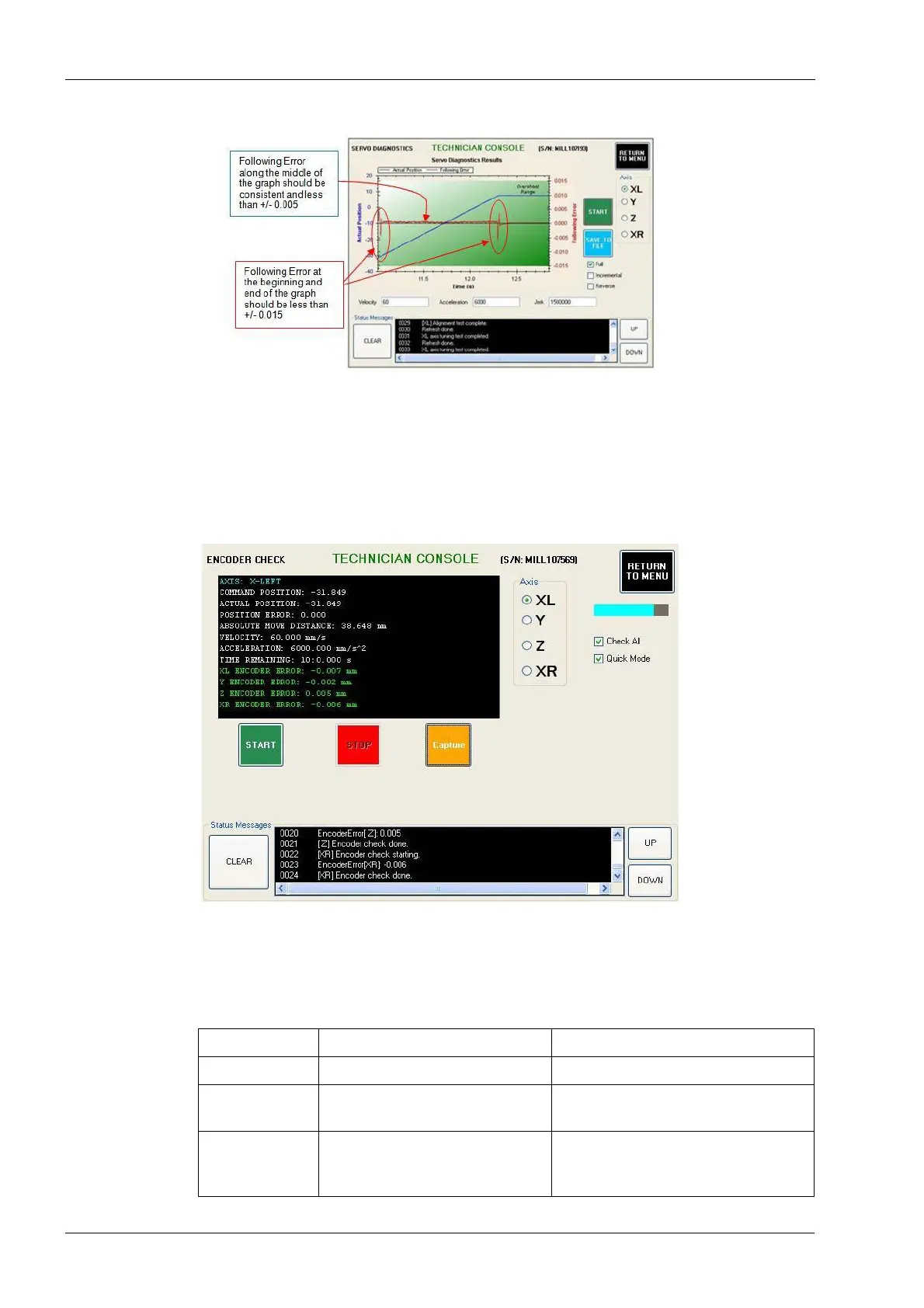
Figure 69: Servo diagnostics
5. If the graph is good, rerun the servo diagnostics test 2-3 times checking for
consistency. If the graph is bad or the test fails to complete, skip down to step 9.
6. If the graphs are consistently good, repeat steps 4 to 6 for all four axes. If the graphs
are inconsistent (some good and some bad), skip down to step 9. Once all axes pass
the servo tuning test, move on to the next step.
7. Navigate to: Technician Console --> Motion Diagnostics --> Encoder Check.
Figure 52: Encoder check
8. Select the Check All and Quick Mode check boxes if not already checked. Select the
Start button. After a few minutes, the encoder error for each axis will be printed in the
text box in the upper left corner of the screen. See table below for encoder error
guidelines.
Table 21: Encoder error guidelines
Encoder error Problem Solution
0 to 0.015 Acceptable encoder error. No action required.
0.015 to 0.100 Weak servo, defective encoder,
and/or defective cable.
Replace servo motor and retest.
Replace cable if needed.
0.100 or greater Loose motor coupling, defective
encoder, and/or defective cable.
Tighten motor coupling and retest.
Replace servo motor and/or cable if
needed.














 To Next Page