ABL90 FLEX reference manual 1. Setup
1-79
Contents of setup settings
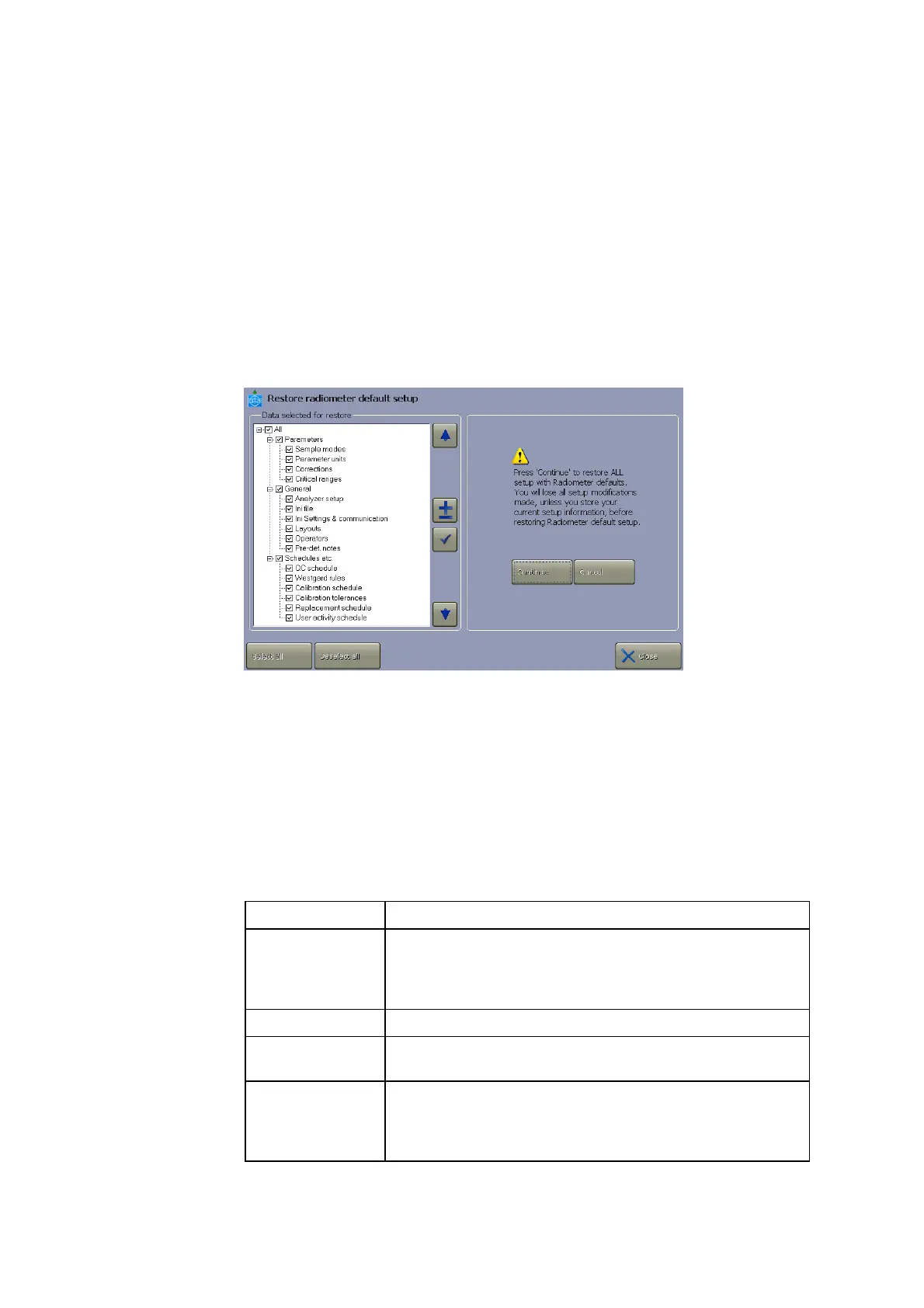
Press Menu > Utilities > Disk functions > Restore default setup to access
the
Restore radiometer default setup program.
The setup is divided in the following groups of settings:
Parameters
General
Schedules, etc.
You can restore the Radiometer default setup or a setup you have customized
(Customer setup) and saved.
Selecting or deselecting items in the setup – see Loading/restoring setup,
chapter 2: Disk functions setup programs.
Each setup group of settings is described in this section.
The following settings (i.e. screens and their data) will be restored in the
Parameters group:
Item Setup (screens)
Sample modes Syringe mode
Capillary mode
Parameter setup (offset and slope only)
Parameter units Units setup
Corrections Parameter setup (repression and out-of-range
suppression only)
Critical ranges Reference ranges
Critical limits
Age groups
Groups of
setup settings
Parameters
group



 To Next Page