Section 05 ELECTRICA L SYSTEM
Subsection 02 (WIRING HARNESS AND CONNECTORS)
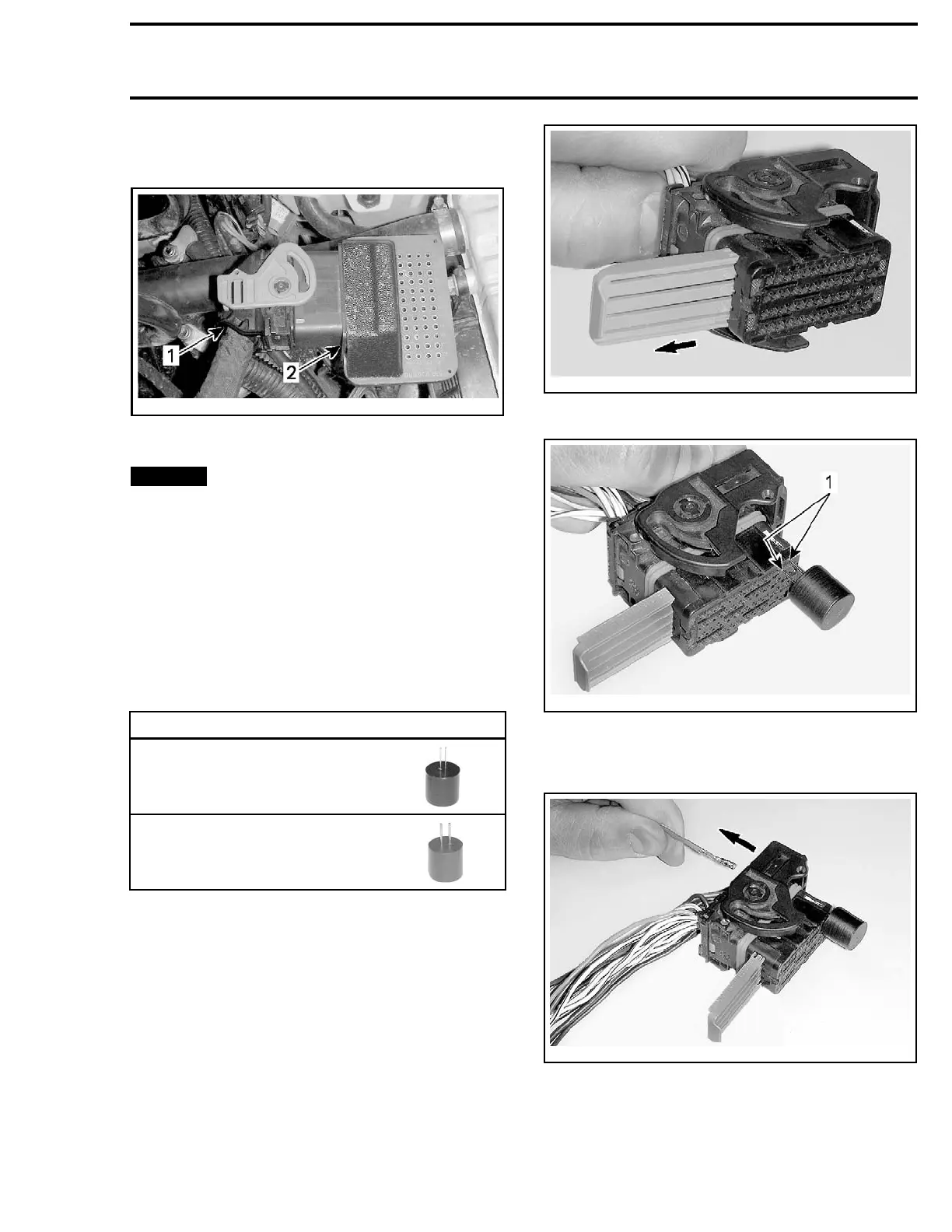
2. Probe wire terminals of the circuit to be tested
directly in the adapter holes.
vmr2008-13
9-016_a
TYPICAL
1. ECM c onnecto r
2. ECM adapte
r
NOTICE
Never probe directly on the ECM
harness connector. This could change the
shape or enlarge the terminals and create in-
termittent or permanent contact problems.
Removing Connector Terminal
(Harness Connector)
To remove
a signal terminal from the ECM har-
ness conn
ector, use the ECM terminal remover
2.25.
To remove a power terminal, use the ECM termi-
nal remover 3.36.
REQUIRED TOOL
ECM TERMI
NAL REMOVER
2.25 (P/N 529 036 175)
ECM TERMINAL REMOVER
3.36 (P/
N 529 036 174)
1. Remove rear protector from connector.
2. Pull out the connector lock.
smr2009-045-025_a
3. Insert tool to unlock terminal.
smr2009
-045-026_a
1. Unlock here
4. Gently pull on the wire to extract the terminal
out the back of the connector.
smr2009-045-027_a
219100963-012 115



 To Next Page
 Loading...