64 57 498 D3543
D3543.201.01.05.02 08.2016
131
Sirona Dental Systems GmbH 4Operation
Operating Instructions INTEGO 4.5Dentist element
båÖäáëÜ
Changing the intensity
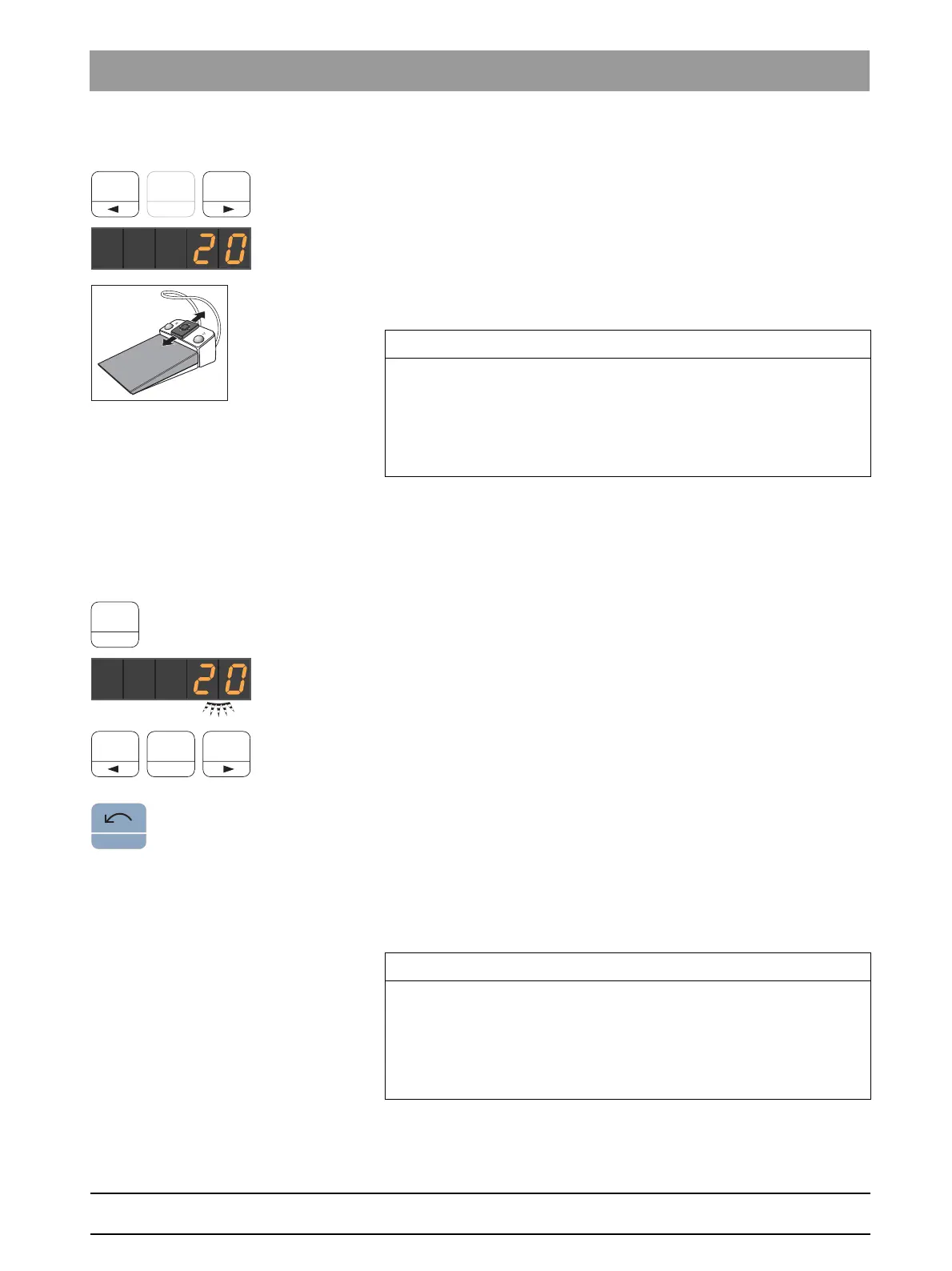
➢ Press and hold the favorite key 1 or 3 (> 1 s).
The intensity is increased or reduced.
The intensity can also be increased or reduced by moving the 4-way
switch plate of the C
+
electronic foot switch up or down.
Ultrasonic handpiece, intensity settings
Saving intensity
✔ The desired intensity is set.
✔ Via the C
+
electronic foot switch: The spray is switched on or off (will
be saved).
1. Press and hold the favorite key
2 / Setup
(> 2 s).
The intensity flashes on the EasyPad display.
2. Press the favorite key 1, 2, or 3.
An acoustic signal sounds. The intensity set and, if applicable,
activation of spray will be saved on the favorite key.
While the intensity flashes on the EasyPad display, pressing the
Counterclockwise rotation / User profile
key will interrupt saving to a
favorite key.
Switching endodontics mode on
The intensity of the endodontics function is limited for safety reasons,
e.g., in order to prevent broken needles.
Ultrasonic handpiece, Endo intensity va lues
✔ The SIROSONIC L scaler is removed.
✔ The ultrasonic intensity setting (ultrasonic mode) is shown on the
EasyPad display.
IMPORTANT
Increments
The size of the increments depends on the intensity range setting.
From 1 to 5% = 1% increments
From 5 to 50% = 5% increments
From 50 to 100% = 10% increments
IMPORTANT
Intensities in endodontics mode
The intensity can be set from 1e to 5e. Please note that the intensity
values of 1e to 5e (endodontics mode) do not correspond with the
values of 1 to 5 in the scaler mode (ultrasound mode).
Always use the endo mode for endodontics!



 To Next Page