64 57 498 D3543
258 D3543.201.01.05.02 08.2016
5Care, cleaning and maintenance by the practice team Sirona Dental Systems GmbH
5.5Components of the water unit Operating Instructions INTEGO
5.5.7 Check the message system of the amalgam separator
An electronic control monitors the function of the amalgam separator. SIt
detects any mechanical blocking or failure of the drive motor. The error is
indicated by the
Amalg
display on the user interface and by an acoustic
signal.
The functionality of this message system must be checked at least once
per year.
Inform your service technician if the error occurs during regular operation.
In Germany: Document the test in the operation log of the amalgam
separator in the section "Testing the function of display and message
systems".
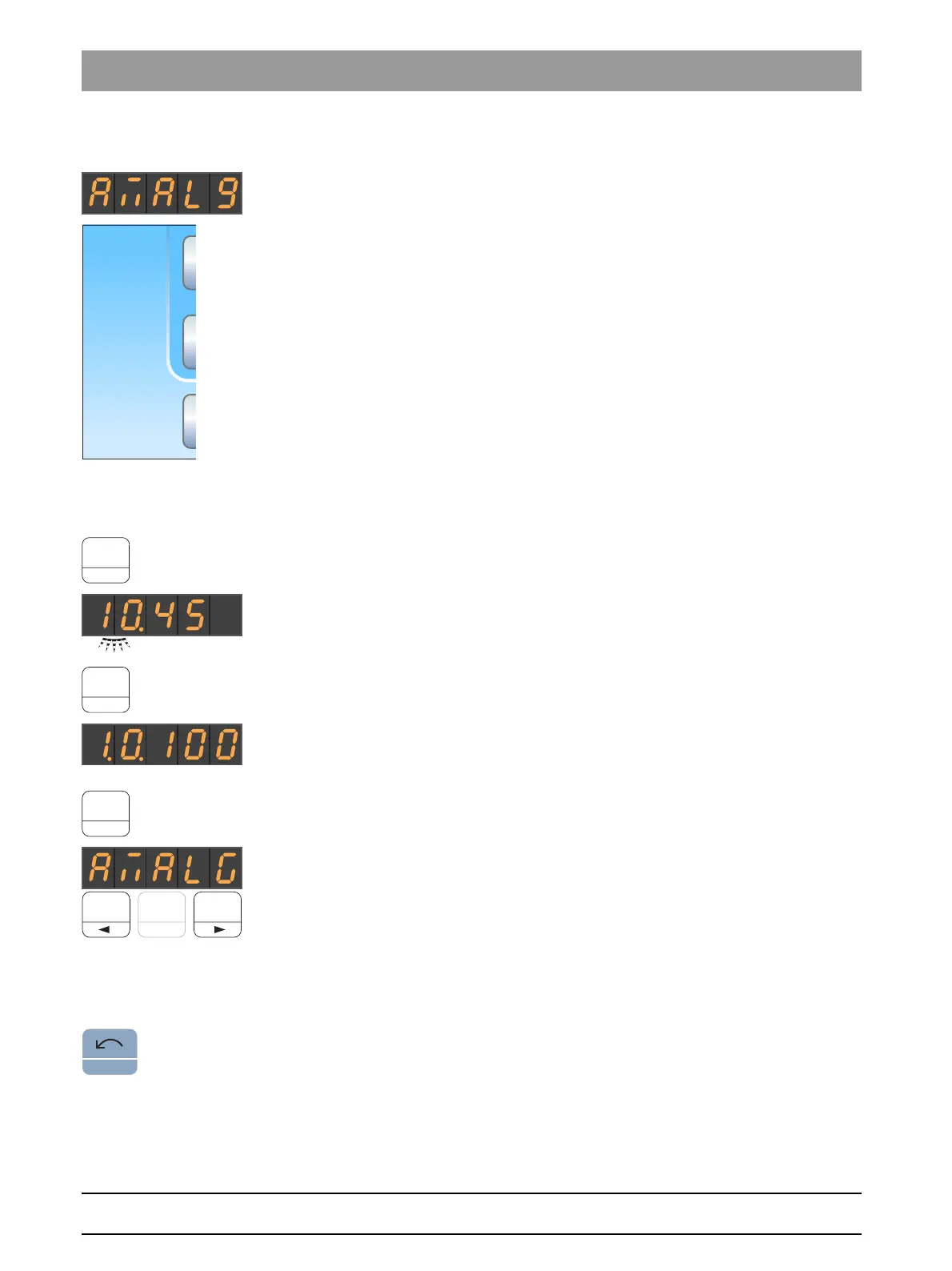
Testing the message system on the EasyPad
✔ All instruments are in place.
1. Press and hold the function key
2 / Setup
(> 2 s).
The
Setup
operating context opens. The first
Time
selection
context appears on the EasyPad display.
2. Press and hold the function key
2 / Setup
again (> 2 s).
The
Service
operating context opens. The firmware version of the
treatment center is displayed on the EasyPad display (example
in adjacent image).
3. Briefly press the function key
2 / Setup
several times (< 2 s) until the
selection focus "Amalg" appears.
4. Test the message system. To do this, press and hold the function key
1 or 3.
The message system is working if a signal sounds as long as
function key 1 or 3 is pressed.
Inform your service technician if the acoustic signal does not sound or if
the
Amalg
display does not appear.
Press on the
Counterclockwise rotation/user profile
key to exit the
Service
operating context.
!
San
1d
Aqua
41d
chem
B
10:45:03
Amalg



 To Next Page