64 57 498 D3543
D3543.201.01.05.02 08.2016
197
Sirona Dental Systems GmbH 4Operation
Operating Instructions INTEGO 4.14Configuration of the treatment center (setup)
båÖäáëÜ
4.14.2 Configuring the treatment center on EasyTouch
4.14.2.1
Opening the setup dialogs
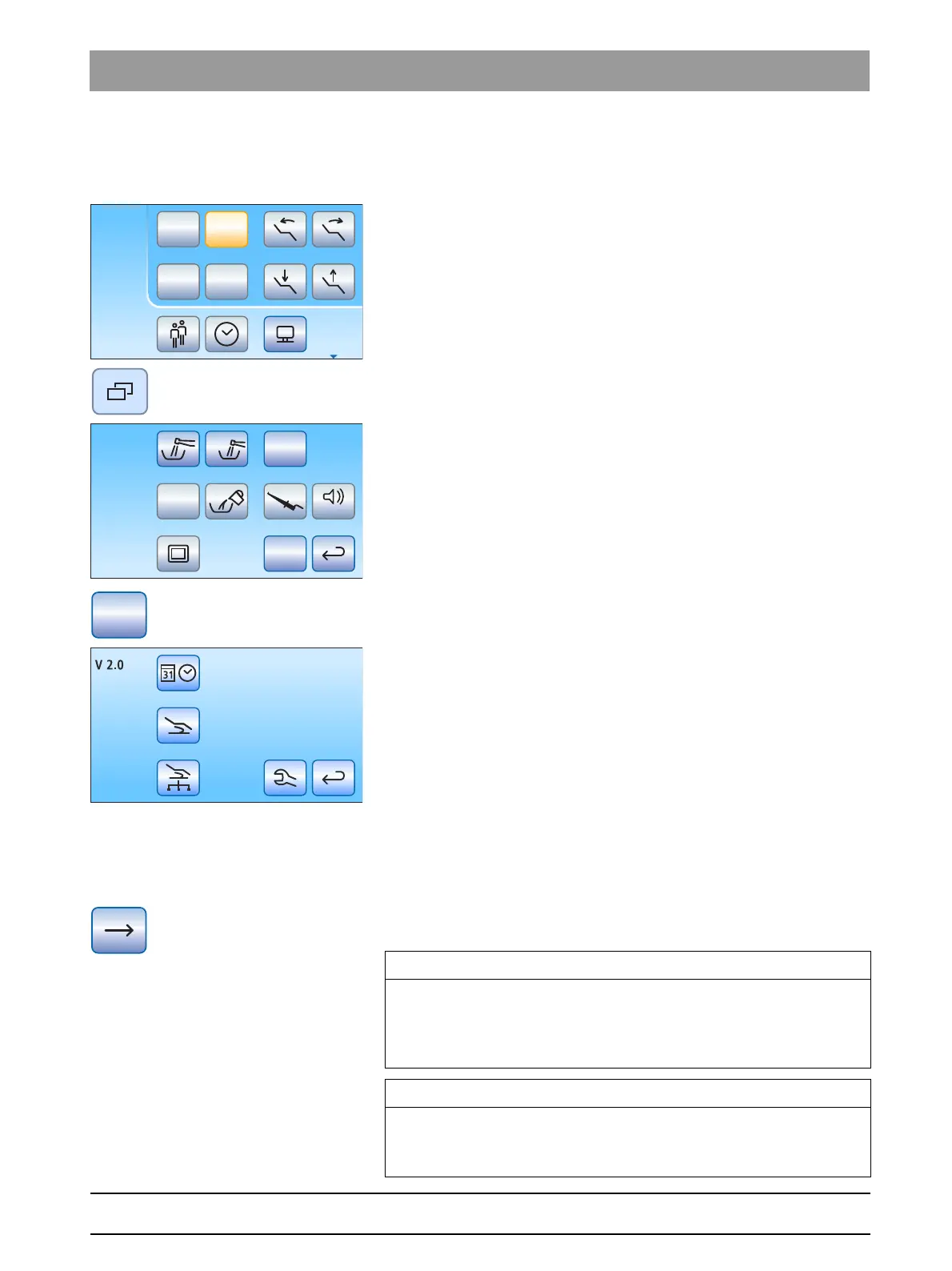
✔ All instruments are in place. The Start dialog is displayed on the
touchscreen.
✔ The required user profile is active.
1. Press the
Sub-dialog
fixed key.
The
Start
sub-dialog is displayed.
2. Hold down the
Setup
button (> 2 s).
Four setup dialogs are offered for selection.
Key symbols of the four setup dialogs line by line from left to right:
● Date and time
● Control options
● Network connection
● Service domain (for service engineers only)
The current software version of the treatment center is displayed on the
left side of the touchscreen.
➢ Touch the corresponding key to open the Setup dialogs.
Some of the setup dialogs comprise several pages. Using the
Scroll
forward
key, you can switch to the next Setup dialog page.
Setup program, storing settings
Missing function keys
Setup
San
Aqua
Apex Dist
Auto
IMPORTANT
Setup program, storing settings
The setup program closes automatically if no key is activated in 25
seconds. All of the settings you have made will be accepted when you
leave the setup program.
IMPORTANT
Missing function keys
Function keys for functions which the treatment center equipment does
not include are not displayed on the touchscreen.



 To Next Page