64 57 498 D3543
184 D3543.201.01.05.02 08.2016
4Operation Sirona Dental Systems GmbH
4.12SIVISIONdigital video system Operating Instructions INTEGO
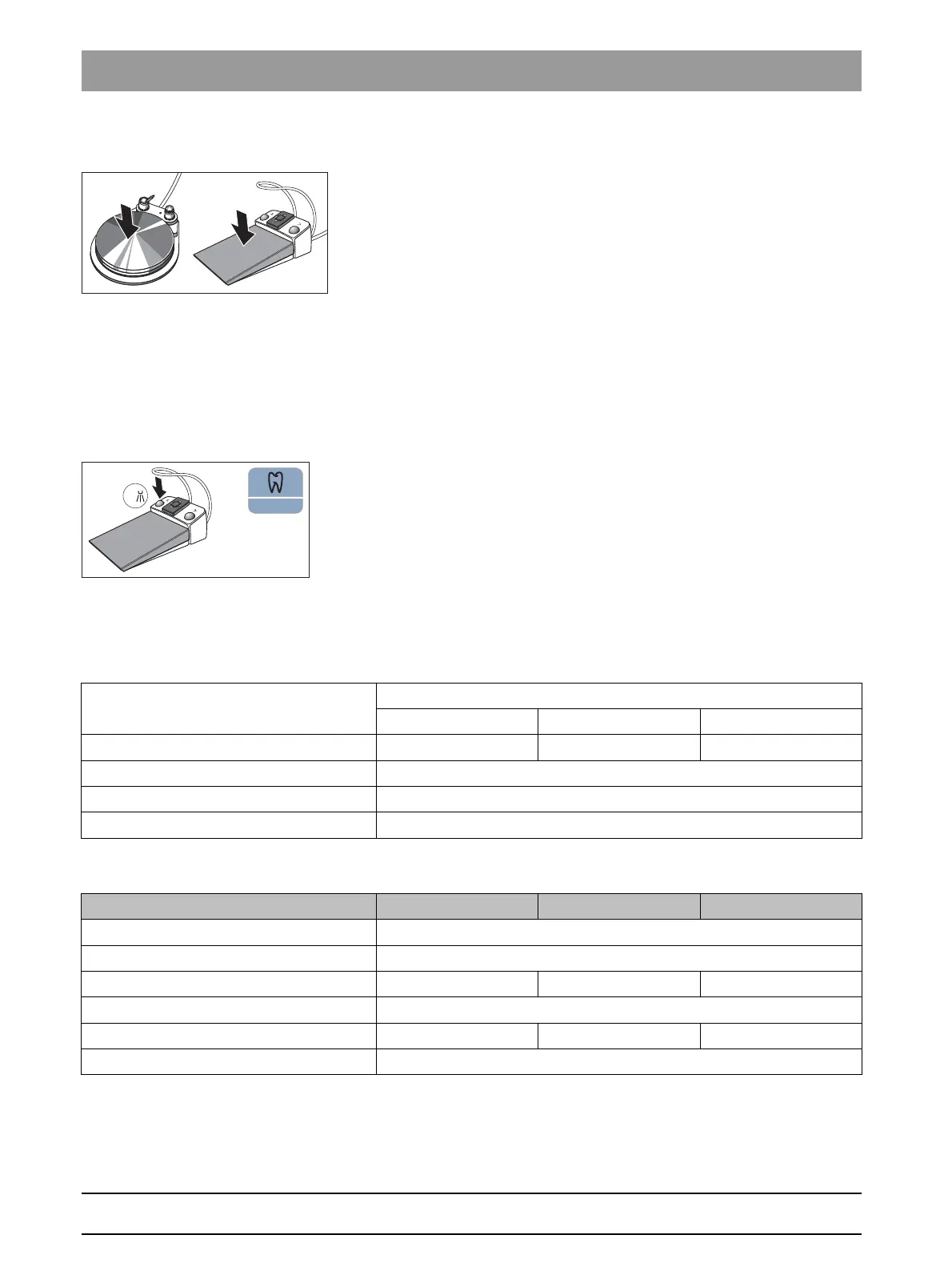
Generating a still image
✔ The live image is displayed on the SIVISION monitor.
1. Step on the foot pedal.
The display switches from live to still image.
2. Press the foot pedal again.
The live image is again displayed on the SIVISION monitor.
If the treatment center is equipped with an autofocus camera and the C
+
electronic foot switch, it can be configured in the setup that the camera
image can be focused with the foot switch, see "Switching on/off focusing
of the intraoral camera with the C
+
electronic footswitch" for Easy Pad
[ → 195], for EasyTouch [ → 200]. If this function is switched on, the foot
pedal must be pressed down fully to switch between live and still images.
Saving an image
✔ The patient must be registered in SIDEXIS.
✔ The still image to be saved is displayed on the SIVISION monitor.
➢ Press the left button of the C
+
electronic foot control or press the
Endodontics / Purge
key on the EasyPad.
An acoustic signal sounds. The still image is displayed in an
additional SIDEXIS window and saved in the patient database.
4.12.3 Technical camera data
General technical data
Characteristics of the image acquisition
Model: Intraoral camera
SiroCam F SiroCam AF SiroCam AF
+
Weight of handpiece without cable: approx. 80 g approx. 80 g approx. 85 g
Dimensions: diam. 27.5 x 207 mm
Working temperature: +10 to +40 °C
Power supply and signal output: 5 V via USB 2.0 interface (modified plug-in connection)
SiroCam F SiroCam AF SiroCam AF
+
Lighting: 2 white light LEDs
Image sensor: 1/4" CMOS
Focusing: set for close-up range Autofocus Autofocus
Live image resolution: 824 x 514
Resolution of saved images: 824 x 514 1024 x 640 1276 x 796
White balance: Permanently set to 4800 K



 To Next Page