64 57 498 D3543
D3543.201.01.05.02 08.2016
61
Sirona Dental Systems GmbH 4Operation
Operating Instructions INTEGO 4.1Starting up the treatment center
båÖäáëÜ
4.1.3 Selecting a user profile
If your treatment center is equipped with the EasyPad standard user
interface, it can manage up to two user profiles. The EasyTouch comfort
user interface can manage up to four user profiles. This way, multiple
users can operate the treatment center without having to forego their own
individual treatment and operation related settings.
The following is stored in the user profiles:
● For chair program settings see "Programming chair programs" [ → 79]
● For configurations in the setup, see "Configuration of the treatment
center (Setup)" [ → 192]
● For settings in the operating contexts and dialogs on the instruments,
see "Saving the instrument settings" [ → 92]
● Configuration of the SIVISION screen for PC control. The
configuration is saved in the PC application SIUCOM plus that is
installed on the PC.
When the user profile is selected, the preset configurations and settings
become available.
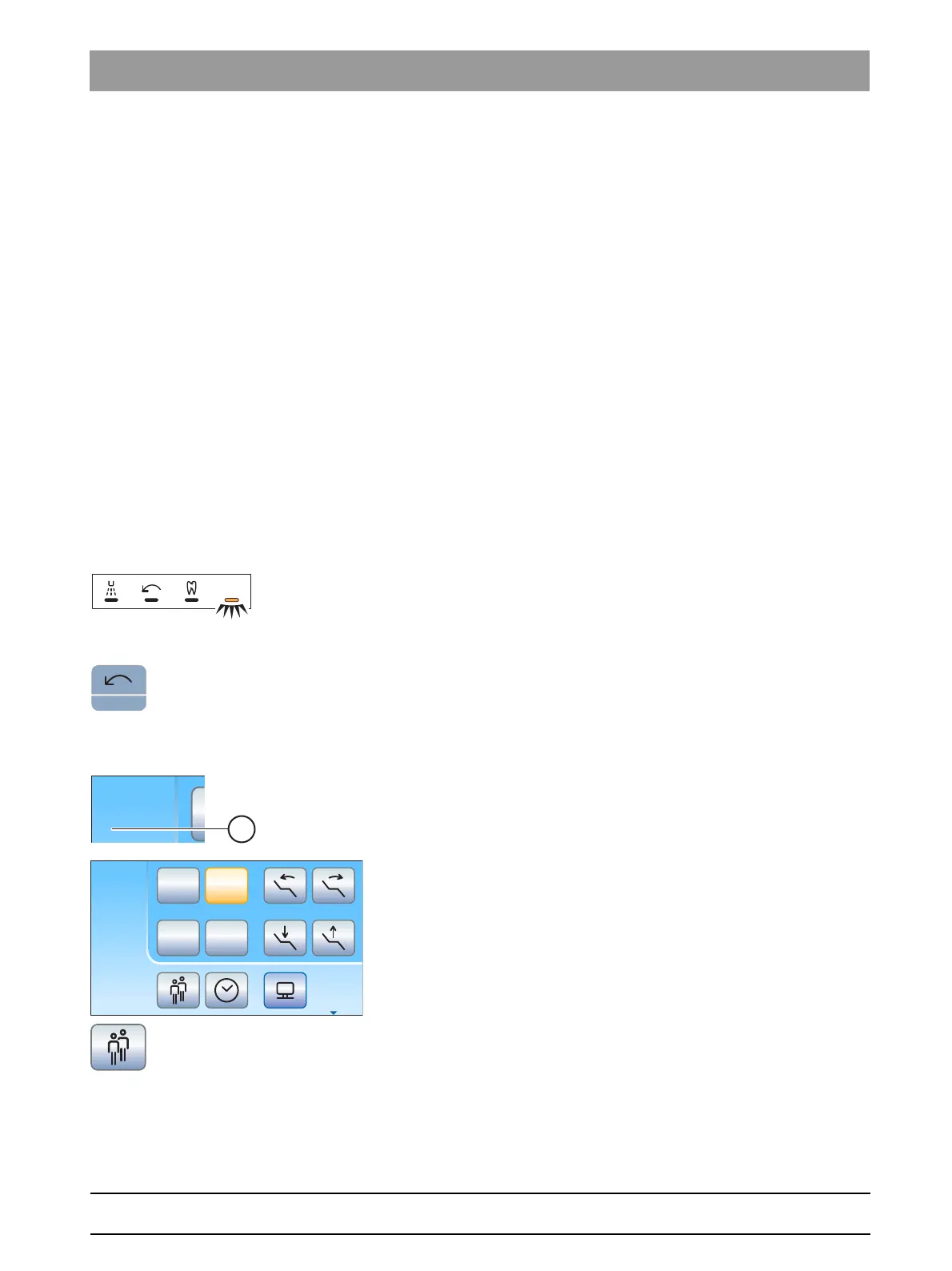
Selecting a user profile on the EasyPad
If the status display
user profile
lights up, user profile B is pre-selected; if
is does not light up, user profile A. The user profile used last is
automatically loaded when the treatment center is switched on.
✔ All instruments are placed in the holders.
➢ Press the
Counterclockwise rotation / User profile
key.
The status display
User profile
lights up or turns off. This toggles
betweens the user profiles.
Selecting a user profile on the EasyTouch
The user profiles A are distinguished with the letters A to D. The active
user profile, here B, is displayed in the status field of the touchscreen. If
only one user profile is set up, nothing is displayed. The user profile used
last is automatically loaded when the treatment center is switched on.
✔ The
Start dialog
is displayed on the touchscreen.
➢ Touch the
User profile
as often as necessary until the desired user
profile is selected.
The user profile displayed in the status field is active.
On the EasyTouch user interface, if any of the user profiles are not
required, their number can be limited, see "Preselecting the number of
user profiles" [ → 199].



 To Next Page