64 57 498 D3543
D3543.201.01.05.02 08.2016
67
Sirona Dental Systems GmbH 4Operation
Operating Instructions INTEGO 4.3Foot control
båÖäáëÜ
4.3.2 C
+
electronic foot switch
The C
+
electronic foot switch operating elements are assigned different
functions depending on whether the instruments are all in place or an
instrument is removed from its holder.
When an instrument is removed from the holder, the last speed or
intensity settings are automatically displayed on the EasyPad. On the
EasyTouch, the instrument dialog is called up. If the intraoral camera is
removed, the SIVISION dialog appears.
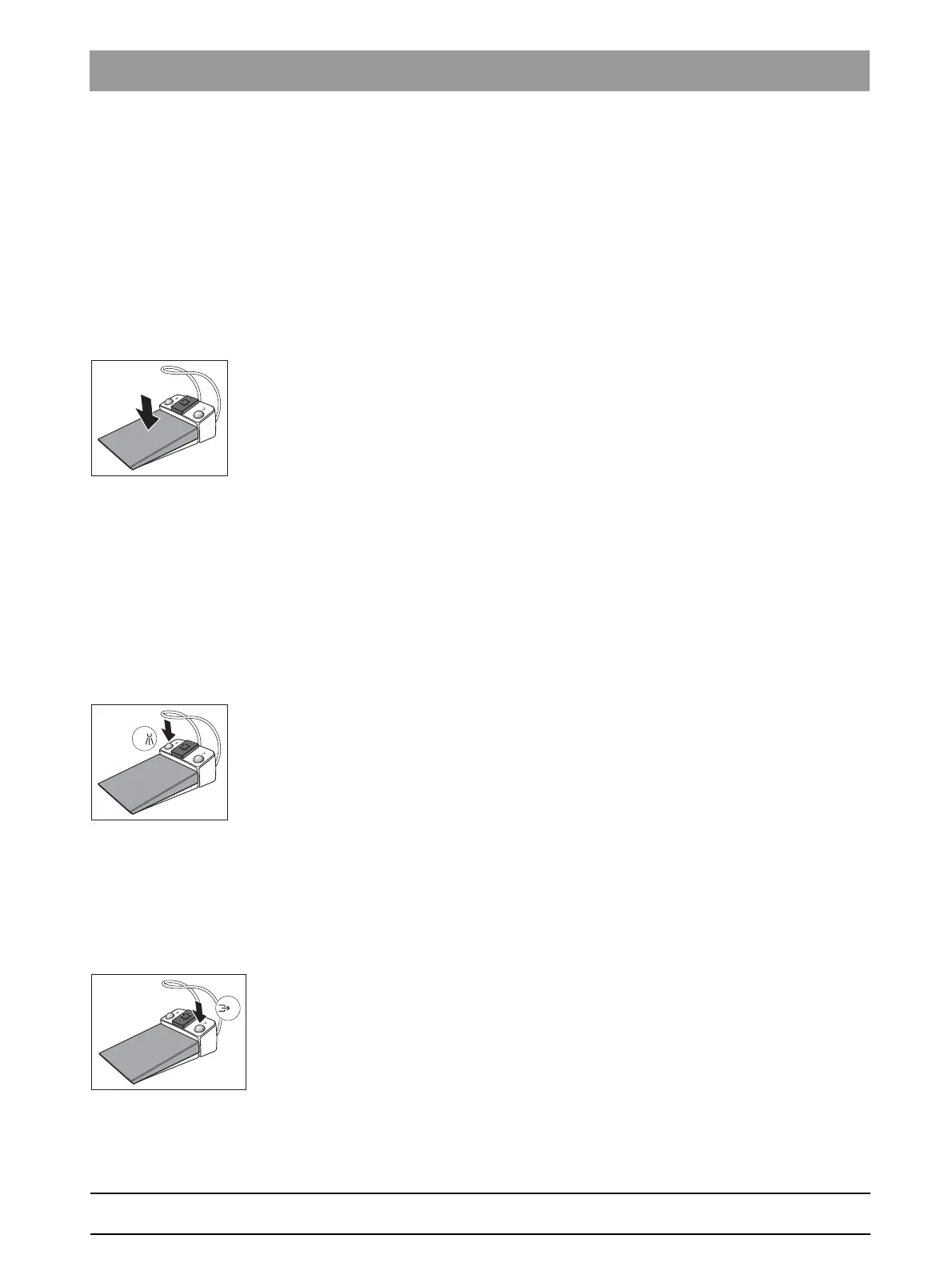
Foot pedal
✔ All instruments are in place.
➢ Press the foot pedal.
The EasyPad switches to the standard operating context (initial
situation), the EasyTouch displays the start dialog.
✔ An instrument is removed.
➢ Step on the foot pedal.
The instrument is activated. With the EasyPad, the motor and the
SIROSONIC L are activated with the set speed or intensity (direct
starter). When the speed control foot switch function is set on the
EasyTouch, the motor and SIROSONIC L can be controlled
depending on the pedal position, see "Set C+ electronic foot
switch as direct starter or speed control foot switch" [ → 91]. When
the intraoral camera is removed from the holder, the camera
image focuses and the display switches to the still or live image.
Left button
✔ All instruments are in place.
➢ Press the left button.
The chair moves to mouth rinsing position S.
✔ An instrument is removed.
➢ Press the left button.
With the EasyPad the spray is switched on and off, with the
EasyTouch the preset cooling medium in the sub-dialog (spray or
air). If the intraoral camera is removed, the video still image is
saved in SIDEXIS; the live image is displayed in the next
quadrant in SI Video.
Right button
✔ All instruments are in place.
➢ Press the right button.
The chair moves to entry/exit position 0.
✔ An instrument is removed.
➢ Press the right button.
The chip blower remains switched on as long as the button is
pressed. When the intraoral camera is removed, it is possible to
toggle between single image and quad image in SI Video.



 To Next Page