64 57 498 D3543
D3543.201.01.05.02 08.2016
71
Sirona Dental Systems GmbH 4Operation
Operating Instructions INTEGO 4.4Patient chair
båÖäáëÜ
4.4.3 Triggering an immediate movement stop
You can stop the movement of the chair to a programmed position as
follows:
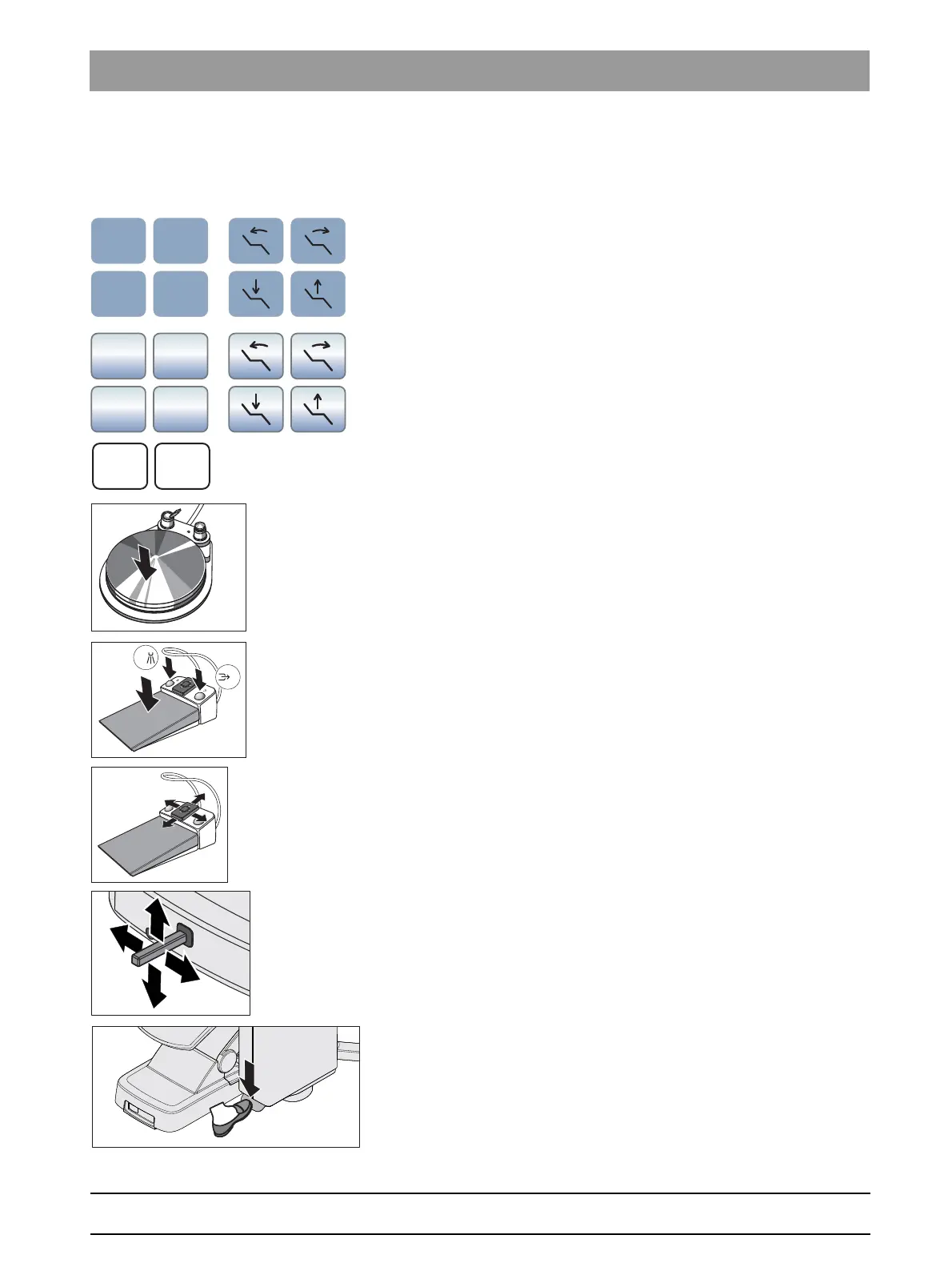
➢ Touch one of the patient chair keys on the EasyPad or EasyTouch.
➢ Press one of the patient chair keys on the control panel of the
assistant element.
Triggering movement stop on the pneumatic foot switch
➢ Press the pedal of the pneumatic foot switch.
➢ With all instruments in place, press the pedal or the left or right button
of the C
+
electronic foot control.
➢ With an instrument removed from the holder, press the pedal of the
C
+
electronic foot control.
➢ Move the 4-way switch plate on the C
+
electronic foot control in any
direction.
➢ Move the 4-way foot control in any direction.
Press the Turn pedal
➢ For treatment centers with the Ambidextrous option: press the foot
pedal to convert the water unit.



 To Next Page