64 57 498 D3543
188 D3543.201.01.05.02 08.2016
4Operation Sirona Dental Systems GmbH
4.13Operation with a PC Operating Instructions INTEGO
4.13.1.4
Communication with SIDEXIS
The SIDEXIS PC application enables you e.g. to display X-ray and
intraoral camera images and transmit them to the SIVISION monitor. The
live image of the SiroCam F / AF / AF
+
intraoral camera is displayed in
SIDEXIS and can be saved as a still image in the patient database. The
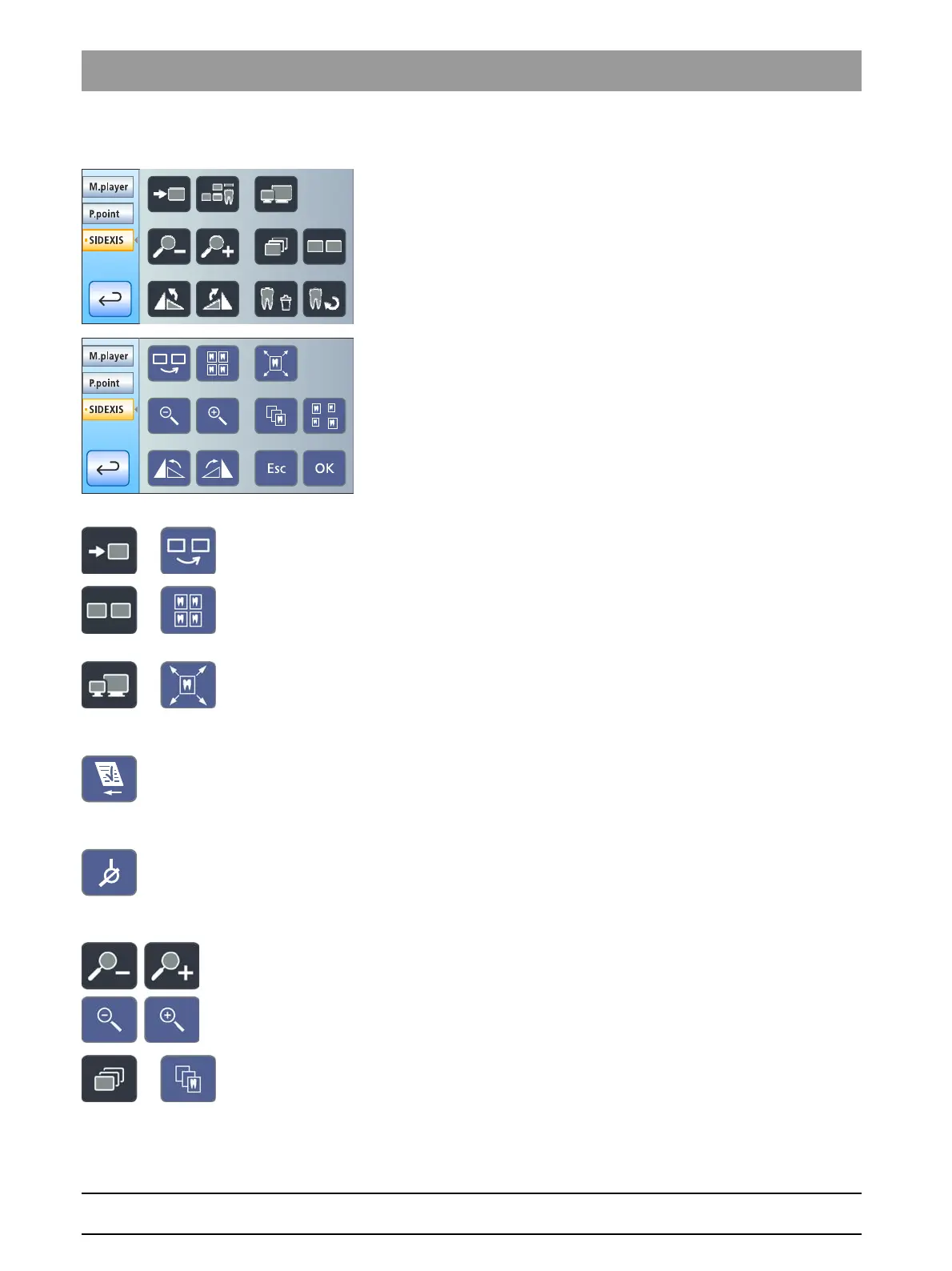
following SIDEXIS functions can be controlled from the treatment center
to enable viewing of the stored images on the SIVISION monitor:
See the "SIDEXIS 4" or "SIDEXIS XG" manual for further details.
SIDEXIS control keys
Next image
The next image window is activated.
Tiled layout
All open image windows are scaled to a uniform size in the display area
and arranged without overlapping.
Full frame
The active image window is enlarged so that it covers the entire display
area. The control elements of the SIDEXIS user interface are not
concealed in the process.
Accepting an order
Accepts an order that was placed and is waiting in SIDEXIS, e.g. for
creating an intraoral image with the X-ray unit of the treatment center or
a video recording with the intraoral camera.
Readiness for intraoral X-ray exposure
Establishes readiness for an X-ray exposure. A SIDEXIS window then
opens where the image type can be selected and the image can be
described in detail.
Zoom in/out
This magnifies and decreases the active image window and the size of
the image displayed in it on the SIVISION monitor.
Cascaded layout
The opened windows are "cascaded", i.e. arranged slightly displaced
behind one another. All image window titles are thus visible.



 To Next Page