64 57 498 D3543
D3543.201.01.05.02 08.2016
187
Sirona Dental Systems GmbH 4Operation
Operating Instructions INTEGO 4.13Operation with a PC
båÖäáëÜ
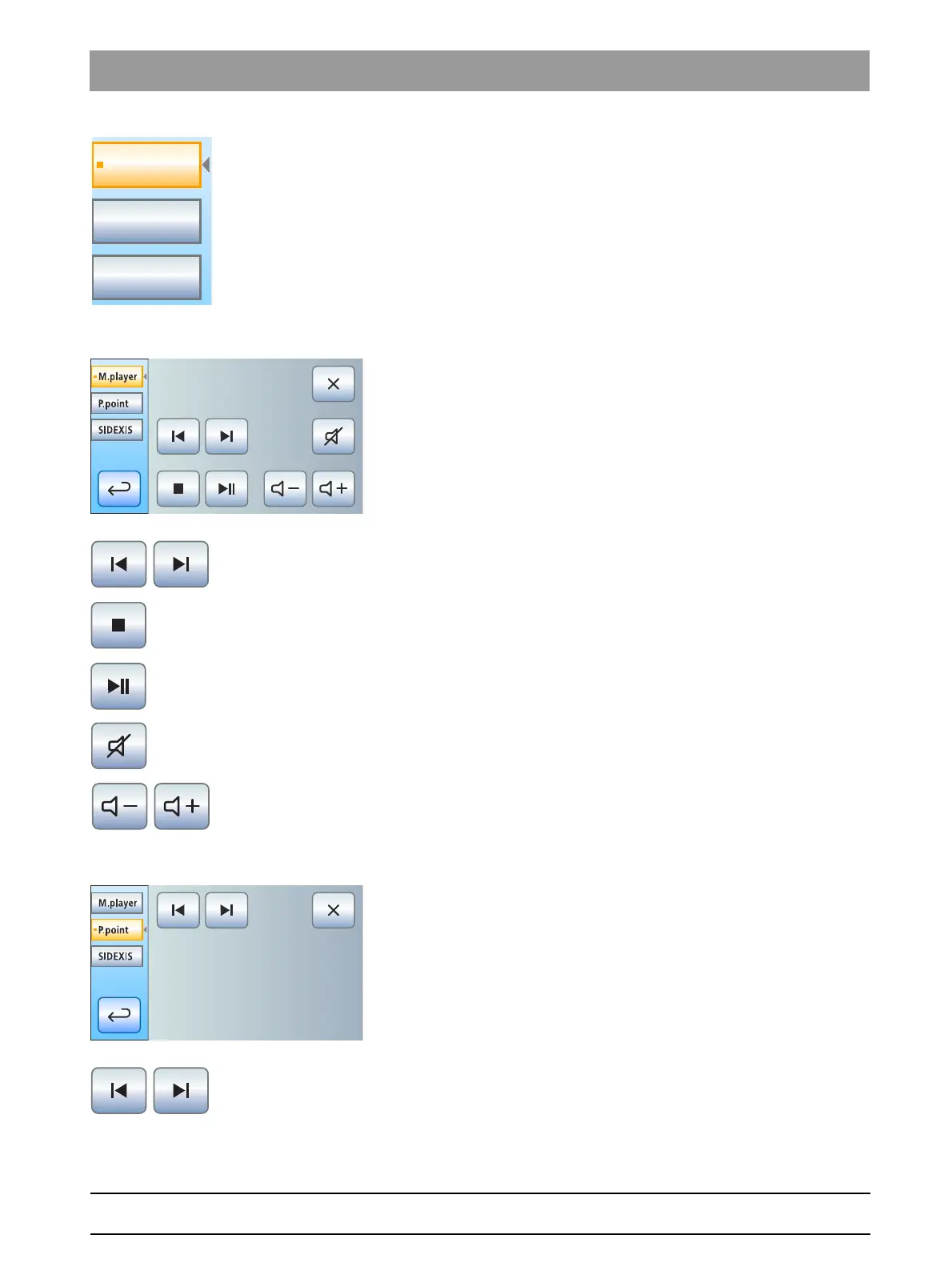
The treatment center starts the PC applications automatically. An orange
square located in front of the respective PC application on the
touchscreen indicates whether the application has been started and is
ready for operation on the PC. As long as the orange square is displayed,
communication with the PC application is not yet possible.
4.13.1.2
Communication with the media player
The treatment center offers the possibility of playing back multimedia files
stored on the external PC using the Windows Media Player. The audio or
video files in the file system can be selected and the player can be
controlled from the treatment center. Video images can be viewed on the
SIVISION monitor.
Media Player control keys
Previous/next title
Stop playback
Start/interrupt playback
Mute
Adjust volume
4.13.1.3
Communication with Microsoft PowerPoint
For effective patient communication, Microsoft
®
PowerPoint
®
presentations stored on the external PC can be displayed on the
SIVISION monitor. The presentations in the file system can be selected
and presentation of slides can be controlled from the treatment center.
PowerPoint control keys
Previous/next slide



 To Next Page