64 57 498 D3543
D3543.201.01.05.02 08.2016
89
Sirona Dental Systems GmbH 4Operation
Operating Instructions INTEGO 4.5Dentist element
båÖäáëÜ
4.5.5.2
Instrument functions on the EasyTouch
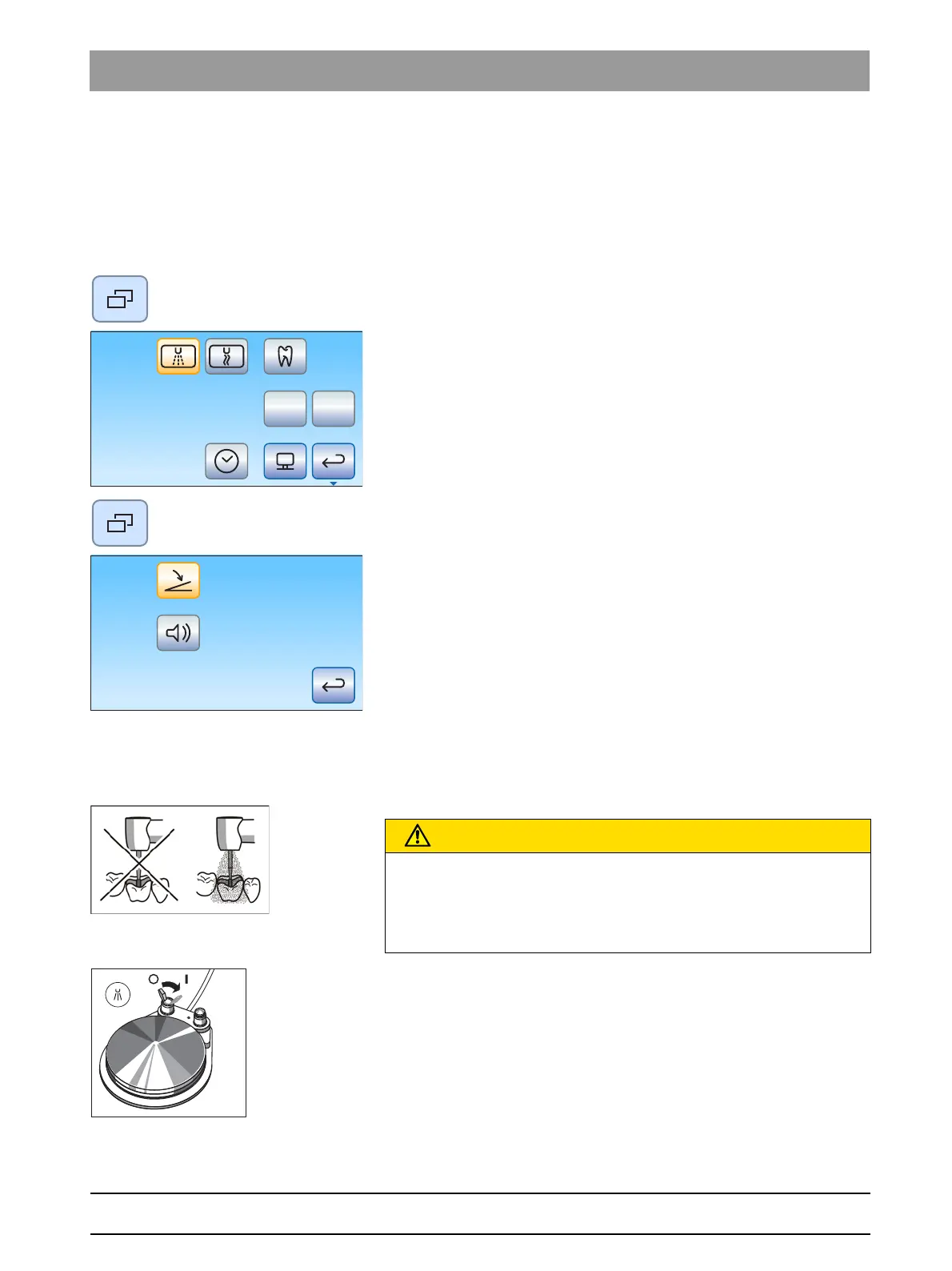
4.5.5.2.1 Opening the sub-screen
✔ An instrument is removed from the holder.
✔ The
Instrument program
of the removed instrument is displayed on
the touchscreen.
1. Press the
Sub-dialog
fixed key.
The sub-screen is displayed.
2. To get to the second sub-screen, press the
Sub-dialog
fixed key
again.
The second sub-dialog is displayed.
4.5.5.2.2 Switch spray on/off on the pneumatic foot switch.
The spray is switched on when the foot switch is activated in combination
with the instrument. The spray can be switched on/off via the foot switch.
Cooling of treatment areas
➢ Toggle the switch on the pneumatic foot switch.
Left position: Spray off
Right position: Spray on
The spray is switched on/off when the instrument is activated.
When spray is activated by the pneumatic foot switch, it is not displayed
on the EasyTouch. The
Spray
and
Air
key is not displayed in the sub-
dialog.
CAUTION
Instrument can be operated without coolant.
Tooth substance can be damaged by frictional heat.
➢ Always make sure that the treatment area does not overheat
whenever you switch the coolant off.



 To Next Page