64 57 498 D3543
D3543.201.01.05.02 08.2016
271
Sirona Dental Systems GmbH 5Care, cleaning and maintenance by the practice team
Operating Instructions INTEGO 5.6Sanitizing
båÖäáëÜ
5.6.1.1
Sanitizing on the EasyPad
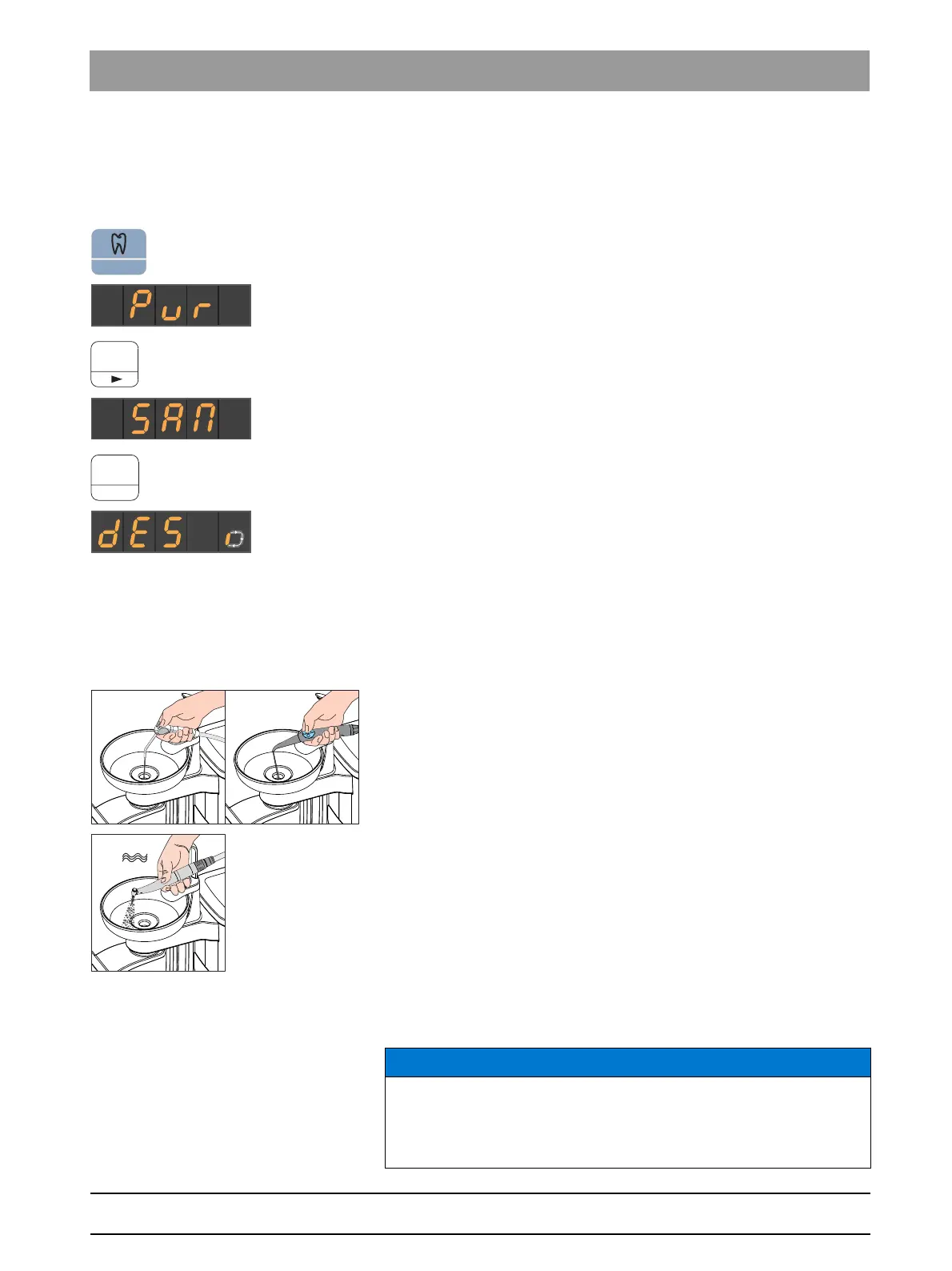
Displaying the sanitizing operating context
✔ All instruments are in their holders.
1. Press the
Torque control/Purge
fixed key.
The
Purge
operating context is shown on the EasyPad display.
2. Press favorite key 3.
The
Sanitizing
operating context is displayed.
3. Press the favorite key
2 / Setup
.
A revolving element is shown on the EasyPad display next to the
text "dES". The tumbler filling switches on and is supplied with
DENTOSEPT P disinfectant.
Treating water lines with DENTOSEPT P disinfectant
The water lines of the instrument hoses, SPRAYVIT hoses, and the
tumbler filler are filled with pure DENTOSEPT P.
✔ The tumbler filling was automatically flushed with DENTOSEPT P.
1. Hold the 3-way syringe of the dentist and assistant element over the
cuspidor or over a watertight container with sufficient capacity and
press the water key for at least 15 seconds.
2. Remove a single instrument from holder and hold it over the cuspidor
or over a watertight container with sufficient capacity. For the CS
dentist element, move the swivel arm of the instrument into the
working position.
3. Step on the pedal of the foot control briefly.
The removed instrument is then purged for approx. 15 seconds
with DENTOSEPT P disinfectant. The purging process stops
automatically.
4. Afterward, return the instrument to the instrument holder.
5. Repeat the procedure for all other instruments.
Tumbler filling, discolorations due to DENTOSEPT P
NOTICE
Splashes of pure DENTOSEPT P can result in discoloration of surfaces
if left for too long.
Any splashes should therefore be removed immediately using a moist
cloth.



 To Next Page