64 57 498 D3543
112 D3543.201.01.05.02 08.2016
4Operation Sirona Dental Systems GmbH
4.5Dentist element Operating Instructions INTEGO
4.5.9.2
Integrated torque control on the EasyTouch
4.5.9.2.1 Switching integrated torque control on/off
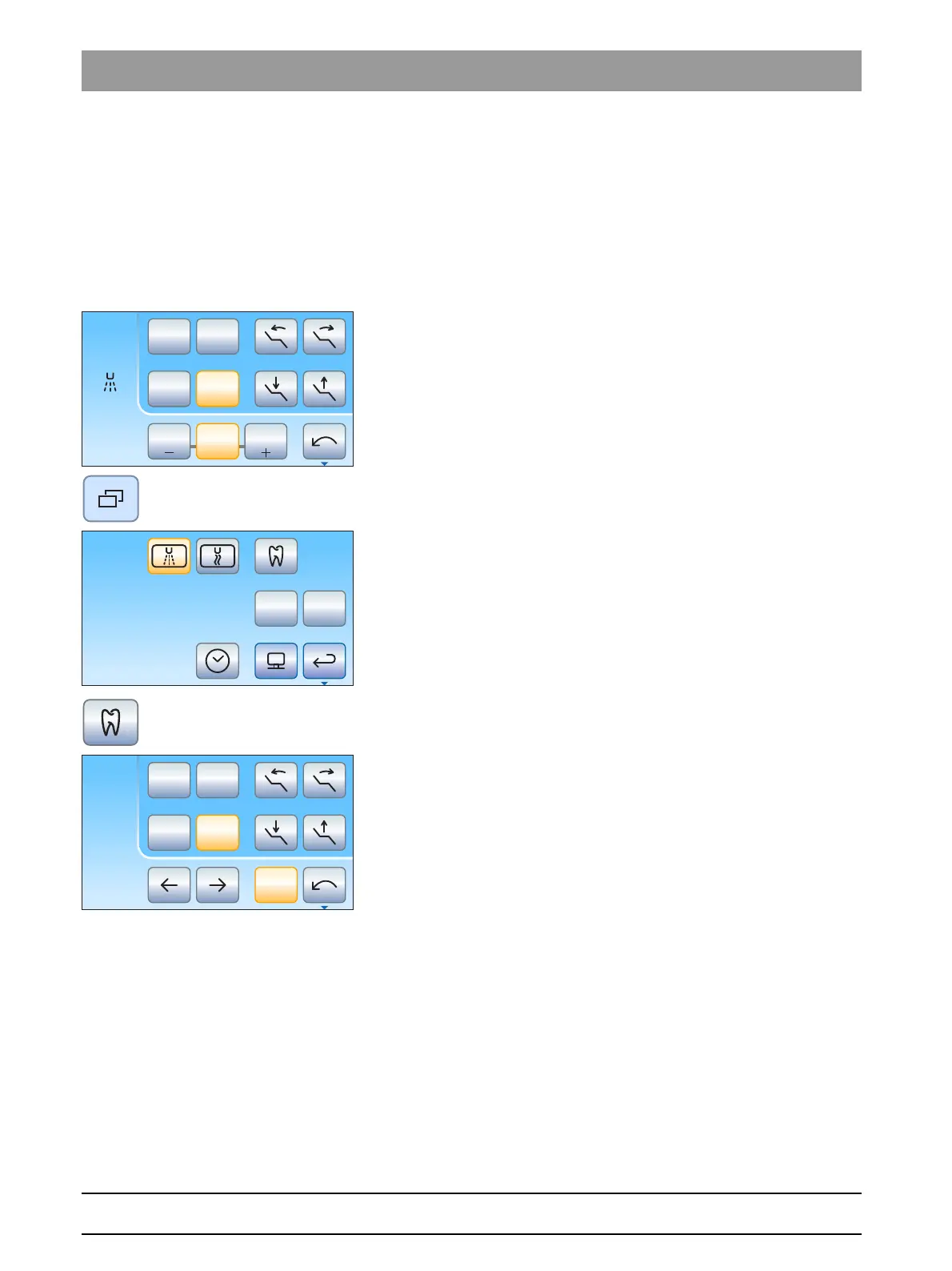
Switching torque control on
Torque control is assigned to the burr drive removed from the holder.
✔ The desired electric motor for torque control is removed from the
holder.
✔ The motor speed and favorite keys are shown.
1. Press the
Sub-dialog
fixed key.
The
Motor
sub-dialog is displayed.
2. Press the
Integrated torque control
key.
The
Endodontics dialog
is displayed on the touchscreen.
Switching torque control off
If the integrated torque control is switched on when the burr drive
assigned to the torque control is removed from the holder, the
Endodontics dialog
is displayed in place of the
Motor dialog
on the
touchscreen. To show the motor speed again when the burr drive is
removed, the integrated torque control must first be switched off.
✔ The electric motor assigned to the integrated torque control is
removed from the holder.
B
10:45:03
2
1
0S
rpm
20000
1.2 4020
Set
2
1
0S
rpm
300
Ncm
1.00
Endo 3
Cal



 To Next Page