64 57 498 D3543
D3543.201.01.05.02 08.2016
259
Sirona Dental Systems GmbH 5Care, cleaning and maintenance by the practice team
Operating Instructions INTEGO 5.5Components of the water unit
båÖäáëÜ
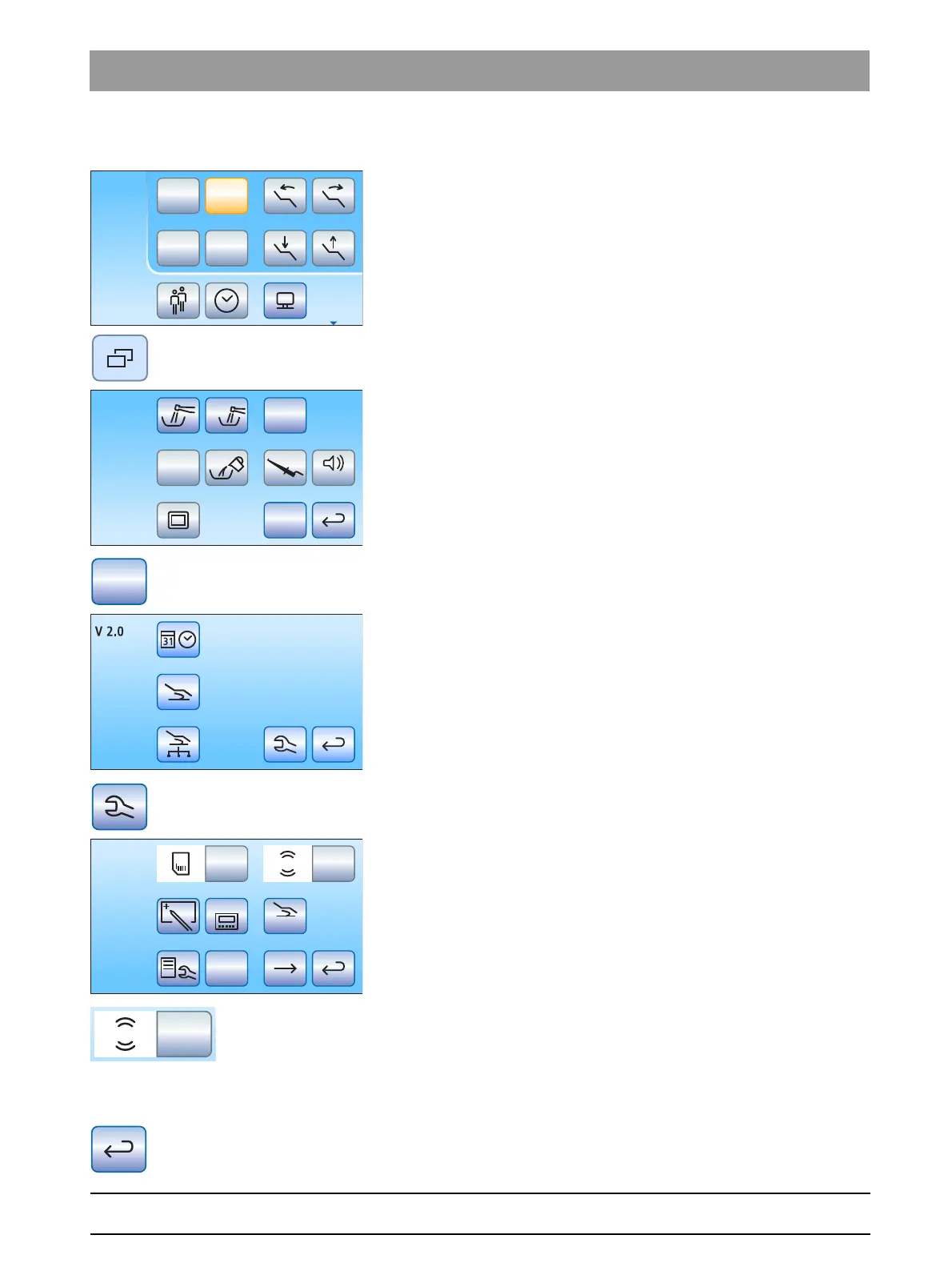
Testing the message system on the EasyTouch
✔ All instruments are in place. The Start dialog is displayed on the
touchscreen.
1. Press the
Sub-dialog
fixed key.
The
Start
sub-dialog is displayed.
2. Hold down the
Setup
button (> 2 s).
The
Setup dialog
appears.
3. In the setup dialog, hold and press the
Service
key (> 2 s).
The service dialog is shown.
4. Test the message system. Press and hold the
Amalg
key for an
extended period.
The message system is working if a signal sounds as long as the
Amalg
key is pressed.
Inform your service technician if the acoustic signal does not sound.
Press the
Back
key to exit the service dialog.
Setup
San
Aqua
Apex Dist
Auto



 To Next Page