64 57 498 D3543
D3543.201.01.05.02 08.2016
171
Sirona Dental Systems GmbH 4Operation
Operating Instructions INTEGO 4.10Operating light
båÖäáëÜ
4. Use the left and right arrows on the favorite key pad to adjust the
operating distance of the contactless sensor (5 levels). The left arrow
key decreases the operating distance, the right arrow key increases
it. You can try out the setting directly on the operating light without
leaving the setting program. The setting should be selected so that
the contactless sensor cannot be operated unintentionally. Set the
operating distance to "0" to deactivate the contactless sensor.
5. Confirm your setting with the
2 / Setup
favorite key.
The time is displayed.
Setting LEDview on the EasyTouch
1. Press and hold the
Operating Light
fixed key on the dentist element
(> 2 s).
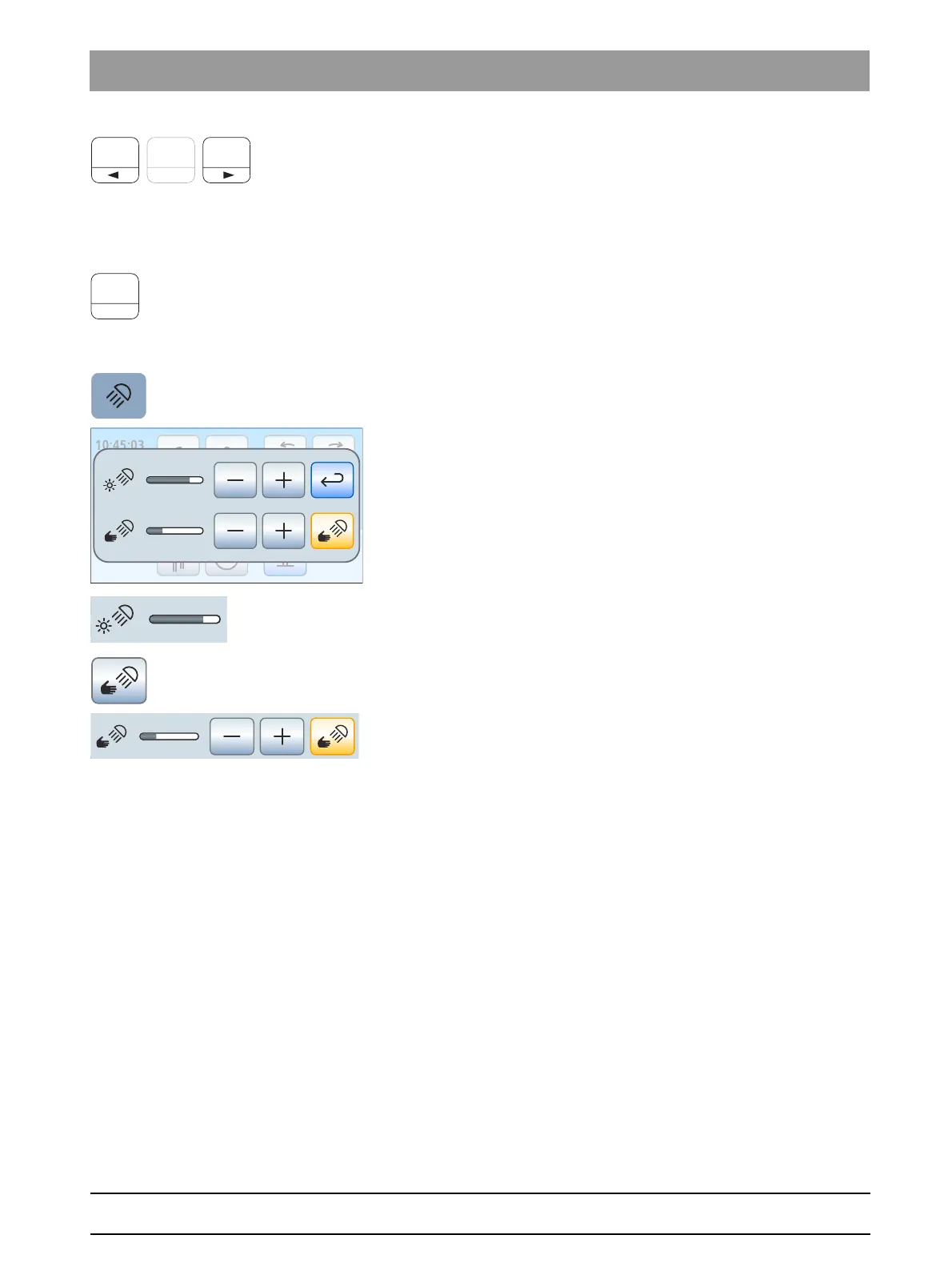
The settings screen of the operating light is displayed on the
touchscreen.
2. Use the – and + keys to set the desired brightness of the operating
light (5 levels). The – key decreases the brightness and the + key
increases it.
3. Touch the
Sensor control
key.
If the key is highlighted in orange, the operating light can be
controlled with the contactless sensor. The keys for adjusting the
operating distance are displayed.
4. Use the – and + keys to set the desired operating distance (5 levels).
The – key decreases the operating distance and the + key increases
it. You can try out the setting directly on the operating light without
leaving the setting program. The setting should be selected so that
the contactless sensor cannot be operated unintentionally.
5. Touch the Sensor control key again to switch off the sensor control.
The key is no longer highlighted in orange and the keys for
adjusting the operating distance are faded out.



 To Next Page