64 57 498 D3543
D3543.201.01.05.02 08.2016
179
Sirona Dental Systems GmbH 4Operation
Operating Instructions INTEGO 4.12SIVISIONdigital video system
båÖäáëÜ
Connecting the intraoral camera to the assistant element
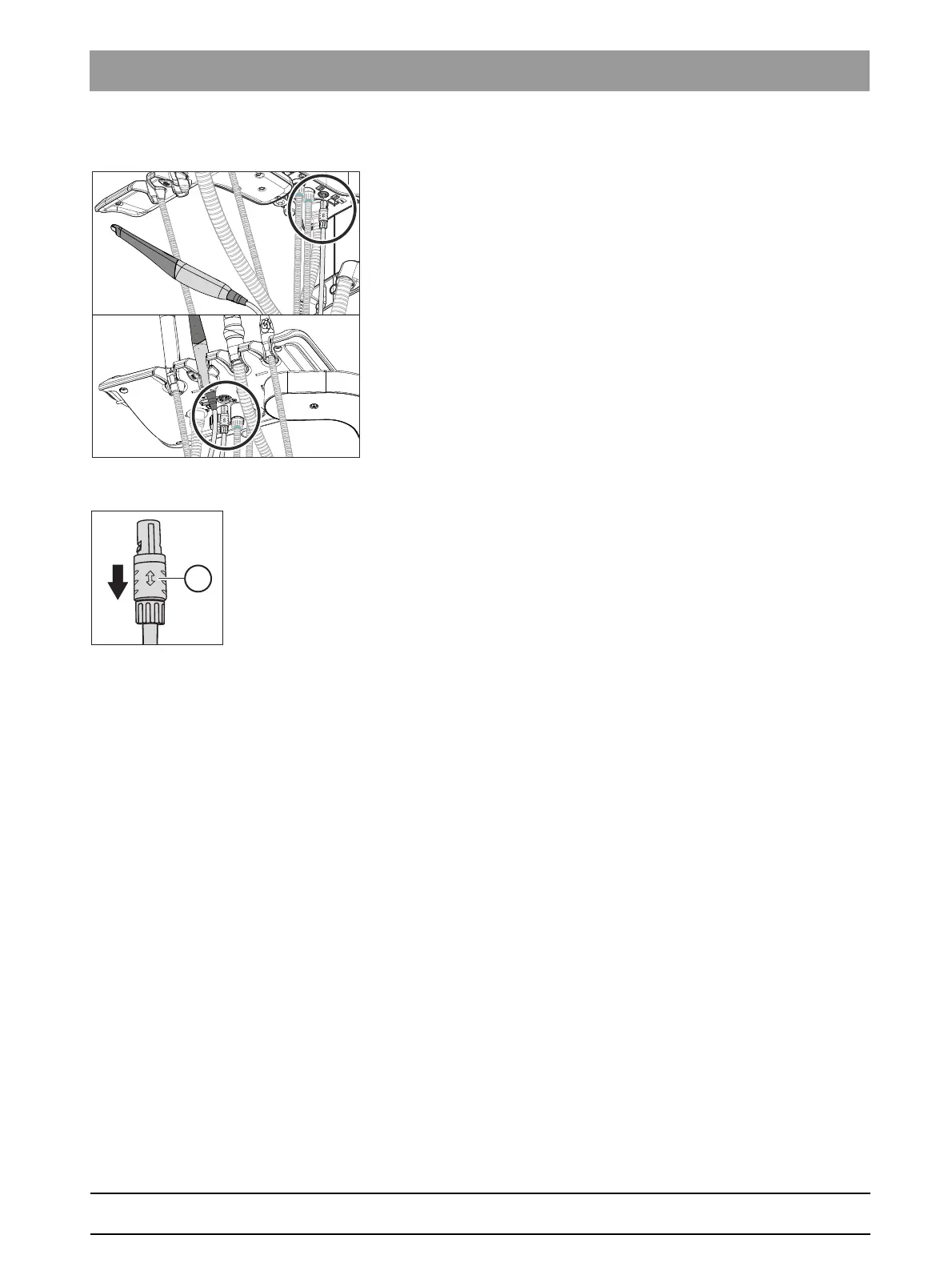
The intraoral camera can be operated at the second instrument position
of the assistant element. The camera connection is located underneath
the assistant element instead of the connection for the curing light.
➢ Plug the connector of the intraoral camera into the socket on the
assistant element.
The plug locks in place.
Removing the intraoral camera
The plug of the intraoral camera is secured against unintentional removal.
➢ Grasp the plug by its locking device A and pull this out without tilting,
if possible.



 To Next Page